Inspiring
February 26, 2024
Answered

Restore Installation results in Error 0xc0000142

  • February 26, 2024
  • 1 reply
  • 4105 views

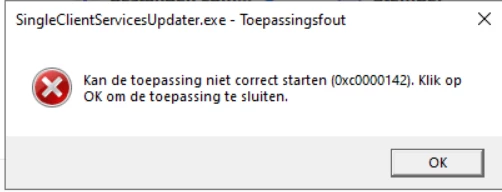
After a little while in restoring the Installation, it gives me an error from 
SingleClientServicesUpdater.exe
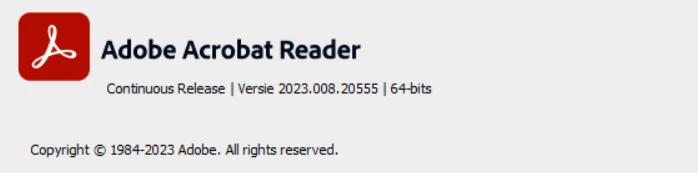
Im running the newest version (2023.008.20555) on windows server 2022 Standard


How do i fix this?


This topic has been closed for replies.
Correct answer Michael35544520nf80

quotation didnt go well,
Anyways I've followed all the steps properly now and the issue still persists, would there be any other fixes? or de we just wait for an update on adobes part?


Was the server 2022 upgraded in-place from 2019/2016?

Check HKEY_LOCAL_MACHINE\SOFTWARE\Microsoft\Windows NT\CurrentVersion\Image File Execution Options
for "rdrcef.exe" or "acrocef.exe" keys, and try renaming those keys if they exist (to disable IFEO for the CEF processes).

This is what i did and it worked

1 reply

Abambo
Community Expert
Community Expert
February 26, 2024

This looks like the OS is catching an error during the installation.

Try the following:

  1. Uninstall Acrobat.
  2. Run AcroCleaner. AcroCleaner — Acrobat Desktop Tools and Utilities 
  3. Download a new copy of Acrobat. Download Acrobat installer for Enterprise term or VIP license 
  4. Install.
ABAMBO | Hard- and Software Engineer | Photographer
Inspiring
February 26, 2024

I tried it, and it sadly doesnt work.
Would there be any other possible fixes?
I also tried resetting the preferences, by deleting them in file explorer
Along with some other generic fixes

Thank you for your help

Inspiring
February 26, 2024

As of right now installing itself after running Acrocleaner (without a reboot)
Already gives the error 0xc0000142


Even worse, after installing Adobe again the process instantly closes after running it