
Participant
January 14, 2022
Answered

Rounding off to 2 decimals

  • January 14, 2022
  • 1 reply
  • 1443 views

Hi,

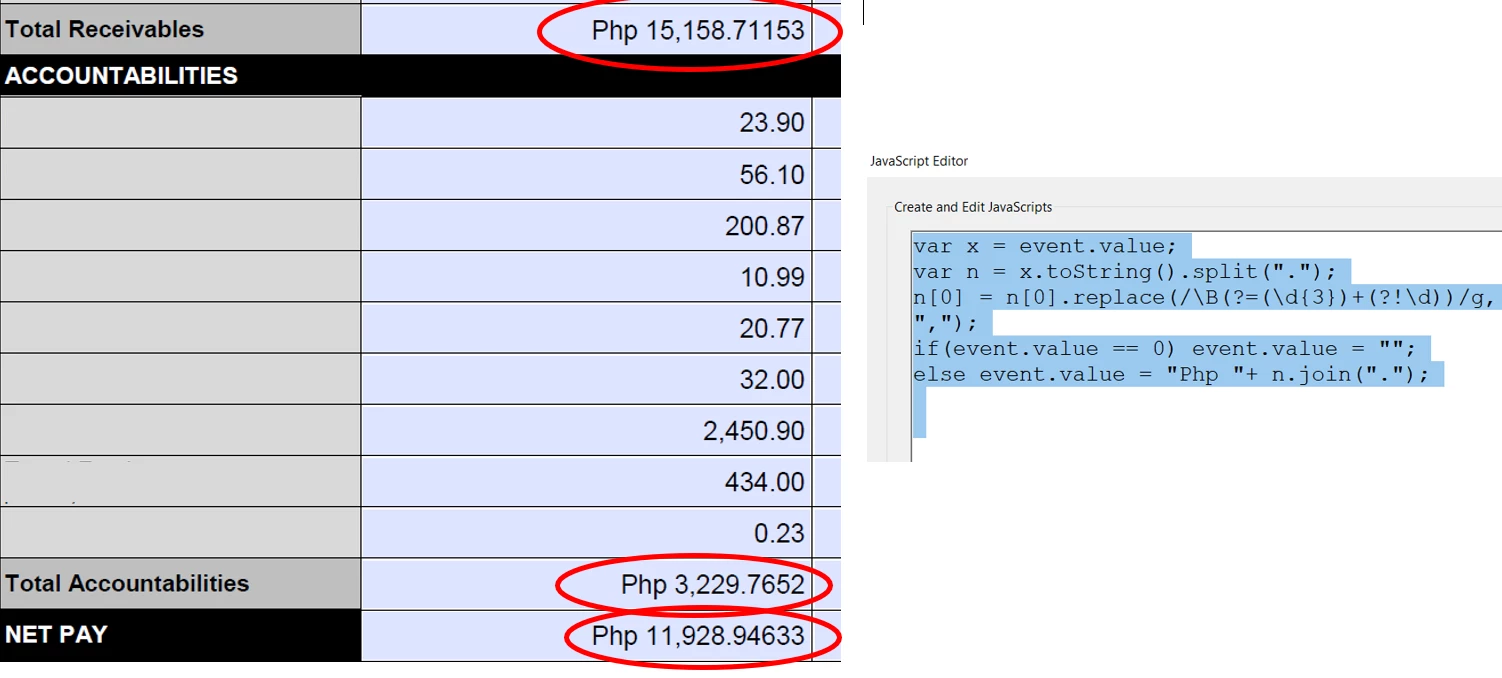
Could someone help me on how to modify this code so that the result would have 2 decimal places. tried changing the last part to: event.value="Php "+util.printf("%,0.2f", event.value), but didn't work.

Here's the script I used in custom format.

var x = event.value;
var n = x.toString().split(".");
n[0] = n[0].replace(/\B(?=(\d{3})+(?!\d))/g, ",");
if(event.value == 0) event.value = "";
else event.value = "Php "+ n.join(".");


Hope someone could help. Thank you.


This topic has been closed for replies.
Correct answer kmbt 345

Hello,

Already found the solution which worked for me. I removed the other code, which maybe the reason for util.printf not working.

Here's the code:

if(event.value == 0) event.value = "";
else event.value="Php "+util.printf("%,0.2f", event.value);


Thank you.

1 reply

Thom Parker
Community Expert
Community Expert
January 14, 2022

How exactly is the util.printf code not working?  There is nothing wrong with it.

did you look in the console window for reported errors?


The other code that doe the split does not round. So it is incorrect for your stated purpose. 


Thom Parker - Software Developer at PDFScriptingUse the Acrobat JavaScript Reference early and often
kmbt 345AuthorCorrect answer
Participant
January 14, 2022

Hello,

Already found the solution which worked for me. I removed the other code, which maybe the reason for util.printf not working.

Here's the code:

if(event.value == 0) event.value = "";
else event.value="Php "+util.printf("%,0.2f", event.value);


Thank you.

Thom Parker
Community Expert
Community Expert
January 14, 2022

Well of course, you can't have to scripts competing for the same task. 

That's an important programming lesson. 


Thom Parker - Software Developer at PDFScriptingUse the Acrobat JavaScript Reference early and often