Participant
October 11, 2023
Answered

Rulers not reader correct size

  • October 11, 2023
  • 1 reply
  • 3507 views

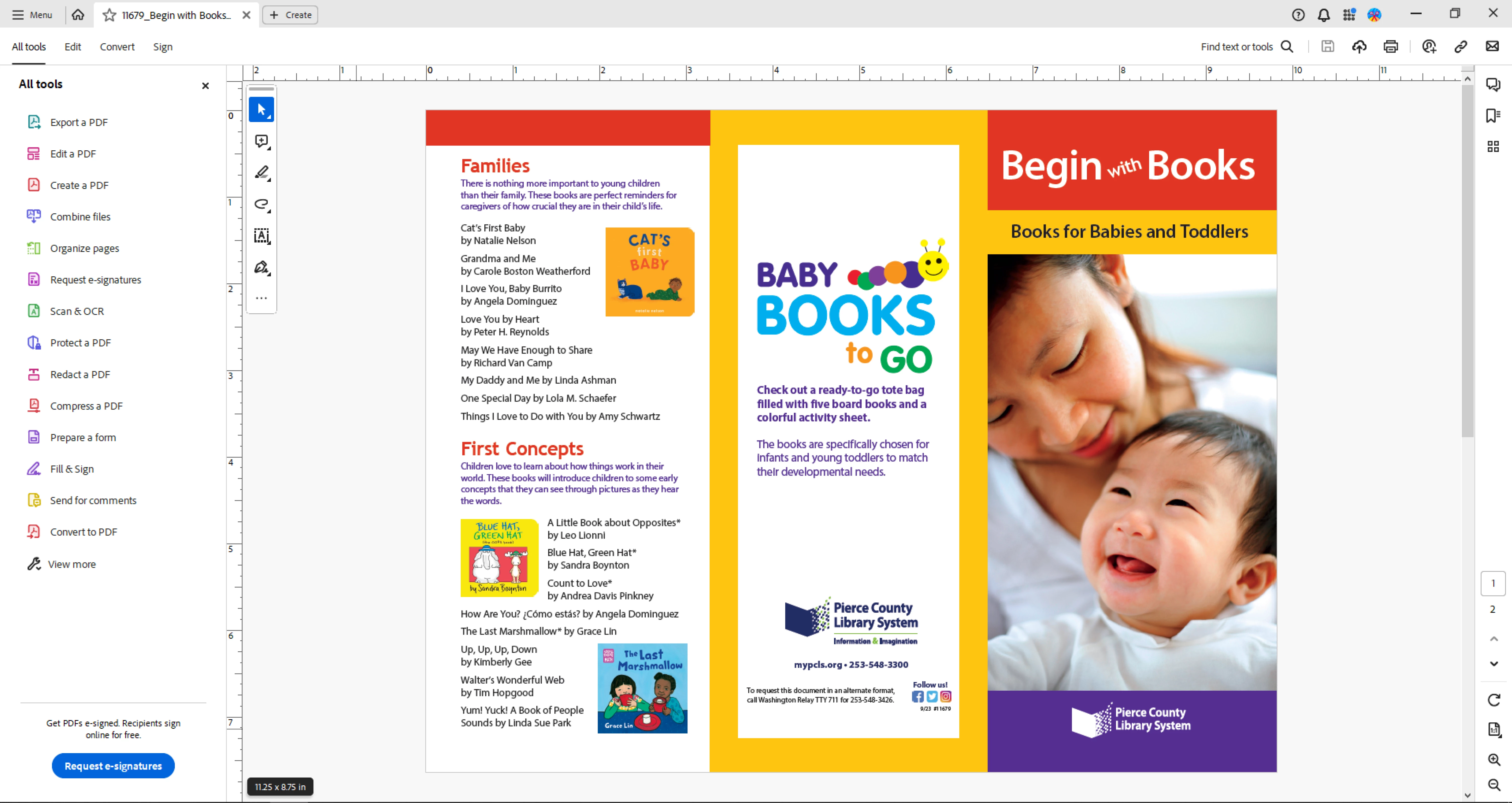
I searched for this and found one post but no resolution, hoping someone has an answer for me. When I view rulers the size is not compatible with the document size. As you can see in the pict, the document shows as 11.25"x8.75" but the rulers are showing less than 10". This makes editing very difficult with a lot of guess work. Rulers are set to inches, zoom in/out makes no difference.  Acrobat Pro Cont. Release ver 2023.006.20320.
Correct answer Brad @ Roaring Mouse

Your file displays fine here.

That being said: this might be the issue for you:

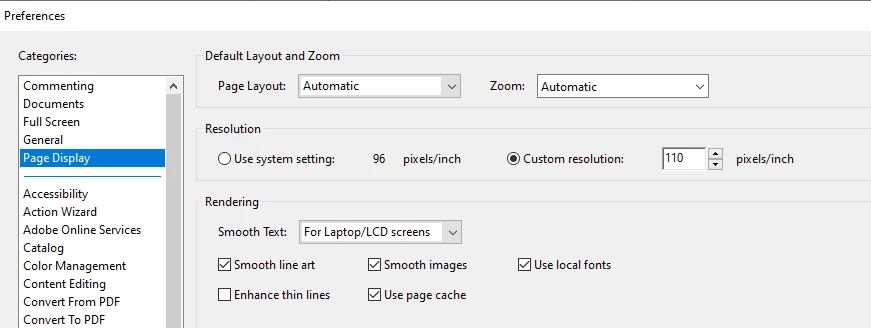
What does your Page Display have for resolution?

See if your issue changes switching between System setting and Custom setting (mine have always been 110), then Restarting Acrobat (you must restart Acrobat for it to see a change.. but the Rulers should then be accurate for that setting).

In fact, if I switch to System setting of 96, the rulers resize to exactly the issue you are seeing. But if i restart Acrobat, they are then accurate even at 96.


If that doesn't fix things: let's look at another thing: Do you have any sort of scaling on your Monitor's Display settings?


1 reply

Brad @ Roaring Mouse
Community Expert
Community Expert
October 11, 2023

I'm not seeing the same issue on a similar test file (8.5 x 11 with bleed= 8.75 x 11.25)

(same Acrobat version as yours: both Win11 and Mac)

Are you viewing on a secondary monitor? There was an issue previously where using a second monitor with a different dot pitch than the main monitor would confuse the Rulers, but haven't heard this for awhile.

Can you share the PDF?

What is your exact System, and are you using Acrobat 32bit or 64bit?

Participant
October 11, 2023

Thanks for the reply Brad. I've attached the actual file here. Only 1 monitor on my system. Here is my system info -

Participant
October 11, 2023

Sorry, Acobat 64 bit