
Participant
November 15, 2020
Answered

Sample Letter of Authorization

  • November 15, 2020
  • 2 replies
  • 1340 views

Hi,


I've never seen this before and can't figure it out.


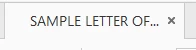
I've created a PDF document from Word and the document tab in Adobe Acrobat says 'Sample Letter of Authorization' and this shows when I link to a document online and I don't know where it is coming from or what it means.  Any assistance would be appreciated.


This topic has been closed for replies.
Correct answer Dov Isaacs

Check the document properties in Word and see if perhaps that is the document title that you may have inherited from some template document. Depending upon you options in Acrobat, you may be displaying the document title in the PDF (inherited from the document title in Word) as opposed to the PDF file name.


2 replies

November 15, 2020

Go to File / Properties and click the first thumbtab, Description.

The Title Field populates what's seen in the document tab. Change it to whatever you want.


If you want to correct this in the source Word document, go to File / Info / Properties / Advanced Properties. Whatever is in the Title Field there is converted into the PDF's Title Field.


Dov Isaacs
Dov IsaacsCorrect answer
Legend
November 15, 2020

Check the document properties in Word and see if perhaps that is the document title that you may have inherited from some template document. Depending upon you options in Acrobat, you may be displaying the document title in the PDF (inherited from the document title in Word) as opposed to the PDF file name.


- Dov Isaacs, former Adobe Principal Scientist (April 30, 1990 - May 30, 2021)
Marc5EF2Author
Participant
November 15, 2020

Awesome. I found it in both documents. Resolved.