
Participant
December 8, 2020
Question

Saved Watermark Settings. Cannot convert source image file to PDF Error.

  • December 8, 2020
  • 1 reply
  • 2265 views

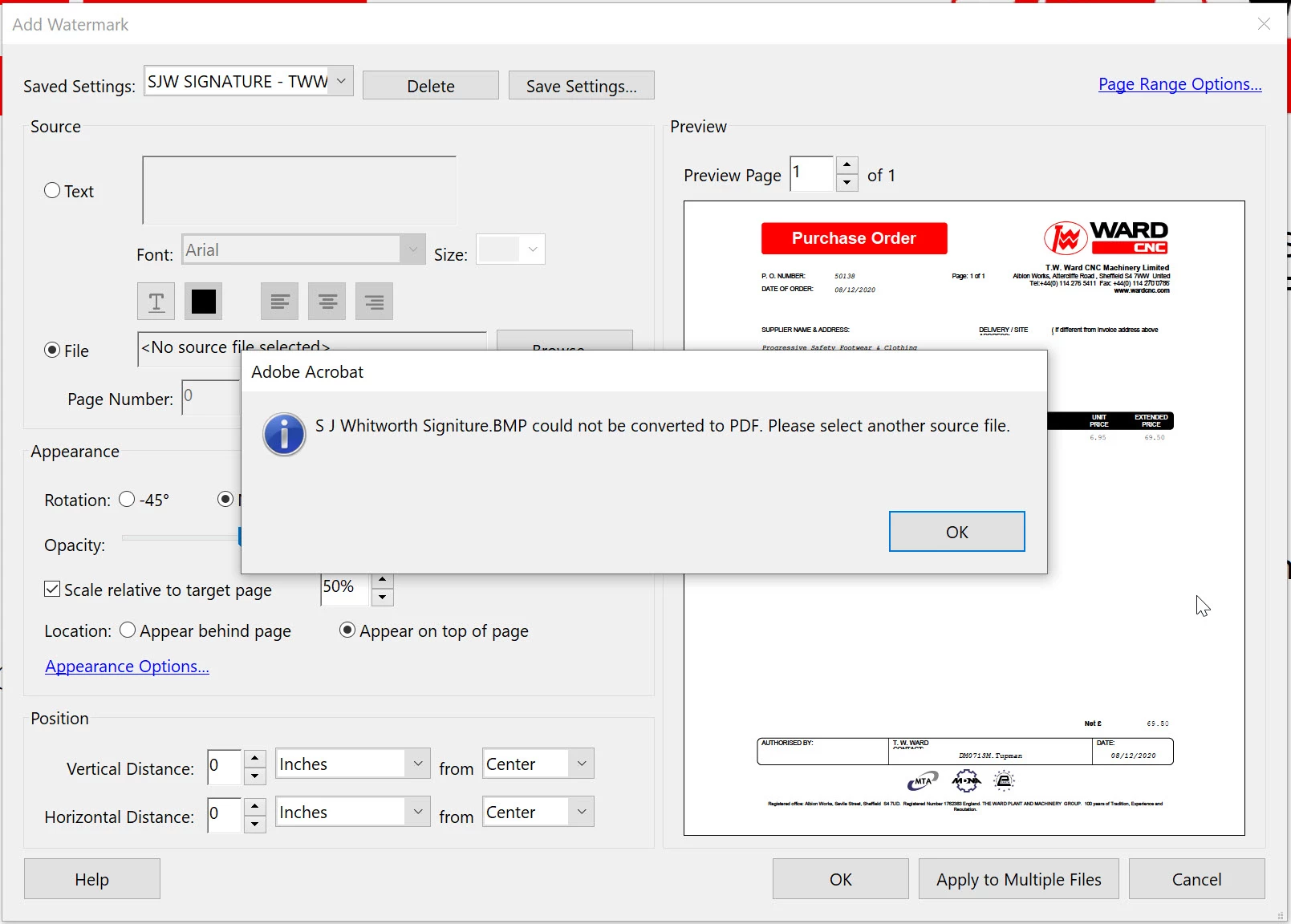
I am receiveing the following error when attempting to insert a saved watermark. Same problem for different source file formats (BMP, JPG, PNG). Windows 10 Pro, 64 Bit OS.
 

This topic has been closed for replies.

1 reply

Amal.
Legend
December 9, 2020

Hi Simonwhit,


Hope you are doing well and sorry for the trouble. As described, you are unable to insert a saved watermark and getting the above error message.


What happens when you try to insert a PDF source file as watermark? Please try to convert the BMP  image file to PDF first and then try to insert it as watermark and check if that works.


Also make sure you have the latest version of Adobe Acrobat DC installed. Go to Help > Check for updates and reboot the computer once.


If it still doesn't work, please try to repair the installation from the help menu (Windows Only) and check.


If it still doesn't work, would you mind sharing the BMP source file that you are using as watermark so that we can check it at our end. You may upload the file to the document cloud https://documentcloud.adobe.com/link/home/ generate the link and share that link in private message.
Click on the message icon on the top right corner of the screen to initiate the private message.


Regards

Amal

SimonWhitAuthor
Participant
December 9, 2020

Thanks Amal, I'll gave a look at the recommendations you have made.


Regards

Amal.
Legend
December 10, 2020

Hi there


Thank for sharing the update.


Keep us posted with your observations.


Regards

Amal