
Participant
September 10, 2021
Question

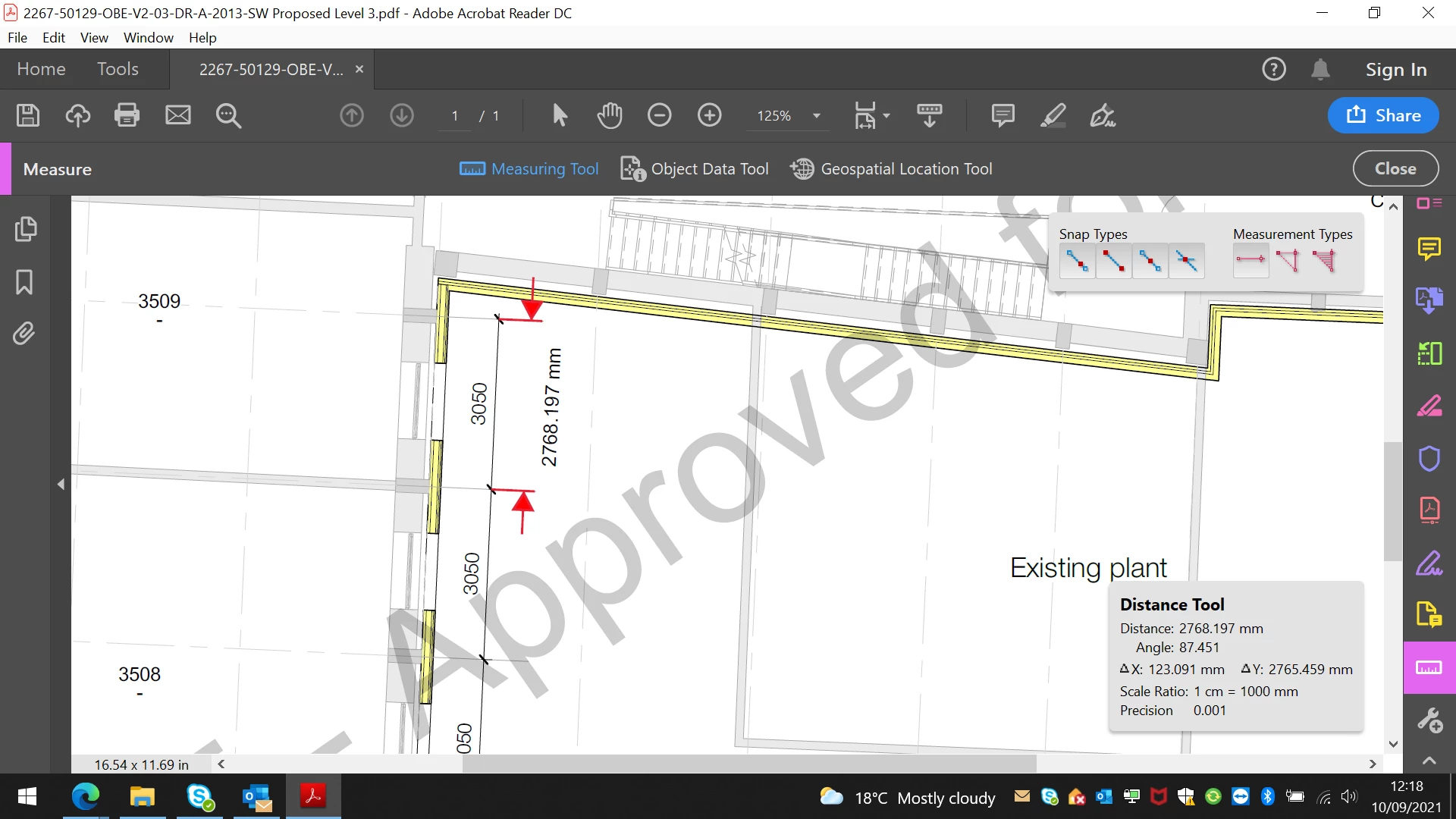
Scale correct but measurement wrong

  • September 10, 2021
  • 2 replies
  • 3265 views

I've set the scale on the measurement tool but when i measure a known size on the drawing Adobe is showing a smaller size. Is there a way of calibrating the scale by measuring the known size on the drawing. I've previously used bluebeam revu, where you can do this to set the scale.


I think the issue has arisin when the drawing was converted from a cad drawing to pdf and therefore the scale shown on the drawing is not quite reflective of the size measuring from the pdf.
 

This topic has been closed for replies.

2 replies

try67
Community Expert
Community Expert
September 10, 2021

Is the scale of your document 1:100?

Stephen73Author
Participant
September 13, 2021

yes 1:100

Legend
September 10, 2021

Are you expecting that 1mm on a plan will be an 1mm on screen after scaling?

Stephen73Author
Participant
September 10, 2021

I'm expecting that when i measure the known size on the drawing it comes to the same size as is shown. otherwise what is the point of this measuring tool

Amal.
Legend
September 10, 2021

Hi Stephen


++ Adding to the discussion


Please go through the help article https://helpx.adobe.com/acrobat/using/grids-guides-measurements-pdfs.html and see if that works.


Regards

Amal