
Known Participant
October 29, 2024
Question

search bar not working

  • October 29, 2024
  • 2 replies
  • 679 views

I am facing problem when i craeted a pdf from mircro soft word to pdf. Generated pdf does not work correctly. when i try to search  somthing in search bar it pop a messages which is following
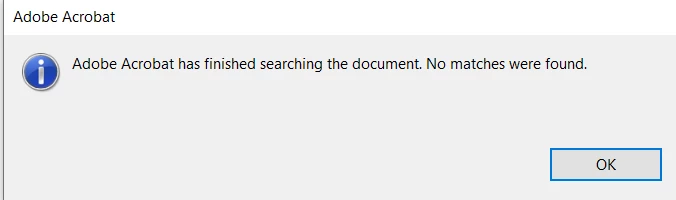
if there are lots of words availabe still it shows above message. links are working properly

This topic has been closed for replies.

2 replies

Adobe Employee
October 30, 2024

Hi @nikitags02 ,


Thank you for reporting the issue and apologies for inconvenience caused. Is this issue faced for all files or is it file specific only ? Also can you confirm if you are able to select / copy paste the text from document that is being searched. You can validate from content stream as well to confirm if it is Text or Vector (Path) . 


Regards,

Divya Kumar Singh

Known Participant
November 4, 2024

Not getting your point can u please explain it... i am using paid font to create document

Known Participant
November 4, 2024

Hi @nikitags02 ,


Can you share the screenshot of content stream of the text you are trying to search ? The "Content" option is available in right rail when PDF is open. If the option is not visible , then please right click on right rail and select and check the contents option , then it should be visible. (Sharing screenshot for reference) The text that is being searched in PDF , should be marked under "Text" category inside Content Panel. 

Also , since it is a paid font , so can you also share the snapshot of fonts used (Right Click on PDF in Acrobat --> Document Properties --> Fonts) . 


Regards,
Divya Kumar Singh


just check here i search for "about" which is present in document.. but still it pop an message is showing " not found".

try67
Community Expert
Community Expert
October 29, 2024

This is usually caused by a font issue, or by the text being a part of an image and not real text.

Can you select the text you want to find on the page? If so, copy it and paste into another application (like Notepad).

Does it appear there correctly?