Participant
August 5, 2022
Question

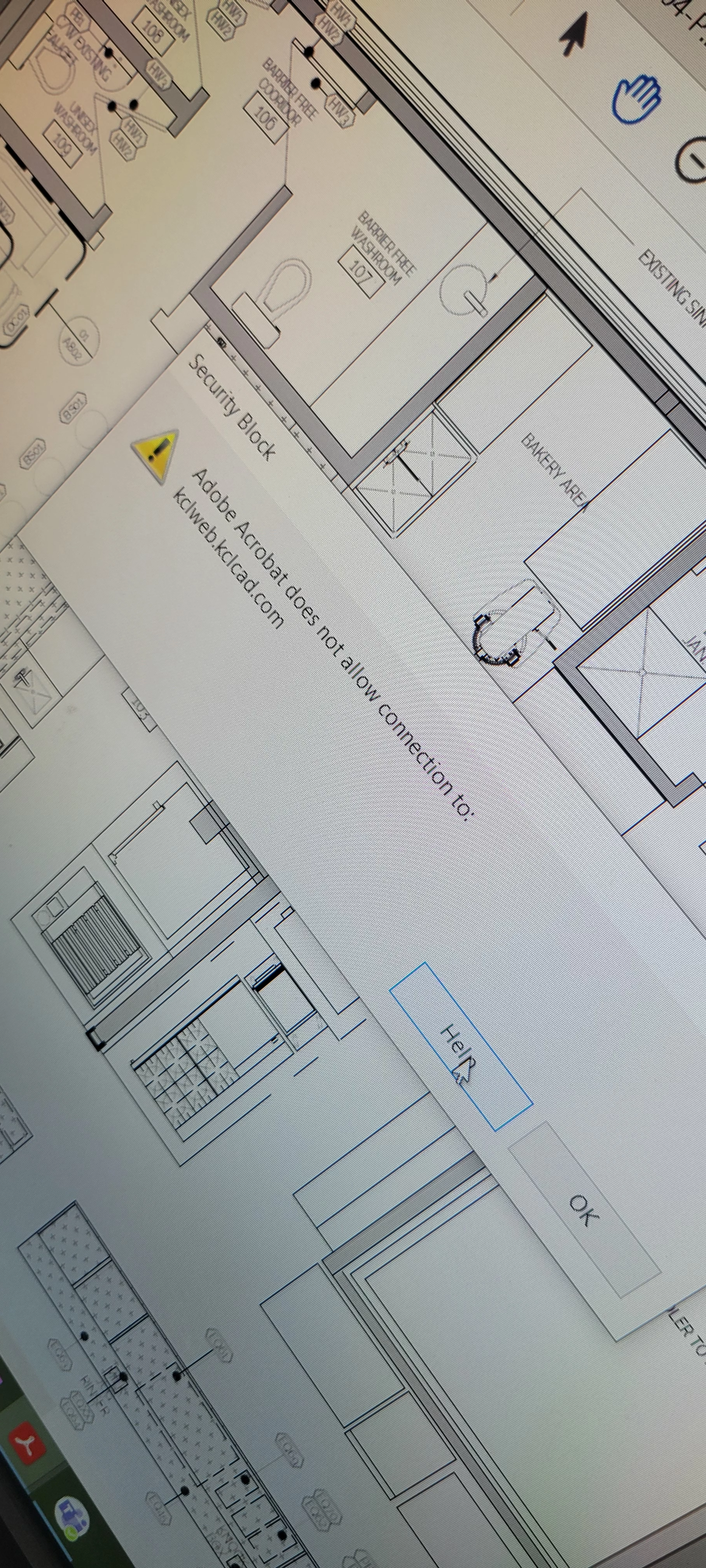
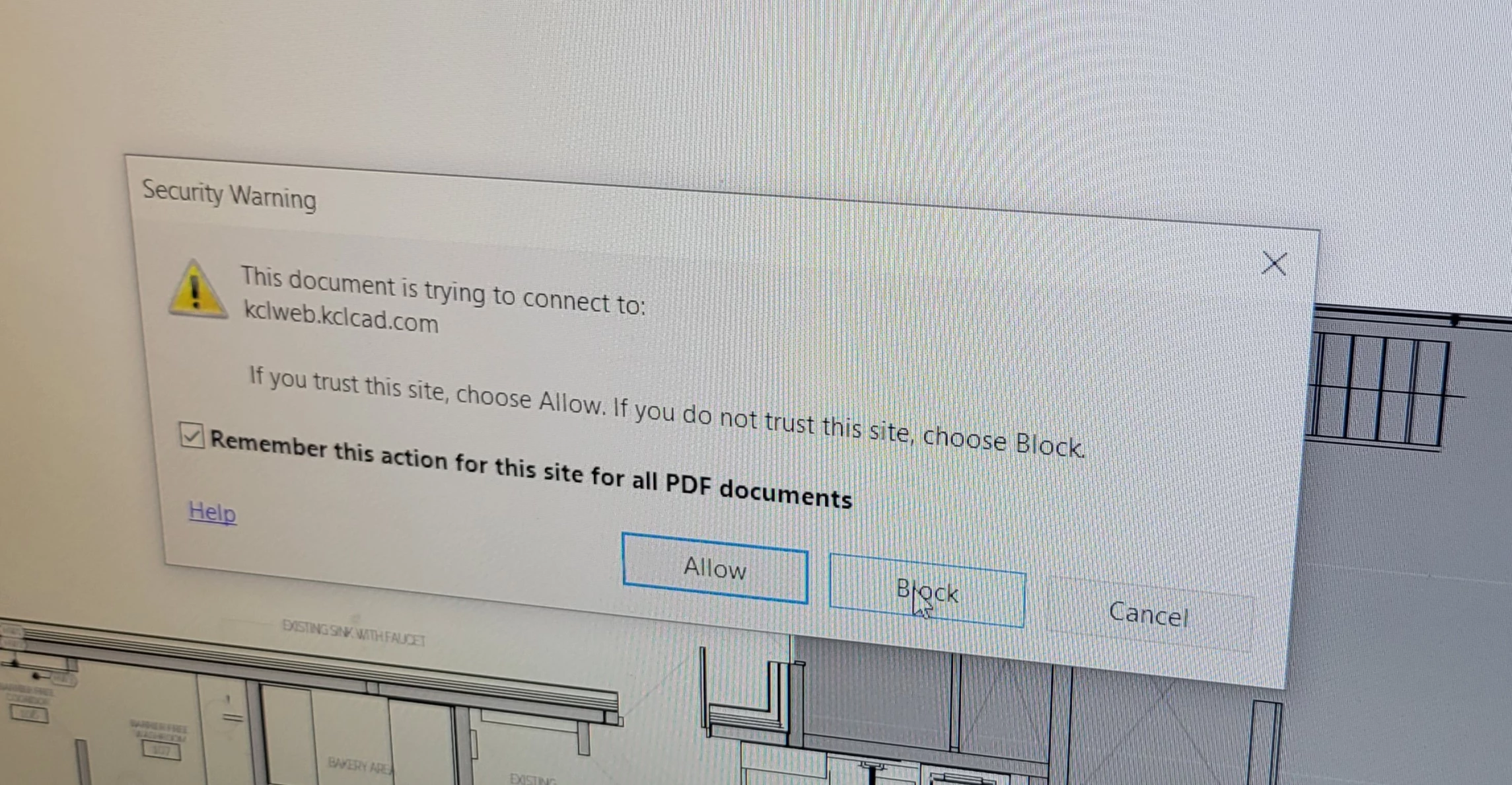
Secirity block error

  • August 5, 2022
  • 1 reply
  • 426 views

Hello,


Something happened while viewing a document from procore to adobe. I can no longer move or enlarge a page.  I'm getting secutiry block errors. I have tried to adjust the settings to allow PDF files with the pop up prompt, as well as through the preferences - trust manager.. I have uninstalled and reinstalled and nothing is working. 

Please help! Thank you. 
This topic has been closed for replies.

1 reply

Legend
August 5, 2022

The security block - how does it affect moving a page, and how do you try to move a page?

It certainly should not affect zooming in or out.

Participant
August 5, 2022

Usually  you can click and drag a page, with a "baseball glove" type hand tool.. On this page, the hand is a right hand with thumb and index finger pointed like an "L", and it will not let me drag the page. I have tried adjusting the "hand tool" settings but have not found a way to change it yet.

Any advise?
Thank you. 

Legend
August 5, 2022

Hmm, it sounds as if the entire page has been set up as a link to a web page. Links "win" over ordinary navigation. If you didn't ask for this, look for an option in your PDF generation software. 


Or, from the KCLCAD FAQ page:

WHEN I CREATE A PDF FROM AUTOCAD, THE KCL HYPERLINKS MAKE IT HARD TO VIEW. HOW CAN I REMOVE THE HYPERLINKS?
In AutoCAD on the Print Dialog, choose properties and uncheck Include Hyperlinks.