
Security settings or digital signatures in this file prevent flattering
Hello,
I created a pdf form with Adobe Acrobat Pro. I added a button that calls a function to flattering the pdf and save it into a folder. Works fine in adobe pro, but when moving the form and scripts to a pc with adobe reader 10, I got the error Security settings or digital signatures in this file prevent flattering.
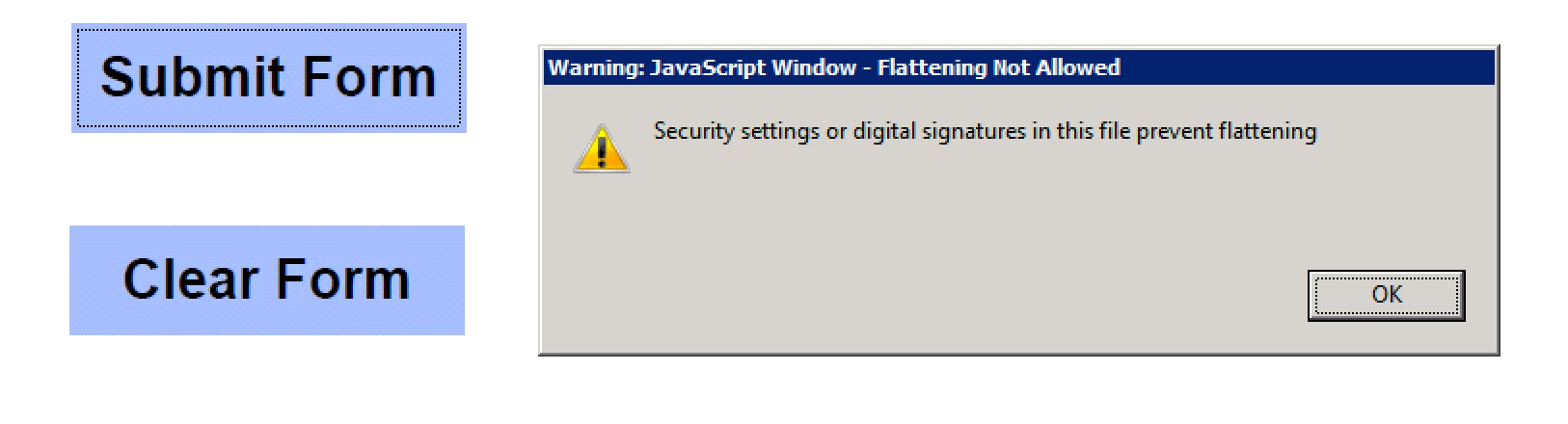
The console shows this error:
Acrobat EScript Built-in Functions Version 10.0
Acrobat SOAP 10.0
NotAllowedError: Security settings prevent access to this property or method.
Doc.saveAs:8:Field Submit Form:Mouse Up
The save script located in the javascript folder looks like this:
function myDateSTring(){
return util.printd("mmddyyyy_HHMMss", new Date());
}
mySaveAs = app.trustPropagatorFunction(function(doc,path)
{
app.beginPriv();
doc.saveAs(path);
app.endPriv();
})
myTrustedSpecialTaskFunc = app.trustedFunction(function(doc,path)
{
// Privileged and/or non-privileged code above
app.beginPriv();
mySaveAs(doc,path);
app.endPriv();
// Privileged and/or non-privileged code below
});
The flattering script in the javascript folder is:
UVSAR_selectiveFlatten.js
The mouse Up excuses the following:
UVSR_flattenAll(this);
myTrustedSpecialTaskFunc(this, "/coswaydata2.cosway.local/userdata/PRODUCTION_DATA/PACKAGING/MICRO FORMS/Microbiology Report " +myDateSTring()+".pdf");
Everything works on my pc with adobe acrobat pro, the final file name looks like this:
Microbiology Report01102018_171327.pdf
Any suggestions on how to make this work with adobe reader?
Thanks
Alex
 AdChoices