
Participant
January 11, 2018
Frage

Security settings or digital signatures in this file prevent flattering

  • January 11, 2018
  • 5 Antworten
  • 3686 Ansichten

Hello,

I created a pdf form with Adobe Acrobat Pro. I added a button that calls a function to flattering the pdf and save it into a folder. Works fine in adobe pro, but when moving the form and scripts to a pc with adobe reader 10, I got the error Security settings or digital signatures in this file prevent flattering.
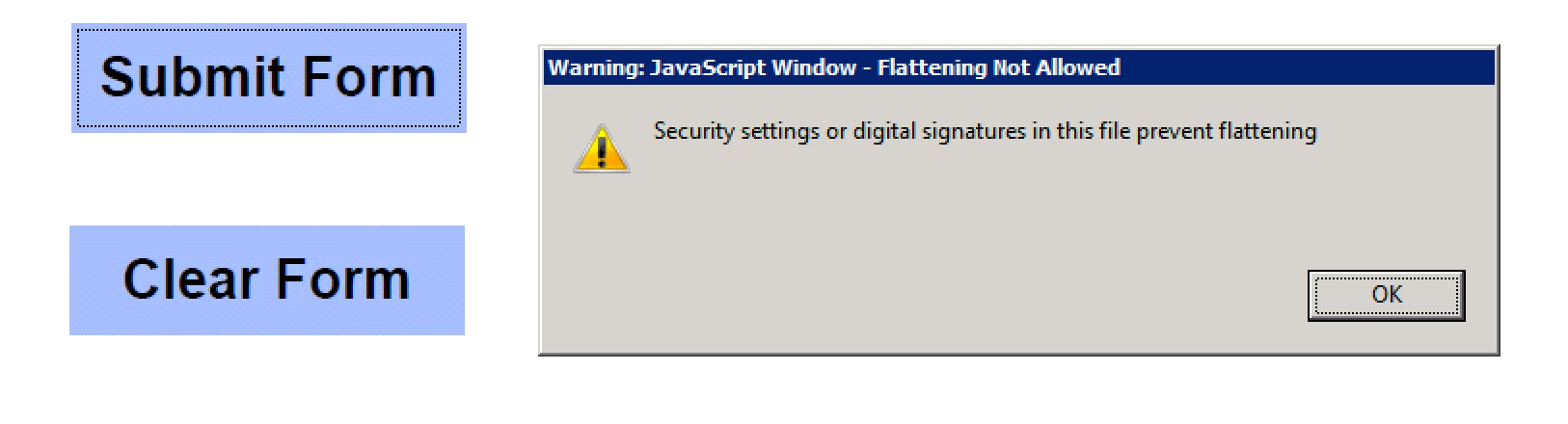
The console shows this error:

Acrobat EScript Built-in Functions Version 10.0

Acrobat SOAP 10.0

NotAllowedError: Security settings prevent access to this property or method.

Doc.saveAs:8:Field Submit Form:Mouse Up

The save script located in the javascript folder looks like this:

function myDateSTring(){

return util.printd("mmddyyyy_HHMMss", new Date());

}

mySaveAs = app.trustPropagatorFunction(function(doc,path)

{

app.beginPriv();

doc.saveAs(path);

app.endPriv();

})

myTrustedSpecialTaskFunc = app.trustedFunction(function(doc,path)

{

// Privileged and/or non-privileged code above

app.beginPriv();

mySaveAs(doc,path);

app.endPriv();

// Privileged and/or non-privileged code below

});

The flattering script in the javascript folder is:

UVSAR_selectiveFlatten.js

The mouse Up excuses the following:

UVSR_flattenAll(this);

myTrustedSpecialTaskFunc(this, "/coswaydata2.cosway.local/userdata/PRODUCTION_DATA/PACKAGING/MICRO FORMS/Microbiology Report " +myDateSTring()+".pdf");

Everything works on my pc with adobe acrobat pro, the final file name looks like this:

Microbiology Report01102018_171327.pdf

Any suggestions on how to make this work with adobe reader?

Thanks

Alex

Dieses Thema wurde für Antworten geschlossen.

5 Antworten

Participant
January 11, 2018

Glad I checked, I removed the flatten function and left the save as only, but still getting this error on the reader:

Acrobat EScript Built-in Functions Version 10.0

Acrobat SOAP 10.0

NotAllowedError: Security settings prevent access to this property or method.

Doc.saveAs:8:Field Submit Form:Mouse Up

Participant
January 11, 2018

Can you give me a reference to read in how to use digital signature and lock the file? I appreciate the time your using to helping me.

try67
Community Expert
Community Expert
January 11, 2018

Add a Signature field, like you would any other field. Then right-click it, select Properties and under the Signed tab set it to lock all the fields in the file, and you're done, basically.

Participant
January 11, 2018

Not really, I just need a backup of the form filling that day, and not able to edit the backup file.

try67
Community Expert
Community Expert
January 11, 2018

Use a digital signature and set it to lock all the fields in the file.

Participant
January 11, 2018

So, there's no way to save a flattering copy using acrobat reader?

try67
Community Expert
Community Expert
January 11, 2018

Completely flattened? No. The best you can do is to either digitally sign the file (to prevent it from being edited further), and/or to set the fields as read-only.

Bernd Alheit
Community Expert
Community Expert
January 11, 2018

Reader can't flatten pages. This function is only available in Adobe Acrobat.

try67
Community Expert
Community Expert
January 11, 2018

That's true, but it's not the reason for the error message. We don't know what the UVSR_flattenAll method is doing, but it's not causing it.

The problem is most likely with the file-path being used. Make sure it is accessible and that the user has writing privileges to it.

try67
Community Expert
Community Expert
January 11, 2018

The method uses following code:

try {

oDoc.flattenPages(0,oDoc.numPages - 1,1);

} catch (e) {

isOK = false;

oDoc.dirty = origDirty;

app.alert({cMsg:"Security settings or digital signatures in this file prevent flattening",nIcon:1,nType:0,cTitle:"Flattening Not Allowed"});

}

When flattenPages fails it displays the message.


If that's the case then they should see this error message alert, not the error message they specified appears in the console.