
Participant
June 9, 2022
Question

Selecting multiple annotations in one go in Adobe Acrobat Pro

  • June 9, 2022
  • 3 replies
  • 2105 views

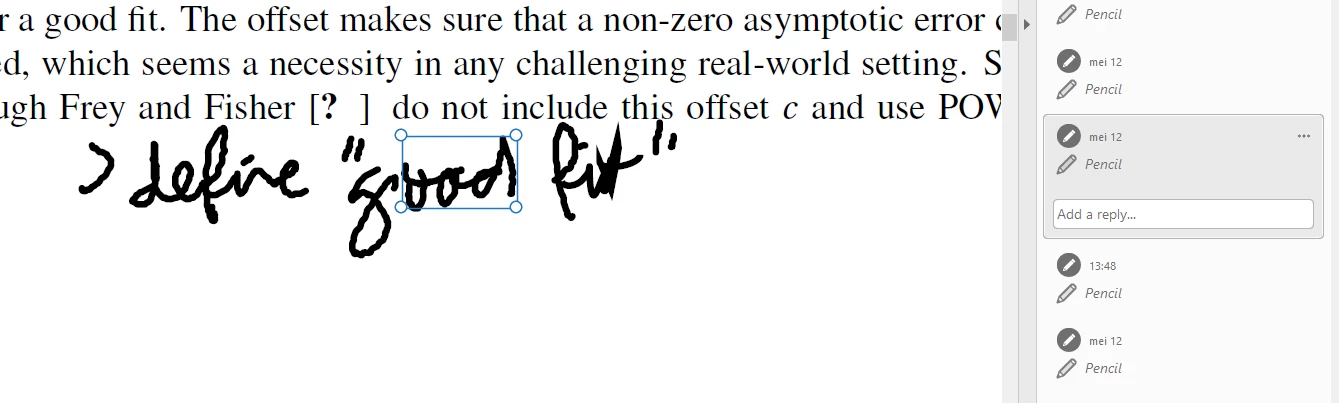
For correcting my dissertation, I have many comments in the form of annotations / comments. I want to select multiple and remove them. How is this possible? See below for an example. "Define good fit" are all seperate shapes somehow, I want to delete them all in one go, but when I try to select them, a blue box appears and non are actually selected. 


This topic has been closed for replies.

3 replies

Legend
June 9, 2022

Can you just go back to a backup taken before the corrections?

Or just re-edit the original (presumably a Word document)?

try67
Community Expert
Community Expert
June 9, 2022

Use the Object Selection tool, and click and drag a rectangle around these comments. It will select all the ones within that rectangle. Then click Delete.

Participant
June 9, 2022

What is the Object Selection tool? If you refer to the blue mouse button, this button will not select any comments / annotations when dragging a rectangle. 

try67
Community Expert
Community Expert
June 9, 2022

No, it's a black cursor.

Document Geek
Community Expert
Community Expert
June 9, 2022

The blue box is actually indicating the "ood" is selected. 

Because those were written with a pen, Acrobat views them as multiple annotations. So you'd have to delete them all individually. Or you could select the first, then shift + click on each remaining one, so you have them all selected and then delete them all at once.

Participant
June 9, 2022

My problem is that this is taking very long. For example, here 

these are more than 30 annotations. How can I remove them efficiently?