
Participating Frequently
May 9, 2019
Answered

Set a custom location for the Adobe PDF Output Folder

  • May 9, 2019
  • 1 reply
  • 3702 views

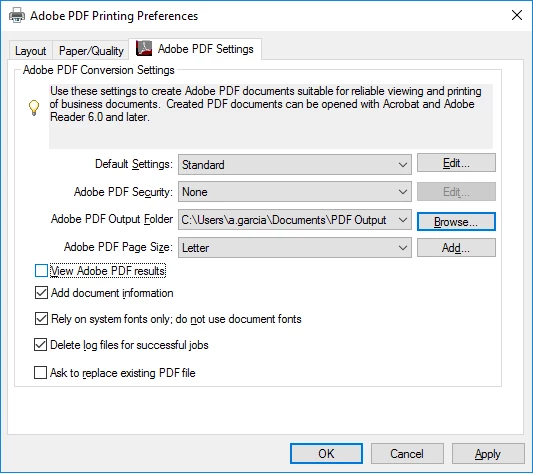
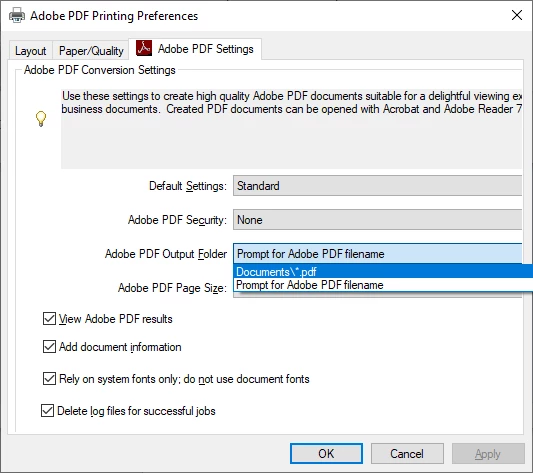
After about a year of trying out Bluebeam the frustration with performance has gotten to the point that our company wants to revisit using Adobe.  As a Lead designer in our group I've been tasked with testing it out and making sure the performance increase is substantial enough to warrant updating our some 30 AutoCAD Electrical users.  We use a sub folder under the Documents folder so that the users are able to simply delete everything in that folder. I've attached a screen shot below which illustrates or configuration to allow AutoCAD electrical to run the Plot Project command without having to name each file as it plots and to ensure we don't have a ton of drawings pop open.  I was surprised to see it has changed so much in just a couple of years. 

Finally to my question. Is there a way to set the Adobe PDF Output folder to something other than just the Documents Folder?
  

Thank you.
This topic has been closed for replies.
Correct answer Test Screen Name

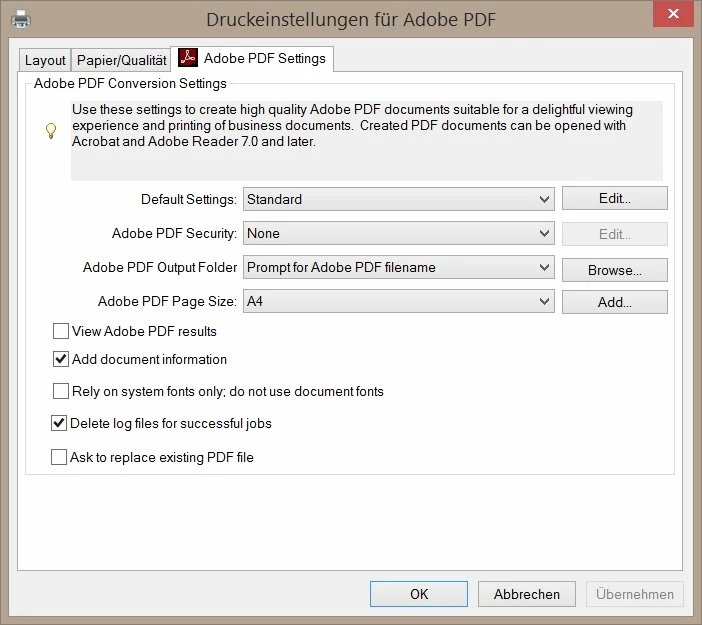
Nothing was changed:


You can see the problem is not related to the Output folder setup. The problem is that your dialog is cut off, you can see all your content is cut off. Lots of stuff is invisible. Maybe the dialog is resizable, but I'm not hopeful.  Check if any of your settings have really-long-names.

1 reply

Participating Frequently
May 9, 2019

Looks like you found the solution to your problem. From the Adobe website

Adobe PDF Output Folder

Choose an output folder for the converted PDF, or click Browse to add or change the output folder. Choose Prompt For Adobe PDF Filename to specify a location and filename at the time of conversion.

You can find more information here

Using the Adobe PDF printer, Acrobat

Participating Frequently
May 9, 2019

No. The top pic is a screen shot of my settings back in Adobe X Pro I scavenged from a cheat sheet I had and the bottom is a screen shot showing that I no  longer have a Browse button or the option to change that. I'm here to ask if that feature has been completely removed or if it's been moved.

Thank you.

Jeffrey_A_Wright
Community Manager
Community Manager
May 9, 2019

Moving this discussion to the Creating PDFs forum.