
Participant
August 13, 2024
Question

Setting up a new print setting format

  • August 13, 2024
  • 1 reply
  • 433 views

Hi

I hope I have the forum.

I am trying to create a new print format setting but all I can see is:
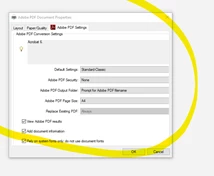
 

Whereas a colleague of mine can the following screen with the option to add extra setting.

We have (apparently) the same acrobat version
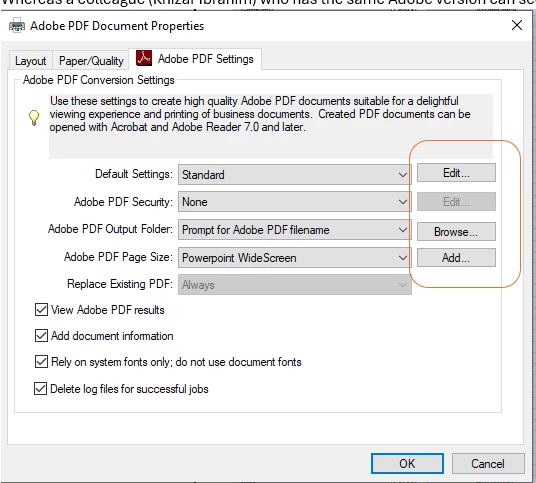
 

can anyone assist.

Thanks


This topic has been closed for replies.

1 reply

try67
Community Expert
Community Expert
August 13, 2024

My reply got deleted with your other post (MODS: If you remove a post, make sure to remove the one WITHOUT replies...), so I'll repeat it here:

The issue is that the dialog is cut off.  What's the exact version number of the application (You can find it out by going to Help - About Adobe Acrobat)? What's your OS version?


Participant
August 16, 2024

Hi

It's:

Version 2024.002.21005  (64bit)


Hope this helps

Thanks

Legend
September 24, 2024

Hi @deepaka1112,


Sorry for the delayed response. Does your colleague have the same hardware and the same OS?
In the meantime, launch Acrobat > Help Menu > Repair Acrobat Installation. Follow the onscreen instructions and let us know how it works. 

Also, if possible, please let us know the processor's name installed on the machine. To check your PC hardware specs, click on the Windows Start button, then click on Settings (the gear icon). In the Settings menu, click on System. Scroll down and click on About. You should see specs for your processor, Memory (RAM), and other system info on this screen, including the Windows version.


~Tariq