CintiaC
Known Participant
December 18, 2020
Answered

show text field after signing

  • December 18, 2020
  • 1 reply
  • 2525 views

Hi everyone, I need a JS to show 2 text fields when someaone sign a signature field.

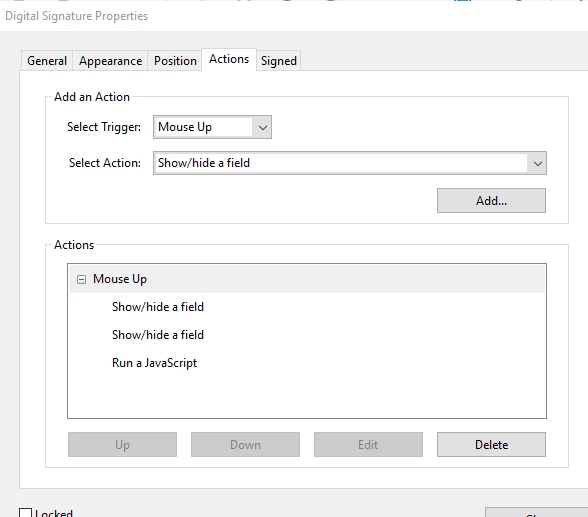
So, in Signature properties I have choosed to Show the text field that I want, and after that I run a JS to send email, but What happen is that the text field appears not inthe file that I am sending but in the "original". Basically wht I want is: when "X" person signed, the document is send to "y" person with the text field visible, anyone can help me?


This topic has been closed for replies.
Correct answer ls_rbls

++EDITED REPLY -- forgot to add script and slides


If it was up to me I would employ Adobe Sign in this workflow.


But yes, it is possible to use a script with the getField() method and hide or unhide it based on the signing action.


I would use an image field object or a text field with the word approved in a different color, bigger font size and font type. I would also make the field properties to readonly and hidden. This will allow that when the user signs the signature field, the hidden "APPROVED" field  becomes visible, and when the digital signature is cleared it hides again. 


Here's an example:
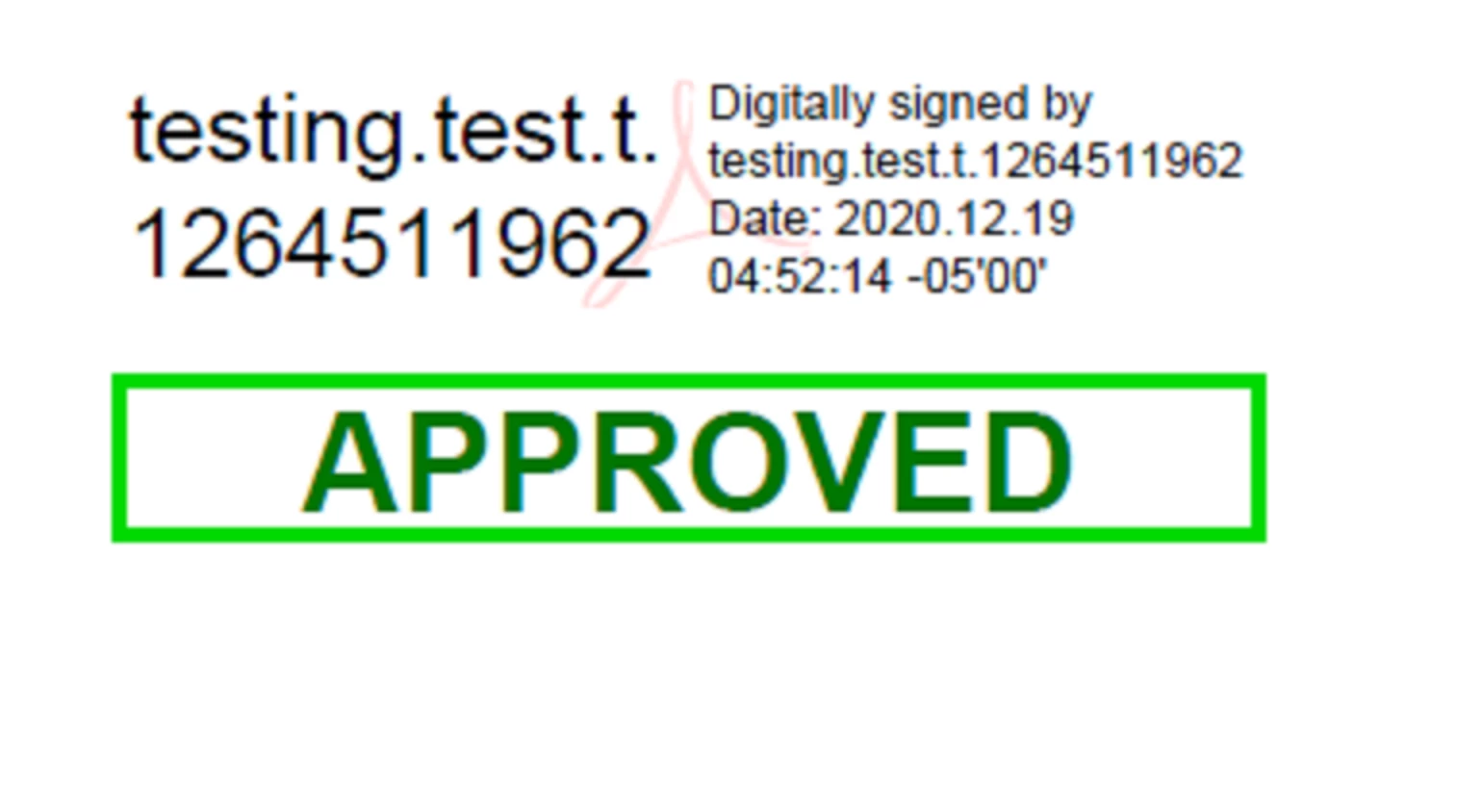
 

In the Digital Signature Properties of the signature field, I went to the "Signed" tab and ticked the radio button "This script executes when signature field is signed:"  and used the line of code shown below and in the next slide:


this.getField("Text13").display = display.visible;


See slide: 
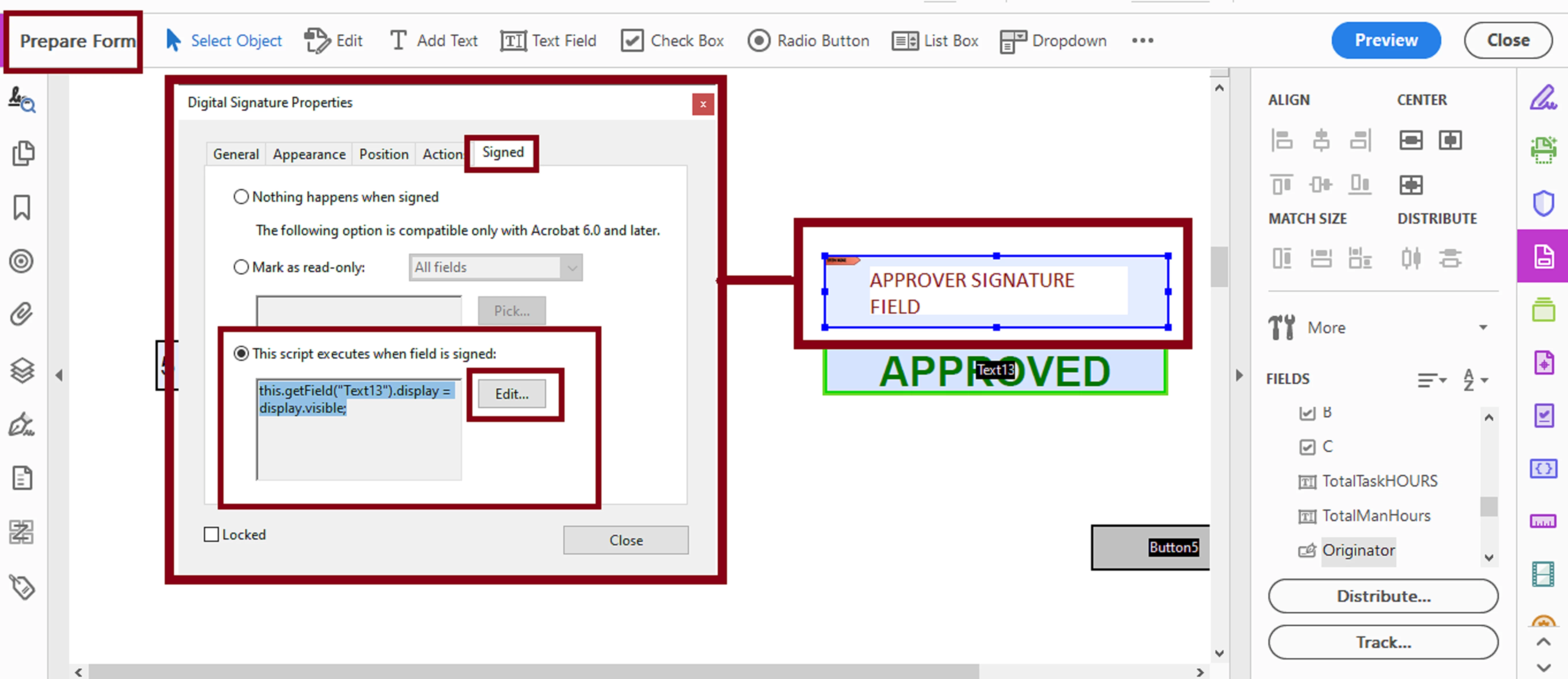


"Text13" in this example is the hidden text field with the "APPROVED" word in it.


  • NOTE: I also added a small custom calulation script in the "Text13" hidden field referenced below to hide the field when the signature field signature is cleared:


if (this.getField("Approver").value =="") event.target.display  = display.hidden;


  •  "Approver" is the name I assigned to my signature field in this example to represent the signature field reserved for your last signer/reviewer of this document.


Last, if I understood correctly,  you also want to hardcode the email address in your script for the last approver and all other signatories?


Can you share what code are you using to send the email to all of this recipeints?


Maybe I can help with that too.


Here's one interesting solution to handle the email portion in a dynamic fashion, from ACP Thom Parker:

 

1 reply

ls_rbls
Community Expert
Community Expert
December 18, 2020

Are you able to confirm with the receiving user what are they using to open and view the emailed PDF with?


Also,  I personally prefer to execute a javascript as an action when the document is signed (not as a mouse-up event) to handle the emailing part altogether with the hiding or unhiding of the other field objects.

CintiaC
CintiaCAuthor
Known Participant
December 18, 2020

they use adobe acrobat reader 2017. I only use JS to send email because I need to creat standard email recipients and standard text, this way, users only have to sign and the form is directly attached to an email with recipients on it and text in email body.

Yes, the signatures are based on certificate but what I need is the email address from the next approver. I have created a form with several edit field and several signatures field, so I need the same document approved (sign) by diferent persons, with JS I can built this "workflow". the last signer sign the document I need to appears something like "APPROVAL" text field, and I need that when the last approver sign the document that appears, do you think that I have to use the "this.getField"?

ls_rbls
Community Expert
Community Expert
December 19, 2020

++EDITED REPLY -- forgot to add script and slides


If it was up to me I would employ Adobe Sign in this workflow.


But yes, it is possible to use a script with the getField() method and hide or unhide it based on the signing action.


I would use an image field object or a text field with the word approved in a different color, bigger font size and font type. I would also make the field properties to readonly and hidden. This will allow that when the user signs the signature field, the hidden "APPROVED" field  becomes visible, and when the digital signature is cleared it hides again. 


Here's an example:


In the Digital Signature Properties of the signature field, I went to the "Signed" tab and ticked the radio button "This script executes when signature field is signed:"  and used the line of code shown below and in the next slide:


this.getField("Text13").display = display.visible;


See slide: 


"Text13" in this example is the hidden text field with the "APPROVED" word in it.


  • NOTE: I also added a small custom calulation script in the "Text13" hidden field referenced below to hide the field when the signature field signature is cleared:


if (this.getField("Approver").value =="") event.target.display  = display.hidden;


  •  "Approver" is the name I assigned to my signature field in this example to represent the signature field reserved for your last signer/reviewer of this document.


Last, if I understood correctly,  you also want to hardcode the email address in your script for the last approver and all other signatories?


Can you share what code are you using to send the email to all of this recipeints?


Maybe I can help with that too.