
Participant
August 27, 2025
Answered

Signature Image Appears Blurry and Discolored After Adobe Acrobat Last Upgrade

  • August 27, 2025
  • 1 reply
  • 375 views

Hello

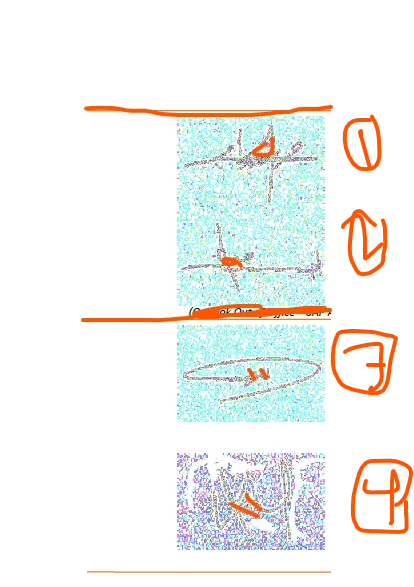
After upgrading to the latest version of Adobe Acrobat Reader DC (25.001.20630), I noticed that my signature image appears blurry, grayish, and discolored when viewing signed PDFs. This issue did not exist in previous versions, and the same PDFs display correctly in other viewers like Edge, Foxit, and Sumatra.

Here are some details:

  • The signature was created using the Therdpart tool.
  • Printing the document also results in poor image quality.
  • Disabling enhanced security settings did not resolve the issue.

Is this a known issue with the latest Acrobat version? Are there any recommended fixes or workarounds?

Any help or guidance would be greatly appreciated!

 I have attached the screenshot from the file layout 
 

Thanks,
Molameen

Correct answer PravalJain

Apologies for the inconvience. This issue is fixed in the latest update for 32-bit Acrobat/Reader. Release notes - https://www.adobe.com/devnet-docs/acrobatetk/tools/ReleaseNotesDC/continuous/dccontinuoussep2025sec.html#dccontinuousseptwentytwentyfivesec.


Please do a "Help -> Check for updates" to update to the latest version and let us know if you still see issues. 

1 reply

Participating Frequently
August 27, 2025
Participant
August 31, 2025

Hi 

Thank you for your response. I was facing the same issue, and I saw the solution shared by the support team in your post. I tried it, and it worked perfectly — the issue is now resolved. I appreciate you highlighting the problem and helping bring attention to it!

PravalJainCorrect answer
Adobe Employee
September 3, 2025

Apologies for the inconvience. This issue is fixed in the latest update for 32-bit Acrobat/Reader. Release notes - https://www.adobe.com/devnet-docs/acrobatetk/tools/ReleaseNotesDC/continuous/dccontinuoussep2025sec.html#dccontinuousseptwentytwentyfivesec.


Please do a "Help -> Check for updates" to update to the latest version and let us know if you still see issues.