
Participant
March 3, 2020
Answered

Splitting up a PDF file

  • March 3, 2020
  • 3 replies
  • 38713 views

Hello,We use an application to store Architectural Drawings that are in PDF format.  Unfortunately, the application has an individual file size limitation of 49mb.  I know how to use the "Organize Pages" function in Adobe Acrobat Pro DC to split the large file into smaller files.  What I do not know is how to see how large the file will be before splitting it up.


For example, I have a 128mb file containing all of the individual architectural drawings.  So, I need to break this up into 3 separate files.  As I start by selecting the first page and then continuing to select pages, I would like to see the total file size of the selected files - as I select them - so I can see when I get close to the 49mb limit.


Is there anyway to do this within Adobe Acrobat?  If not, any suggestions on how to do this external to Adobe?


Any help would be greatly appreciated.
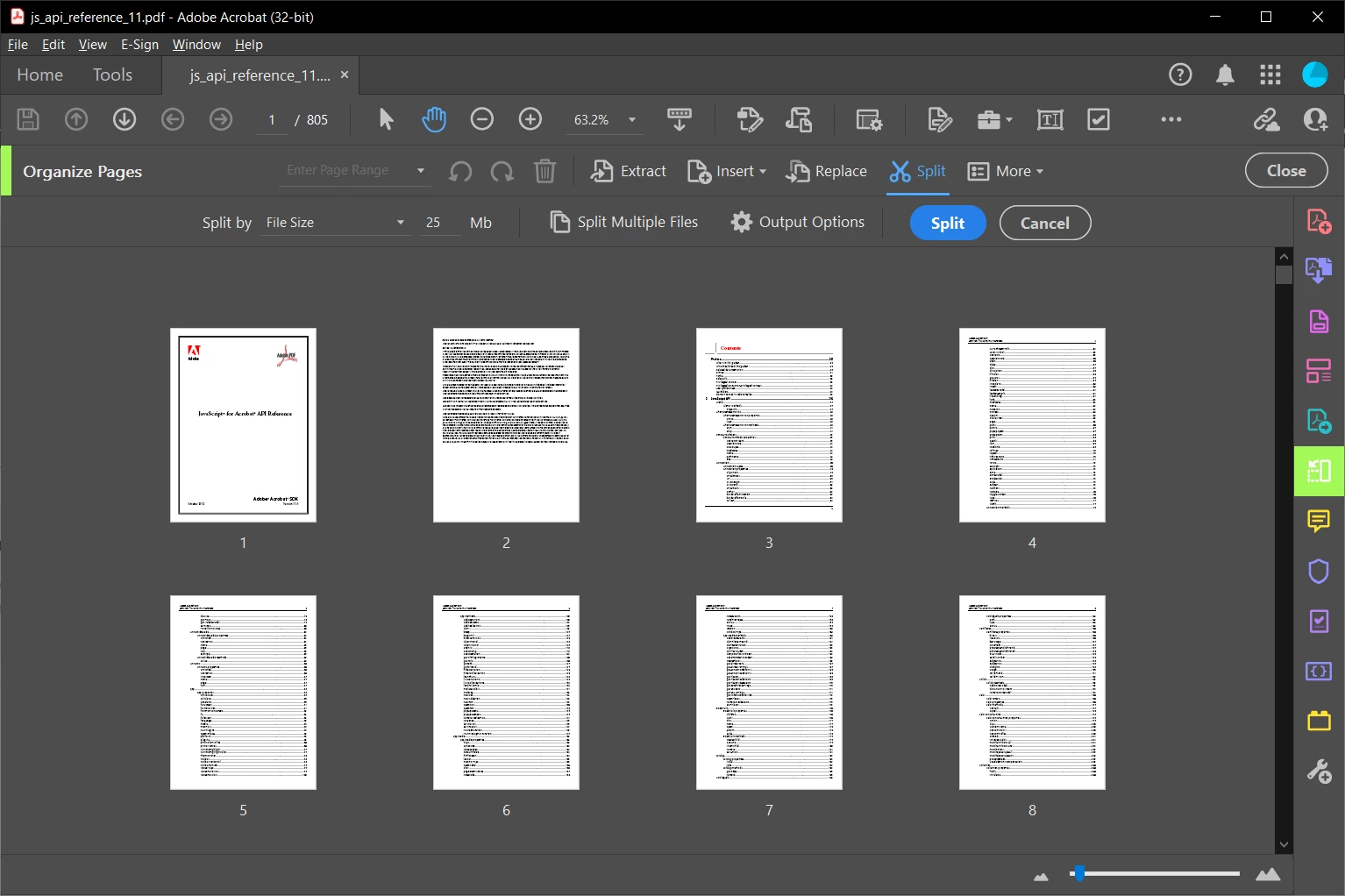
 

Correct answer try67

Tools - Organize Pages - Split, change the Split By option to File Size and specify "25":


3 replies

Participant
September 4, 2025

How do I split a PDF that is over 3,000 page into PDFs that are no larger than 25MB's each ?

try67
Community Expert
try67Community ExpertCorrect answer
Community Expert
September 4, 2025

Tools - Organize Pages - Split, change the Split By option to File Size and specify "25":


Amal.
Legend
September 4, 2025

Hi there


++ Adding to the correct answer


For more information and know how, please check the steps shared in the help page https://adobe.ly/466E65p 


~Amal

Bernd Alheit
Community Expert
Community Expert
March 3, 2020

You can split by file size.

Participant
March 3, 2020

Bernd_Alheit,

Not sure what you mean by you reply.

Tony

Participant
September 27, 2021

There are several options for splitting files:

https://helpx.adobe.com/acrobat/how-to/split-pdf-file.html 


When I click on the link above I get a 404 error page.  Still need to split a large document into smaller sections to move it to an excel spread sheet.


Help!

Thanks

C

try67
Community Expert
Community Expert
March 3, 2020

No, it's a trial-and-error process. Split and check the file size. Repeat as needed.

By the way, there's no guarantee that doing this will reduce the file size at all. There's no one-to-one relationship between the number of pages in a file and its size. It all depends on what objects take up space in the file. You can certainly split a 50MB file into two files with half the pages in each, and both of them will remain around 50MB...

Participant
March 3, 2020

Thank you try67.  I thought that might be the case.