STOP with the AI user prompts in Acrobat. It's getting ridiculous!
This is the 4th time now I've wasted time searching for ways to stop the constant attempts from Adobe to push this Acrobat AI Assistant down my throat, what seems like every time I open the app. Yes, I've turned it off in preferences, twice in 2 different places!
Today I get hit with another invasive prompt window popping up "Ask AI Assistant to summarize" or some nonsense. (Failed to screenshot it unfortunately). So into the preferences I go again, to find another 'ticked box' under "Generative AI features in Acrobat", which I'm positive wasn't there before as I can't find the previous options that I deselected, leaving me to believe this has been turned back on by Adobe during an update.
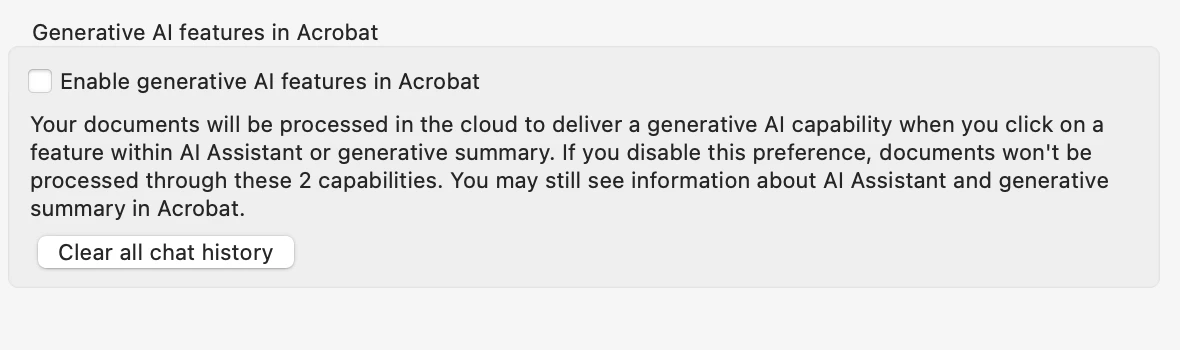
Surely that must be the end of it?
WRONG!
Not 20 minutes later...
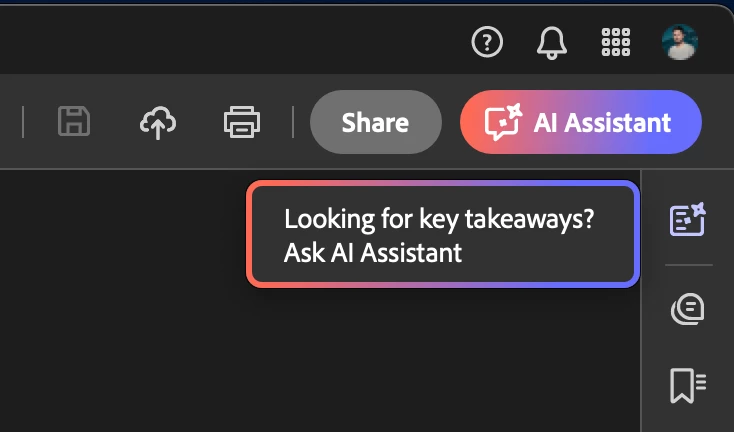
This is definitely one of the options I turned off previously (that I now can't find), so why is this type of thing popping up again?
It should be simple...
AI Assistant on:
AI Assistant off:
So, three questions:
- How do I turn off the AI assistant completely, never to "automatically" turn itself back on again in some way?
- How do I stop these annoying colourful advertising prompts constantly jibing me? (Which I already disabled previously).
- Are the first two questions even possible or has Skynet finally taken over and keeps turning itself back on?
Many thanks for ruining my day again.
Iain
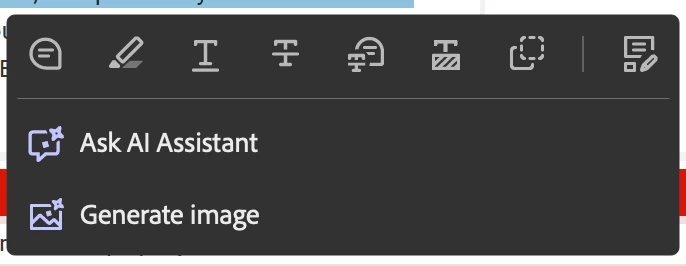
Oh, and this is annoying too...
 AdChoices