
Strange System Font Substitution
Hello there, Adobe Community. I have been having a strange issue for the past couple weeks, and being fairly green behind the ears when it comes to Acrobat (and all its adorable idiocincracies), I'm not quite sure where to turn next.
Every week, I am responsible for taking a provided .pdf file, flattening the fillable forms it to certain specifications, and then taking a screenshot and taking it into PS for some minor graphic touchups.
The issue arrises when comparing the display of .pdf file within Acrobat versus within either a web or system browser. The font used in the fillable form fields is supposed to be Helvetica, but when the file is opened in Acrobat, it seemingly substitutes "Helvetica-Light" within those forms.
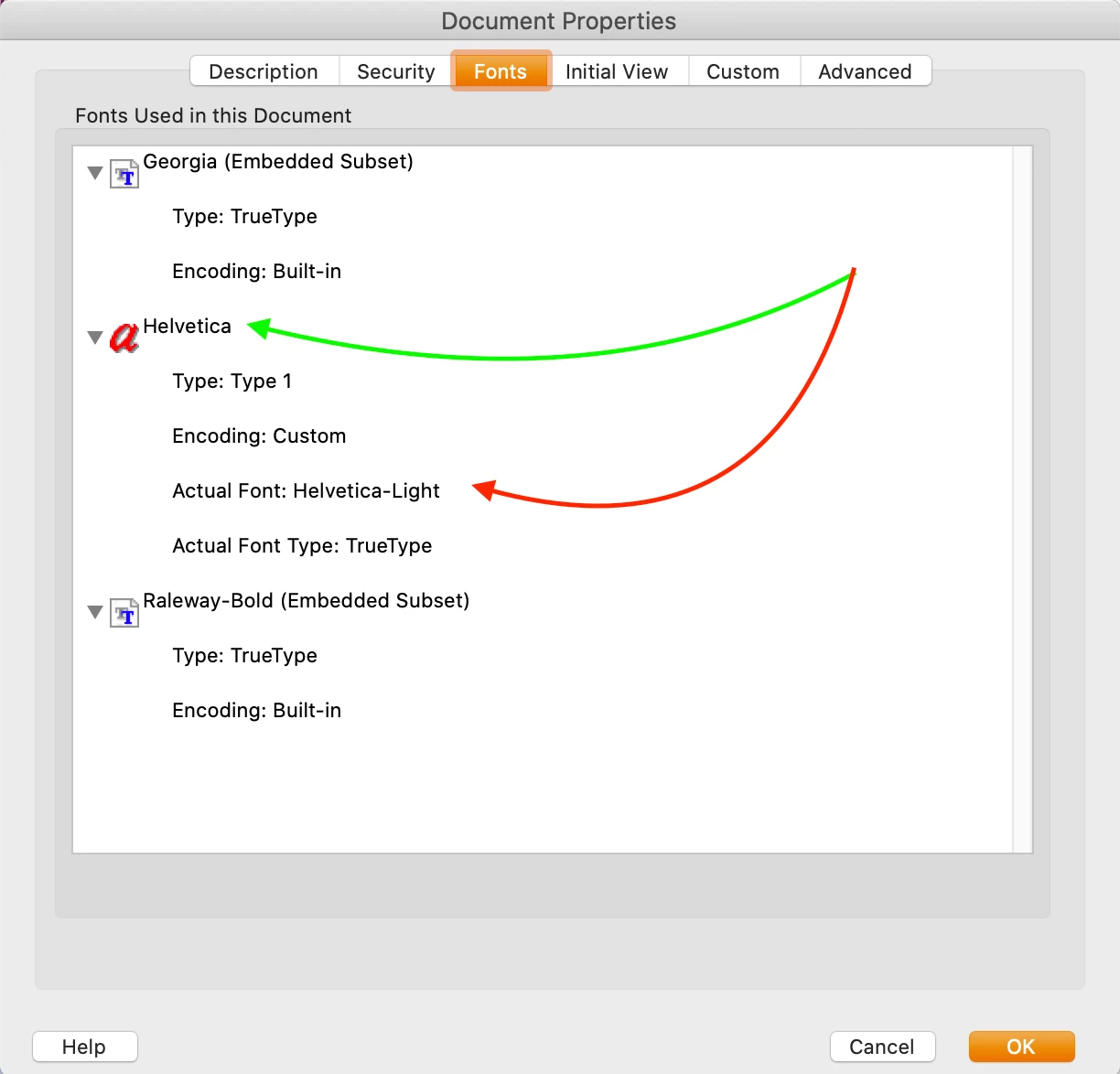 The font-weight is noticably different between the two versions (web/system vs. Acrobat DC), and while inspecting the document properties, I noticed the pequliar distinction in the example image.
Can anyone tell me if there are any work arounds to this? I confirmed Helvetica is installed on my computer.
TL;DR - How can I get Acrobat to display fonts accurately based on an original file on my system.
Thanks for any help you're able to give!
-Mike
 AdChoices