Participant
March 8, 2025
Answered

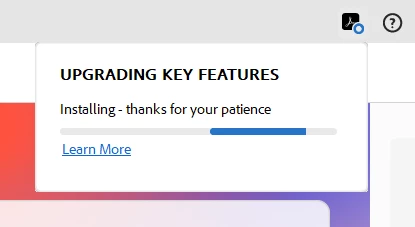
Stuck on Upgrading Key Features

  • March 8, 2025
  • 2 replies
  • 3908 views

I just purchased a Adobe Acrobat Pro subscription, and tried to upgrade my Adobe Acrobat. However, I am running into a repeated issue where Adobe says "Upgrading Key Features" and getting stuck on continously installing. I have tried uninstalling and reinstalling Acrobat. Please help. I am about to ask for a refund, this is horrible design and service if even after I pay I cannot use it.


Correct answer creative explorer

@timothy_6607 how frustrating! This installation loop often indicates a conflict with existing files, permissions, or background processes. To resolve this, first, perform a thorough uninstall using the Adobe Creative Cloud Cleaner Tool to remove all traces of previous installations. I would use Adobe Cleaner from adobe website versus using any third party cleaner. Adobe Cleaner helps remove old Adobe software, cleaning corrupt installation files, and fixing your host files to establish a connection with Adobe servers. https://helpx.adobe.com/ca/creative-cloud/kb/cc-cleaner-tool-installation-problems.html

Then, temporarily disable any antivirus or firewall software that might be interfering with the installation process. Ensure your operating system is fully updated, as outdated system files can cause conflicts. During the reinstallation, go to your adobe.com, and run the Adobe Acrobat installer as an administrator. 

2 replies

Starkles
Participant
April 11, 2026

I recently did a clean install with administrative permissions on a new computer with only default Windows firewall settings and am getting this issue as well.  The only thing that was previously installed was Adobe Reader.

I have to agree with timothy_6607.  This really shouldn’t be happening, and requiring users to go use some sort of cleanup tool, and then further advising that the problem is so widespread that there are third party cleanup tools available, but that you shouldn’t use them, and then even further advising that antivirus or firewalls should be disabled, seems a stretch.  The onus shouldn’t be on the user to clean up some sort of mess made by the Adobe install.

Moreover, this post is over a year old, and it’s still clearly an issue.  All of those are to me indicators that this is an issue that should be escalated with the appropriate Adobe development team.

creative explorer
Community Expert
creative explorerCommunity ExpertCorrect answer
Community Expert
March 9, 2025

@timothy_6607 how frustrating! This installation loop often indicates a conflict with existing files, permissions, or background processes. To resolve this, first, perform a thorough uninstall using the Adobe Creative Cloud Cleaner Tool to remove all traces of previous installations. I would use Adobe Cleaner from adobe website versus using any third party cleaner. Adobe Cleaner helps remove old Adobe software, cleaning corrupt installation files, and fixing your host files to establish a connection with Adobe servers. https://helpx.adobe.com/ca/creative-cloud/kb/cc-cleaner-tool-installation-problems.html

Then, temporarily disable any antivirus or firewall software that might be interfering with the installation process. Ensure your operating system is fully updated, as outdated system files can cause conflicts. During the reinstallation, go to your adobe.com, and run the Adobe Acrobat installer as an administrator. 
m