New Participant
September 26, 2019
Respondido

Text changes to special symbols with saving PDF in Acrobat

  • September 26, 2019
  • 2 respostas
  • 80682 Visualizações

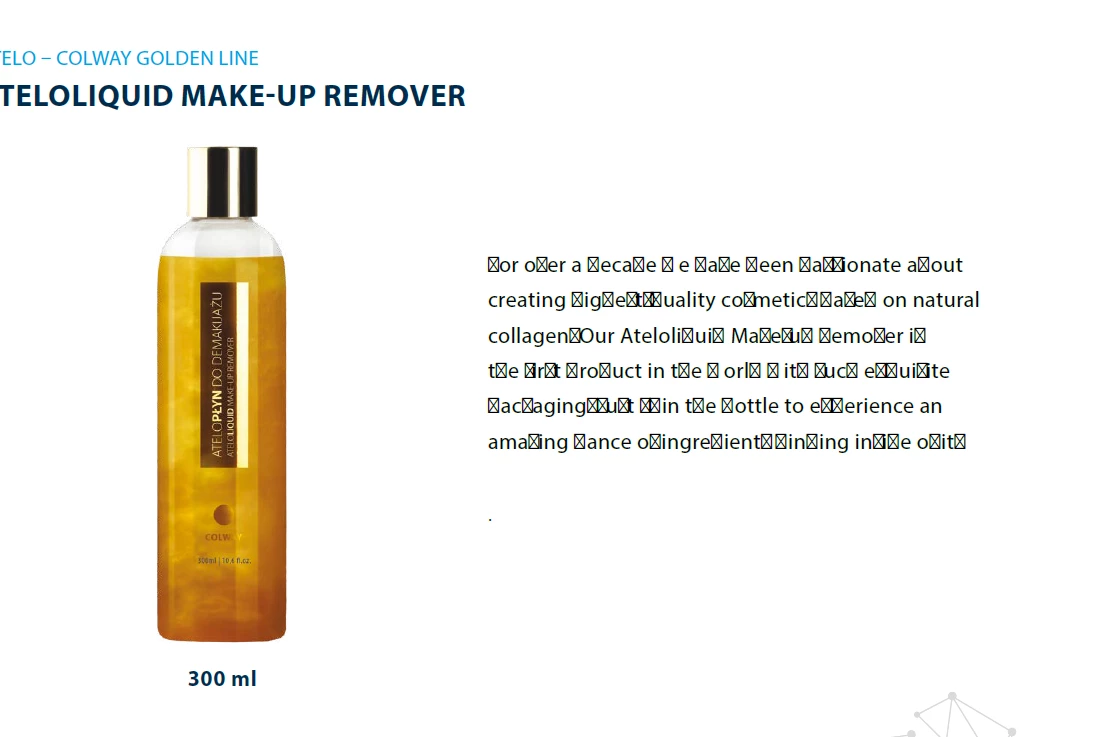
When I recently saved a PDF I was editing in Acrobat Pro DC -- many of text characters changed to an odd symbol. Attached is a sample. Any ideas on how to avoid this issue next time I save the doc? Thx.

    Este tópico foi fechado para respostas.
    Melhor resposta por Bevi Chagnon - PubCom.com
    Yes. thanks. The orignal document I am editing is a PDF -- The problem occurred when saving the PDF -- as a PDF using Adobe Acrobat Pro DC 19.012.20040

    To embed fonts in a PDF...

    First, the ideal method is to embed them when the PDF is made (ie, saved as a PDF or exported to PDF) from the source document (ie, Word, PowerPoint, Adobe InDesign, etc.). Look at the conversion options, settings, or preferences to set the conversion to embed the fonts.


    If you're dealing with an existing PDF, you can embed the fonts using Adobe Acrobat Pro. NOTE: This process should work OK if you have the same fonts on your computer system that the author had when the PDF was made. However, if the author used a special font or a special character that is not on your system, then it won't work for that portion of the PDF.


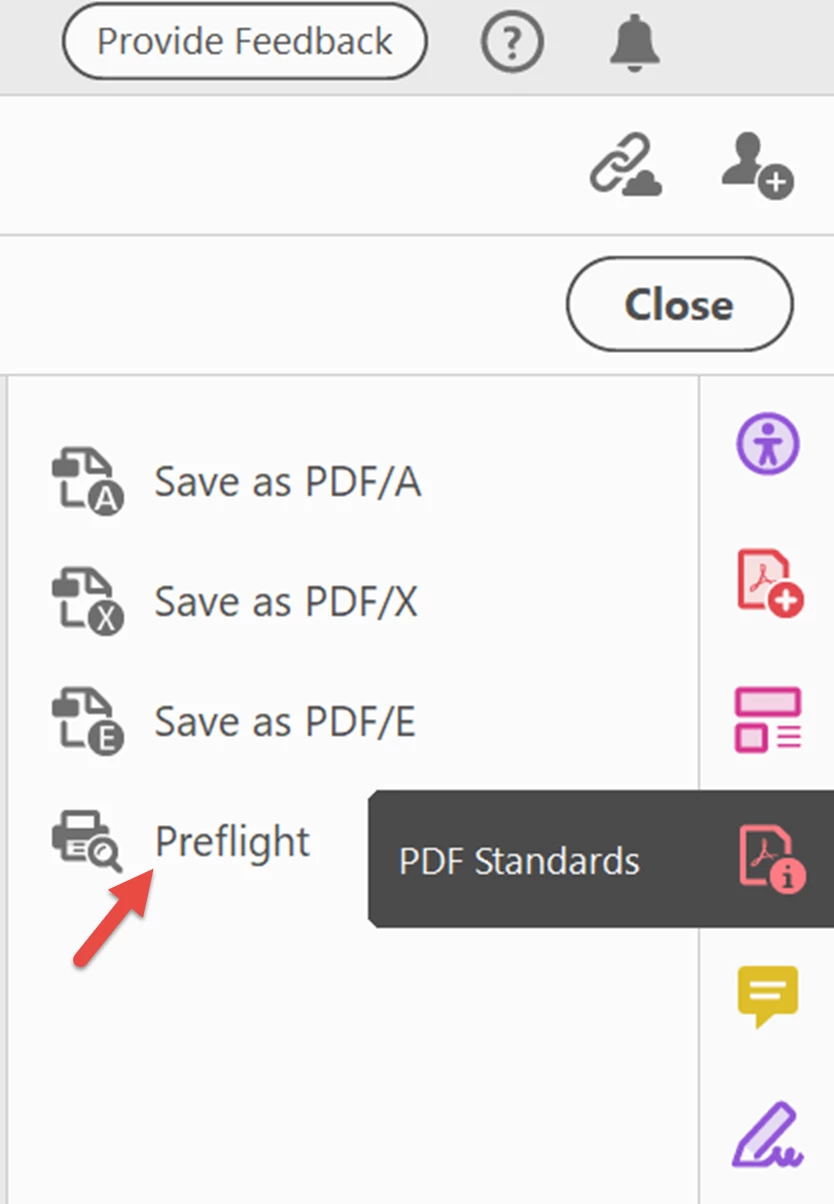
    1. Open the PDF Standards tool panel (if it's not already in your right-side tool set, then open it via the Tools Tab in the upper left of the Acrobat window).
    2. Open the PDF/UA Standards section.
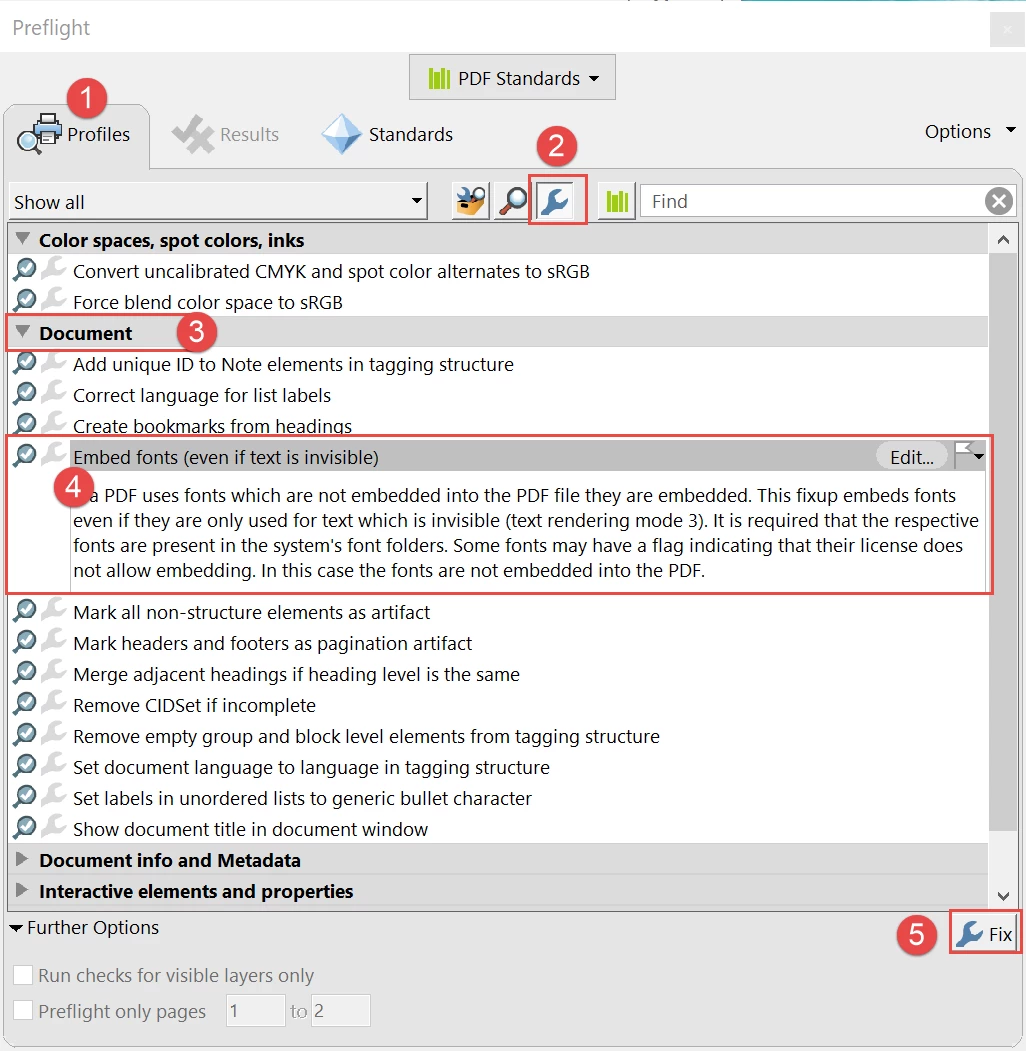
    3. From the Profiles tab, select the blue wrench in the upper menu bar.
    4. Expand the Document section.
    5. Select the Embed fonts utility and then click the FIX button in the lower right (has another blue wrench in the button).


    Open the Preflight panel from the PDF Standards tool.
     

    Run the Embed Fonts utility from the PDF/UA profile.
     

    Hope this helps.

    --Bevi



    2 Respostas

    New Participant
    September 28, 2023

    I tried the Preflight fix and got the following results


    Bevi Chagnon - PubCom.com
    Legend
    September 28, 2023

    It means that the Geneva and 2 weights of Helvetica are not on your computer. Without them installed, they can't be embedded into the PDF.


    Either go back to the source file and re-export the PDF correctly (selecting the options to embed all fonts into the PDF), or install Helvetica and Geneva on your system and try the Preflight tool again.


    |    Bevi Chagnon   |  Designer, Trainer, & Technologist for Accessible Documents ||    PubCom |    Classes & Books for Accessible InDesign, PDFs & MS Office |
    Bevi Chagnon - PubCom.com
    Legend
    September 26, 2019

    You need to embed the font into the PDF when you set the export options.

    Look deeper at the conversion/export options.


    The odd symbol is called a tofu box (like a brick of tofu).

    |    Bevi Chagnon   |  Designer, Trainer, & Technologist for Accessible Documents ||    PubCom |    Classes & Books for Accessible InDesign, PDFs & MS Office |
    JDNCAutor
    New Participant
    September 26, 2019
    Thanks for the feedback and information. I will look into that. However, I was 'saving' the PDF when this happened, not converting, or is that similiar?