Participant
September 13, 2019
Answered

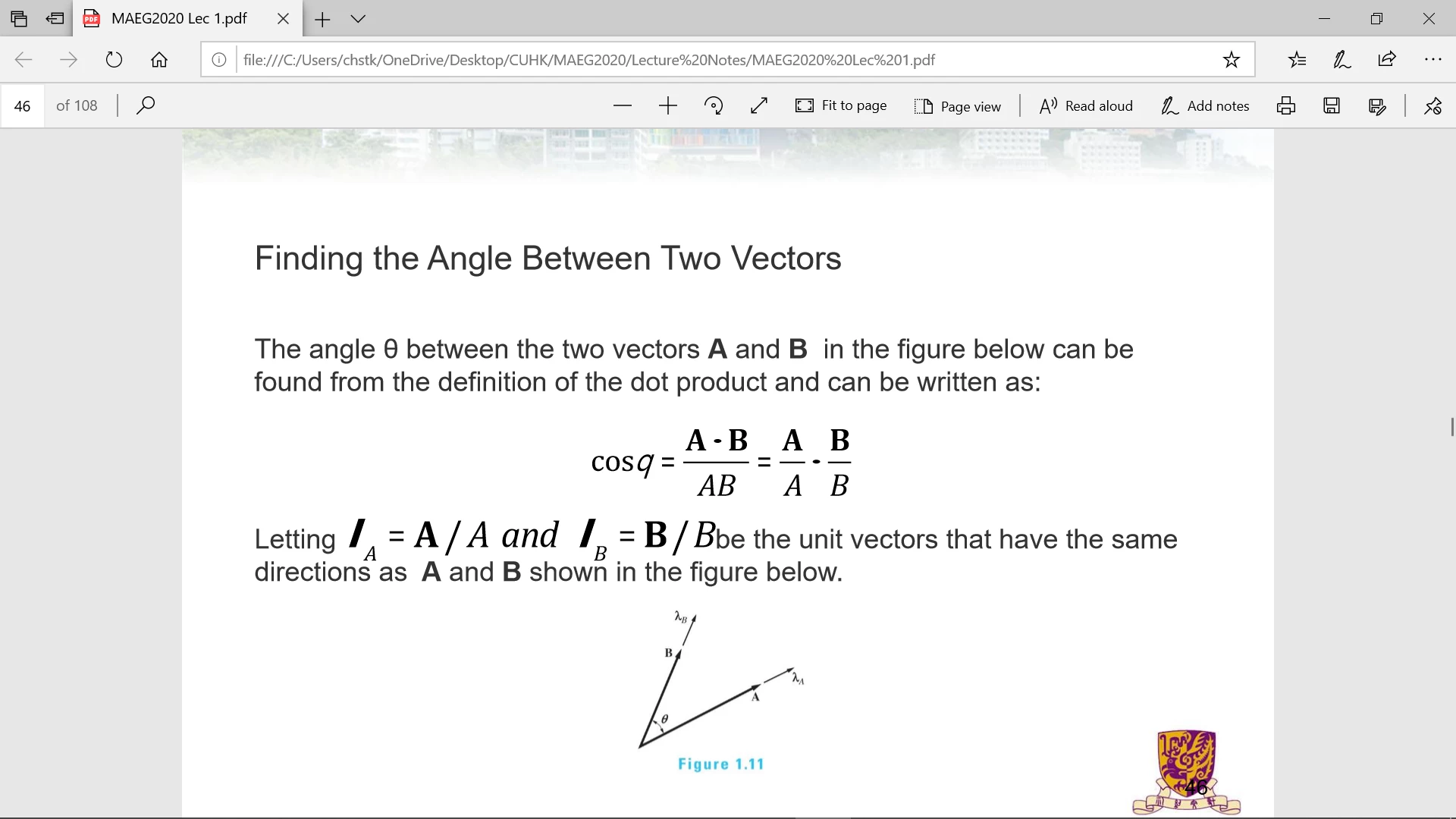
There's something wrong with my Adobe PDF viewer, it can't read my pdf files correctly....

  • September 13, 2019
  • 1 reply
  • 13456 views

Yeah...basically 50% of slides become corrupted when viewing with adobe, Microsoft edge pdf viewer is so uncomfortable I want to  keep using adobe, Please help....

    This topic has been closed for replies.
    Correct answer Amal.

    Hi Chstk,


    Thanks for reaching out, as described above, you are getting issues with reading /viewing the PDF file, correct?


    It seems to be an issue with fonts embedding, please try the following troubleshooting steps and check if that works for you


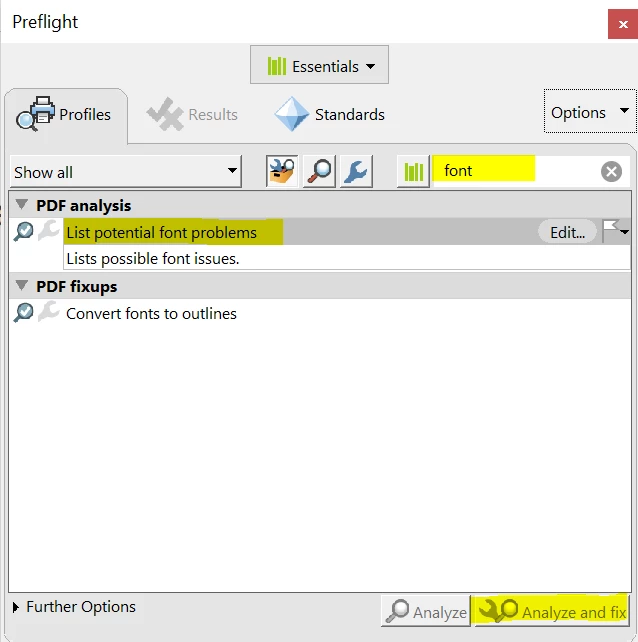
    • Open the PDF file that is creating the problem,  Go to Tools > Print Production > Preflight > Type Fonts in the search box >Select , List potential font problems >Click on, Analyse and fix. and check
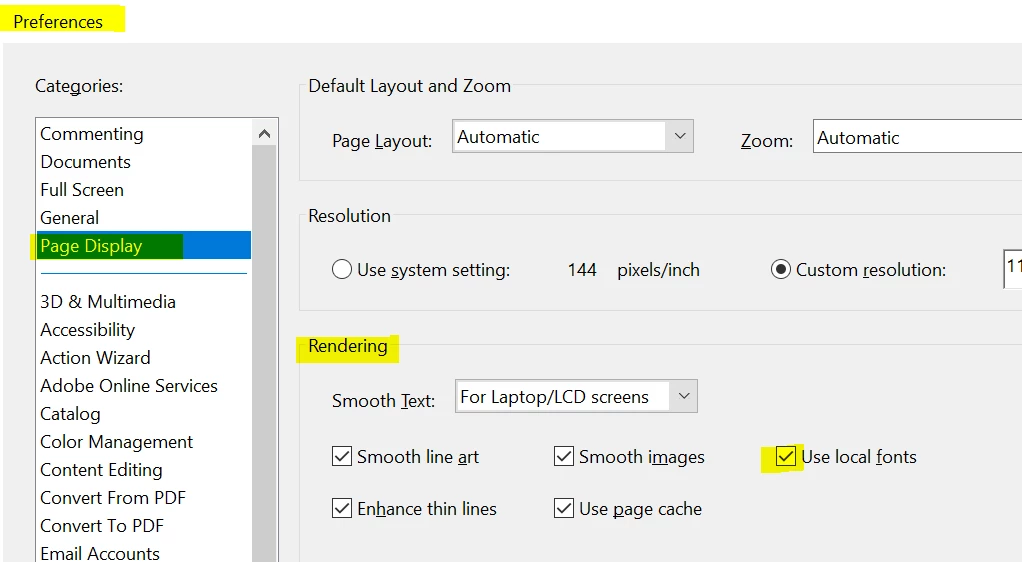
    • Also, please try the following preference settings. Go to Edit > Preference > Page Display > Select, Use local fonts > Click OK and restart the application and check.


    Let us know if that works for you


    Regards, 

    Amal

    1 reply

    Amal.
    Community Manager
    Amal.Community ManagerCorrect answer
    Community Manager
    September 13, 2019

    Hi Chstk,


    Thanks for reaching out, as described above, you are getting issues with reading /viewing the PDF file, correct?


    It seems to be an issue with fonts embedding, please try the following troubleshooting steps and check if that works for you


    • Open the PDF file that is creating the problem,  Go to Tools > Print Production > Preflight > Type Fonts in the search box >Select , List potential font problems >Click on, Analyse and fix. and check
    • Also, please try the following preference settings. Go to Edit > Preference > Page Display > Select, Use local fonts > Click OK and restart the application and check.


    Let us know if that works for you


    Regards, 

    Amal

    Participant
    May 1, 2024

    Thank you, Amal! I've been having issues for weeks and you've just fixed it in 1 minute.  Legend!


    Amal.
    Community Manager
    Community Manager
    May 27, 2024

    Hi @kerrym91939294


    We are glad to hear that.


    Marking a reply or response “Correct” will help future users with the same issue quickly identify the correct answer.


    ~Amal