
October 17, 2019
Answered

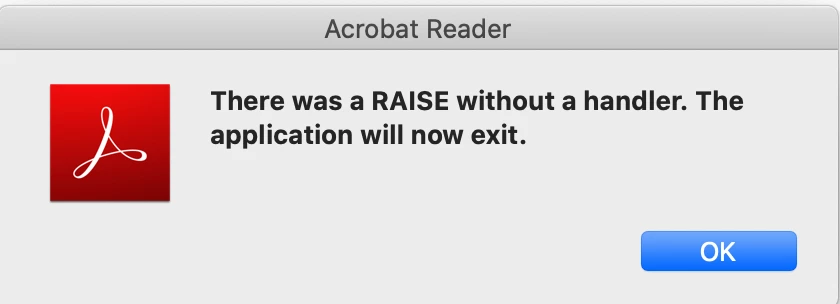
There was a RAISE without a handler. The application will now exit.

  • October 17, 2019
  • 7 replies
  • 12937 views

After I updated my mac to the latest version 10.15 (macOS Catlina), I cannot open adobe aircraft reader DC anymore. Everytime I try to open it, it says "There was a RAISE without a handler. The application will now exit" and exits immediately. I try to uninstall and install acrobat reader again, but it still does not works. Anyone can help? Thanks.


Update on Oct 26:

I do not use any plug-in, and I only use adobe reader, not other adobe apps. This issue only happens on adobe reader, not on other apps such as PDF Expert (another PDF viewing app). My adobe reader just keep crashes everytime I open some PDF documents and says "There was a RAISE without a handler. The application will now exit".

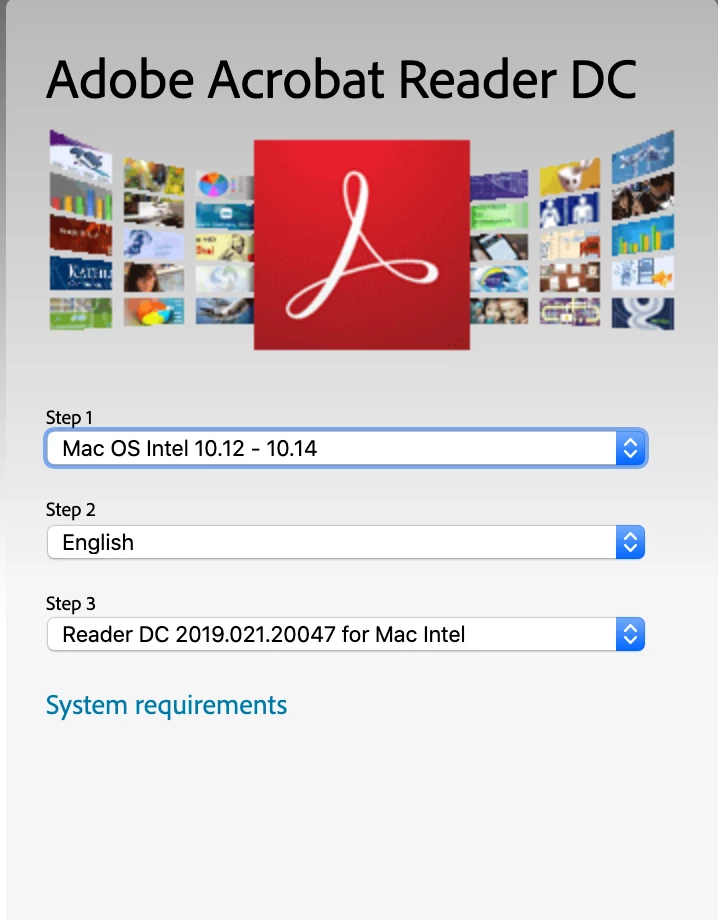
And this is the latest version of adobe reader I can find on their official website (not sure why they do not have macos10.15 version):
 

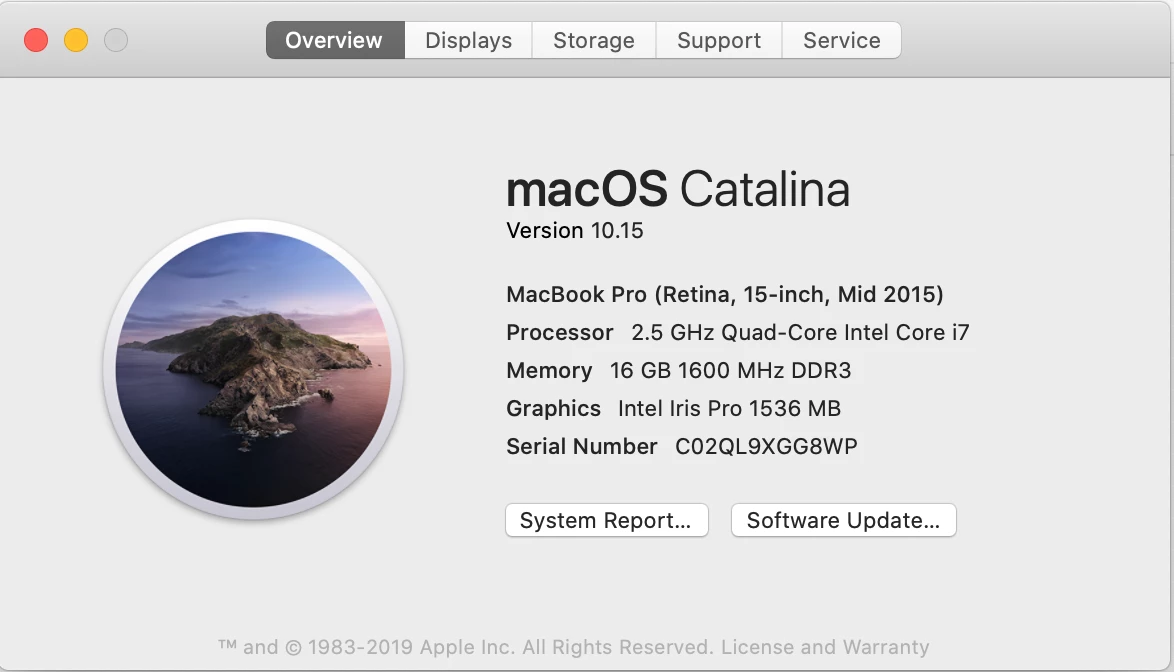
Here is a copy of my mac system overview:


This topic has been closed for replies.
Correct answer vdobhal

Hi,


Adobe Acrobat and Reader official update containing the fix for this issue is now available. This update will be automatically pushed to all existing installations of Acrobat and Reader. If you want, you may also manually trigger the update by opening the application and going to Help > Check for Updates.

More information about this release is here: Release notes 


Please try it out and let us know your feedback. Thanks for your patience and support!


Regards,

Vinod

7 replies

michellehollatz
Participant
April 20, 2020

MY FILES WERE ALSO DELETED!  [Cursing removed]

ls_rbls
Community Expert
Community Expert
April 20, 2020

Hi,


Can you specify where did the files deleted from?


Your computer? What system, macOS, iOS, AndroidOS, MS Windows?


Did you sign in to the Document Cloud with your AdobeID and checked that at least all of the documents are archived there?

ls_rbls
Community Expert
Community Expert
November 11, 2019
vdobhalCorrect answer
Adobe Employee
November 13, 2019

Hi,


Adobe Acrobat and Reader official update containing the fix for this issue is now available. This update will be automatically pushed to all existing installations of Acrobat and Reader. If you want, you may also manually trigger the update by opening the application and going to Help > Check for Updates.

More information about this release is here: Release notes 


Please try it out and let us know your feedback. Thanks for your patience and support!


Regards,

Vinod

Participant
April 25, 2022

Sorry, but this doesn't work. I have the latest update to Reader, and am running MacOs Big Sur 11.5.2 , and I am still getting the error. Please advise how to stop this problem.

ls_rbls
Community Expert
Community Expert
November 7, 2019

Hi,


At the time that you wrote this post, the latest fully supported versions of Acrobat Reader DC are the ones shown in your screenshot.


Your version of macOS Catalina is still or was" in beta software testing stage in September trhough October 2019.


Apple published a total of 11 beta software stages for that OS since September.


So the versions that you see listed in the pulldown menu of your screenshot above are fully supported versions for operating systems NOT in beta testing stage.


You may want to switch your macOS Catalina from beta testing to its final public version 10.15.1 "stage to diminish the problems that many users who have upgraded from Mojave are experiencing.


Here is how to:

https://wccftech.com/how-to/how-to-switch-from-beta-to-final-version-of-macos-catalina/ 


Be aware that the public version is also or had  two beta stages released reently in October 2019

Participating Frequently
November 8, 2019

Hi,

 
As far as I know, I am not and never have been enrolled in any Apple beta software testing program. I just checked System Preferences > Software Update and got the following result 


OK, I give up. So how the (expletive deleted) do I send you a screen shot? By the way, the dialog box said "Your Mac is up to date — macOS Catalina 10.15.1  Last Checked: Today at 9:02 AM"


Perdicus


Perdicus

 
ls_rbls
Community Expert
Community Expert
November 8, 2019

Hi, 


When you have your application open in your screen, just hit the Ctrl key + Print Screen key together.


It will save a copy or snapshot of your desktop screen in the clipboard (temporary memory), so you can then paste it in MS Paint or similar image editing program.


save it as .PNG file and when you hit the reply button here in the forum look in the toolbar above the typing space, like shown in the slide:


Inspiring
November 4, 2019

I've had this issue/error on a Mac running 10.15.1 as well as Mac still on 10.14.6. 

On the 10.15 Mac it just happened. 

When I opened a PDF in Acrobat Pro DC, current release of version 19, it prompeted me with a tool tip about the Star icon in the menu bar, when I hit the X to close the tool tip, the RAISE without handler error popped up and app closed. I get the error for every PDF I open now including after doing a restart. I can open the app and its stable but as soon as I open a PDF the error comes up and app closes. 


Guess I'll have to try this AcroCleaner Tool. 

Inspiring
November 4, 2019

Is there a fix for this issue? What I've noticed is Adobe asking for Crash Reports but seems like one isn't going to be generated. The error says"There was a RAISE without and handler. The application will now exit. So its not a crash, the app closes itself. Sounds like it effects both reader and Pro and from 10.14 through 10.15.


I've yet to come across what a RAISE is and what a handler are but that should be useful info for Adobe to track down where the problem lies. The only way I've been able to fix yet has been a FULL removal and reinstall.


For what its worth, I'm a new comer to Acrobat Pro, I used version XI right up until 10.15 came out and went ahead and installed on my 10.14 machine as well so i can have parity across my usage but I held off for years as I still think XI was superior/less of a mess of stuff I didn't need. And now....I can't even open a single PDF with this Pro DC software. Thankfully Preview can handle the task easily enough.  

Inspiring
November 5, 2019

Need a fix here pronto. Adobe Acro Cleaner Tool nor the Uninsaller application are doing a good enough job to get me back to a working version of Acrobat. I need this appication on a daily basis and need a fix now. 

Adobe Employee
October 22, 2019

Hi,

Could you pls. provide us with the logs captured by the 'Console' app in MacOS Catalina?


Thanks,

Vinod

(Adobe Acrobat Team)

October 30, 2019

Hi Vinod, I have the same problem on Catalina, but i found out that the problem is that my Acrobat (part of my full subscription) was trying to invoke reading of the open document, because i was using assistive technology on Catalina (an on-screen keyboard, since one of the keys on my keyboard does not function). There was a dialog box popping up about reading direction. I clicked "do not ask again" and even this did not help. Please fix the issue. Apparently even an on-screen keyboard is problematic for Acrobat, and for some reason it activates assistive reading, which then causes the bug to appear and the crash to happen.

Adobe Employee
October 30, 2019

Thanks Adam, could you pls. provide us with the crash logs for the same issue. It would help us in identifying the issue.


Regards,

Vinod

Adobe Employee
October 22, 2019

Hi, 

Thanks for reporting the issue. Can you please share more details regarding this issue : 

1. Acrobat/Reader version you are using . 

2. Any third party plugin or Software installed on your system related to pdf's. 

3. Is this issue seen on just launching Acrobat or happens on opening any pdf. 


Regards, 

Priyanka 

(Adobe Acrobat team)

October 26, 2019

hi, I updated my post.

Adobe Employee
October 18, 2019

Thanks for reporting this to us. Can you please follow the below process to resolve this error:

  • Download the AcroCleaner Tool
  • Run the tool to remove the already installed Reader
  • Download the Catalina supported Reader


If you still observe the same error, please get back to us.


Also, share the Reader version currently installed on your machine.

Adobe Employee
October 21, 2019

Hi Thomas,

Let us know if the issue still persists.

Participant
October 22, 2019

An update was available, now running 2019.21.20048


If you would like a log file, how do I deliver it to you?