
Copy link to clipboard
Copied
hey, I'm new here.
A) the circled ones are my older PDFs (months old)
B) the remaing PDFs are the newer ones
as you can see the newer PDFs are having these white bars on the sides (like they are placed in a white page with huge side margins) and it is looking very bad, even though the actual first pages of these PDFs does not have anything like that, and are just the images.
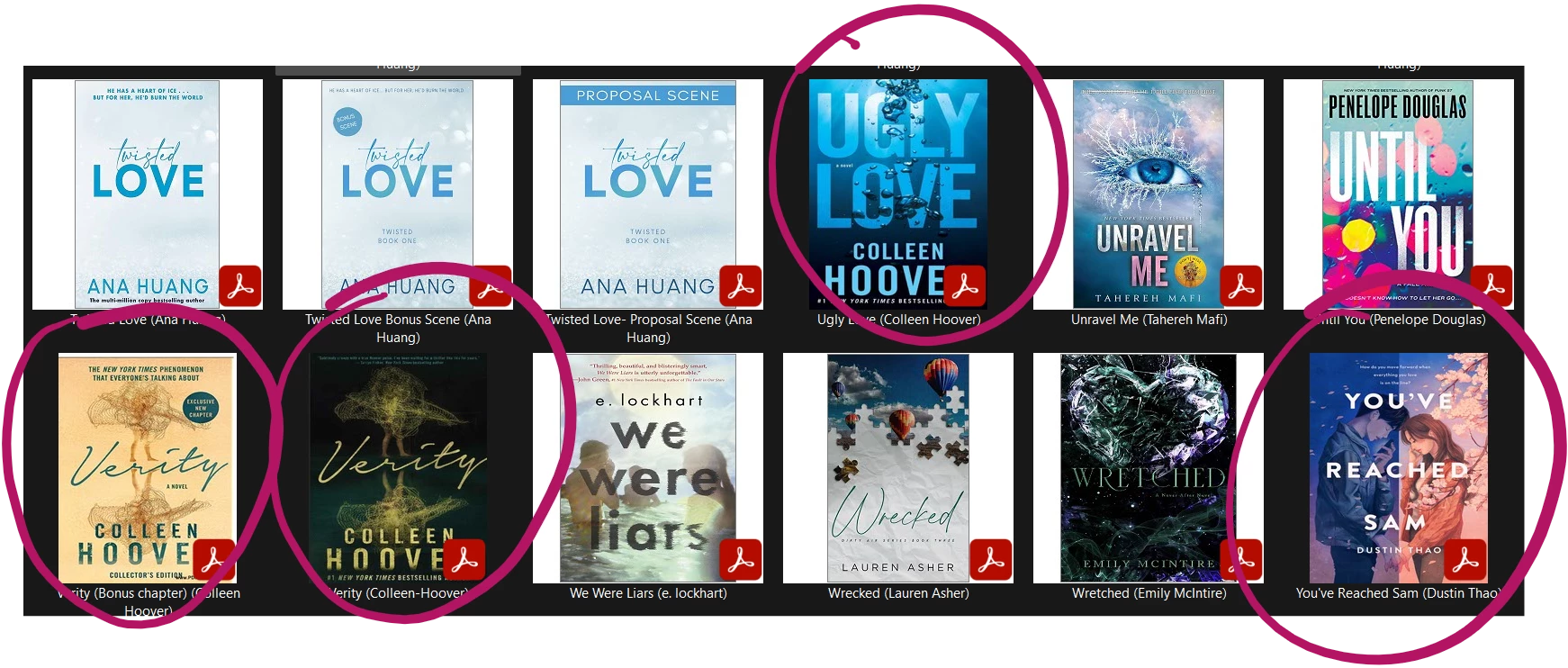
please give me a solution so that these newer PDFs appear like my older ones.
thanks!
Copy link to clipboard
Copied
"even though the actual first pages of these PDFs does not have anything like that, and are just the images."
It's just the colour that has changed. Your old PDFs have black bars on the side instead of white bars.
Copy link to clipboard
Copied
No, actually. There are no black bars there. The theme of my laptop is dark that's why it is looking like that.
See, after hovering my mouse on it, it is visible that there are no black bars.
but thank you sm for replying.
Copy link to clipboard
Copied
and this is how my older pdf (without the white bar) looks when I open it. It is just the image
Copy link to clipboard
Copied
We don't see things the same way.
Copy link to clipboard
Copied
ok, so I changed my laptop from dark themed to light themed
that's what I'm trying to tell you sir.
Copy link to clipboard
Copied
"ok, so I changed my laptop from dark themed to light themed "
I guess that you find the right answer!
š
Get ready! An upgraded Adobe Community experience is coming in January.
Learn more