
Answered
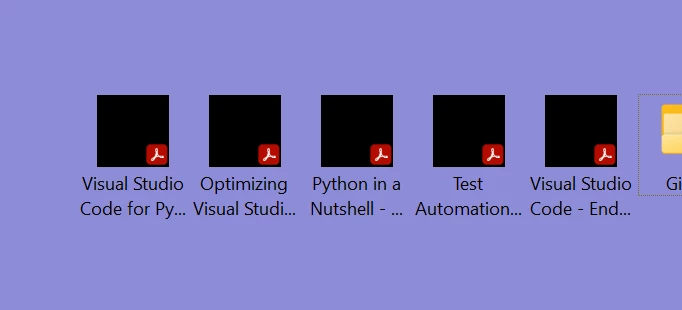
Thumbnails displays as black square
Hello,
I have a brand new laptop with Windows 11 Pro (Version 22H2, OS build 22621.1778, Experience Windows Feature Experience Pack 1000.22642.1000.0).
I have a fresh install of Adobe Acrobat Reader (Continuous Release - 2023.003.2021 64-bit).
However, even after setting up and tweaking settings, the thumbnail image previews displays a black square (with the Adobe squiggle in the bottom righthand corner).
The thumbnail image previews works for the View setting of Large or Extra Large icons, but not for Medium view, or below.
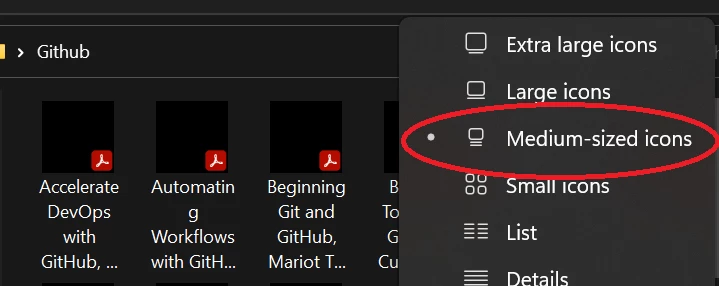
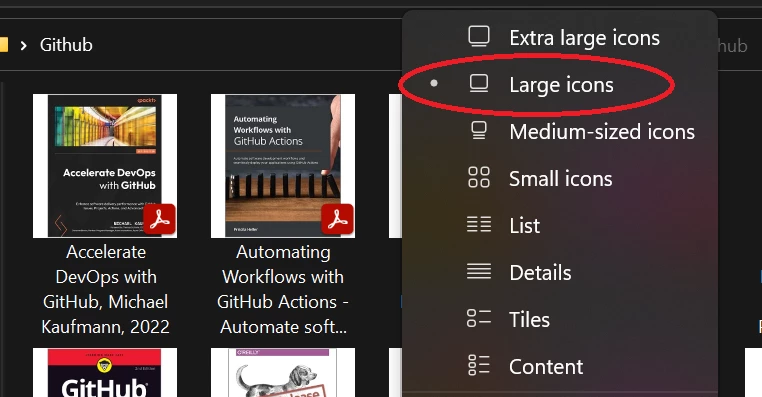
Q. Is this correct? This used to work in Windows 10 (Medium view for folders shows a preview image of the file).
Thank you.
 AdChoices