
Participant
October 27, 2021
Question

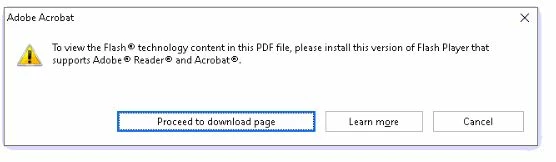
To view the flash technology content in this pdf please install the required version of flash player

  • October 27, 2021
  • 3 replies
  • 8846 views

Hello,

I have Adobe Pro XI and I got the below message when try opening some files.


"To view the flash technology content in this pdf please install the required version of flash player that supports Adobe Reader and Acrobat"


I do have Adobe Reader installed as well on the same machine and it works with no issues, how to solve this issue in XI.


Running Windows 10, latest updates.

Adobe XI is update to date.


Your help is very valuable.
This topic has been closed for replies.

3 replies

Participant
February 1, 2022

I have the same issue, using Acrobat Pro DC, keep getting this error message, even on a new file trying to add a video.

Legend
February 1, 2022

What is your specific version of Acrobat DC? Something like 2016.123.54321. Not "up to date" please. 

Participant
February 1, 2022

Thank you


2020 20.006.20034

try67
Community Expert
Community Expert
October 28, 2021

Acrobat XI can no longer display Portfolios that were created using Flash technology. Your options are either to open the file using Acrobat (or Reader) DC, or to convert the Portfolio's to be non-Flash based. The latter can be done using an external tool, like this (paid-for) one I've created: https://www.try67.com/tool/convert-portfolio-pdf-to-normal-pdf


JR Boulay
Community Expert
Community Expert
October 27, 2021
Acrobate du PDF, InDesigner et Photoshopographe
Participant
October 28, 2021

Ok, but my files doesn't include any flash or content that needs this to be installed.


so I'm wondering why I'm getting this msg.

Legend
October 28, 2021

Portfolios (combined PDF) used to add Flash content. So did videos and audio.