
Tools panel missing on the left side in Acrobat PRO (macOS)
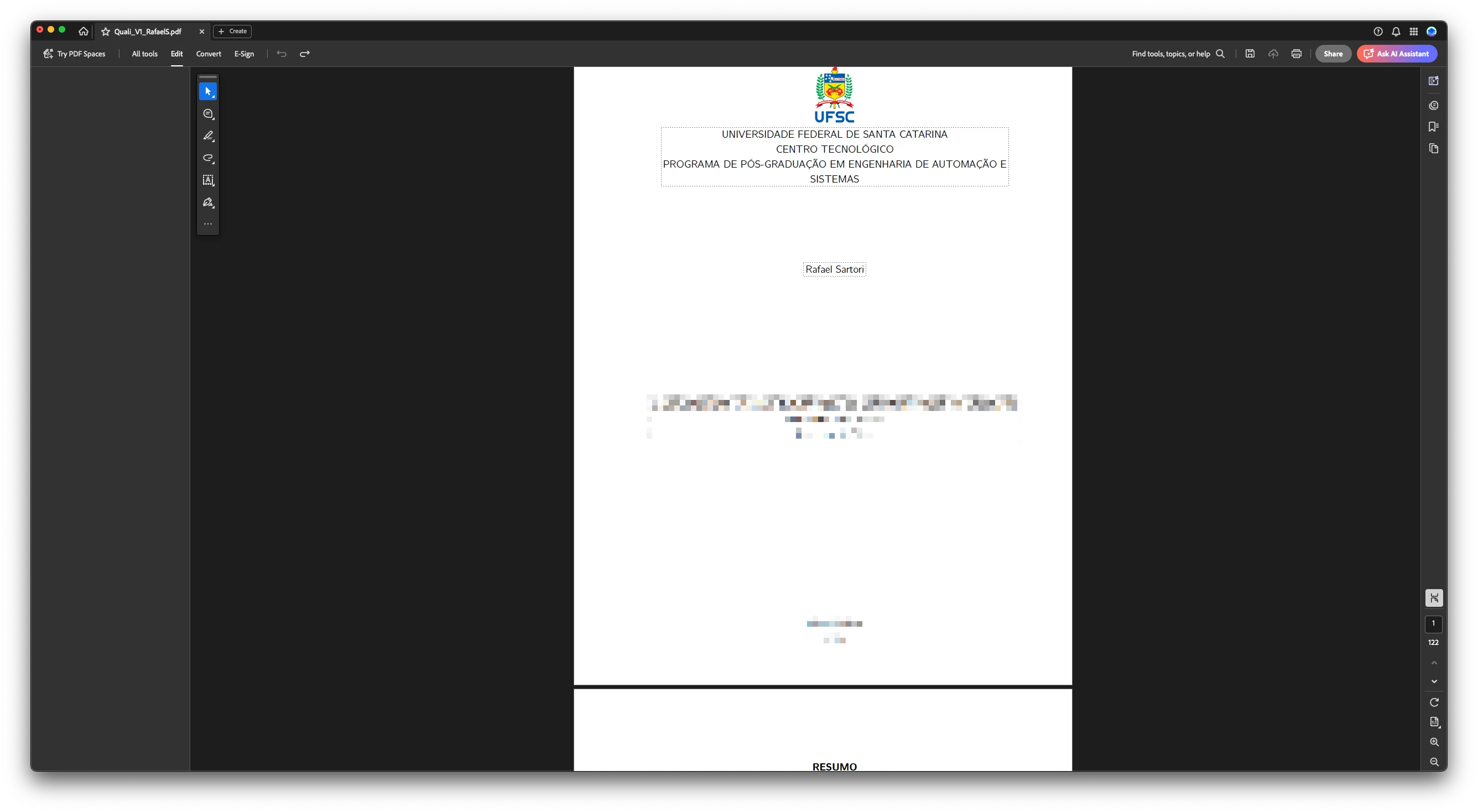
When I select any tool in Acrobat (for example, Edit, Organize Pages, Prepare Form, etc.), the left panel appears but it is completely empty. No options or tool settings are displayed. This happens in every tool, not just Edit. I already tried restarting the app, logging out and in, reinstalling Acrobat, and resetting preferences, but the issue persists.
This seems to be a very recent problem on macOS, because until last week the tools panel was working normally.
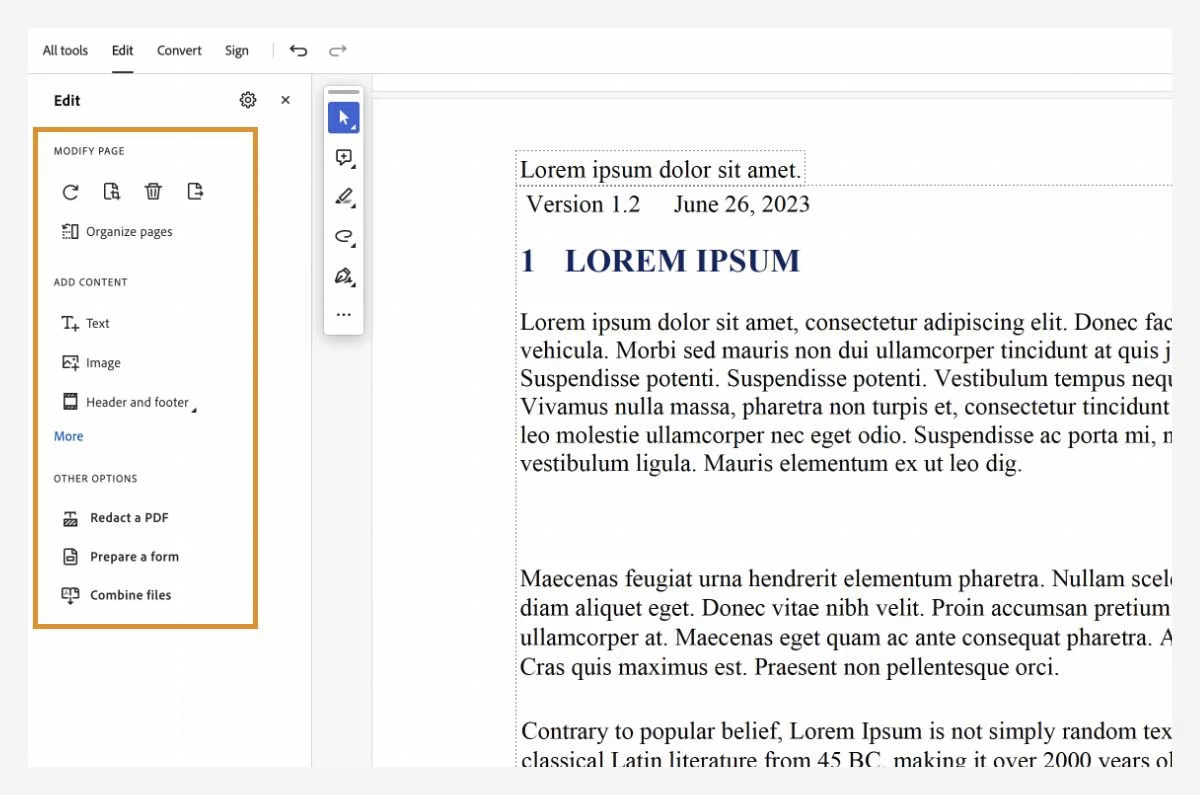
The first image is from an official Adobe tutorial, showing the Edit tool with its options correctly displayed in the left panel.
The second image shows my case: with the same tool (Edit) selected, the left panel is completely empty — no options appear.
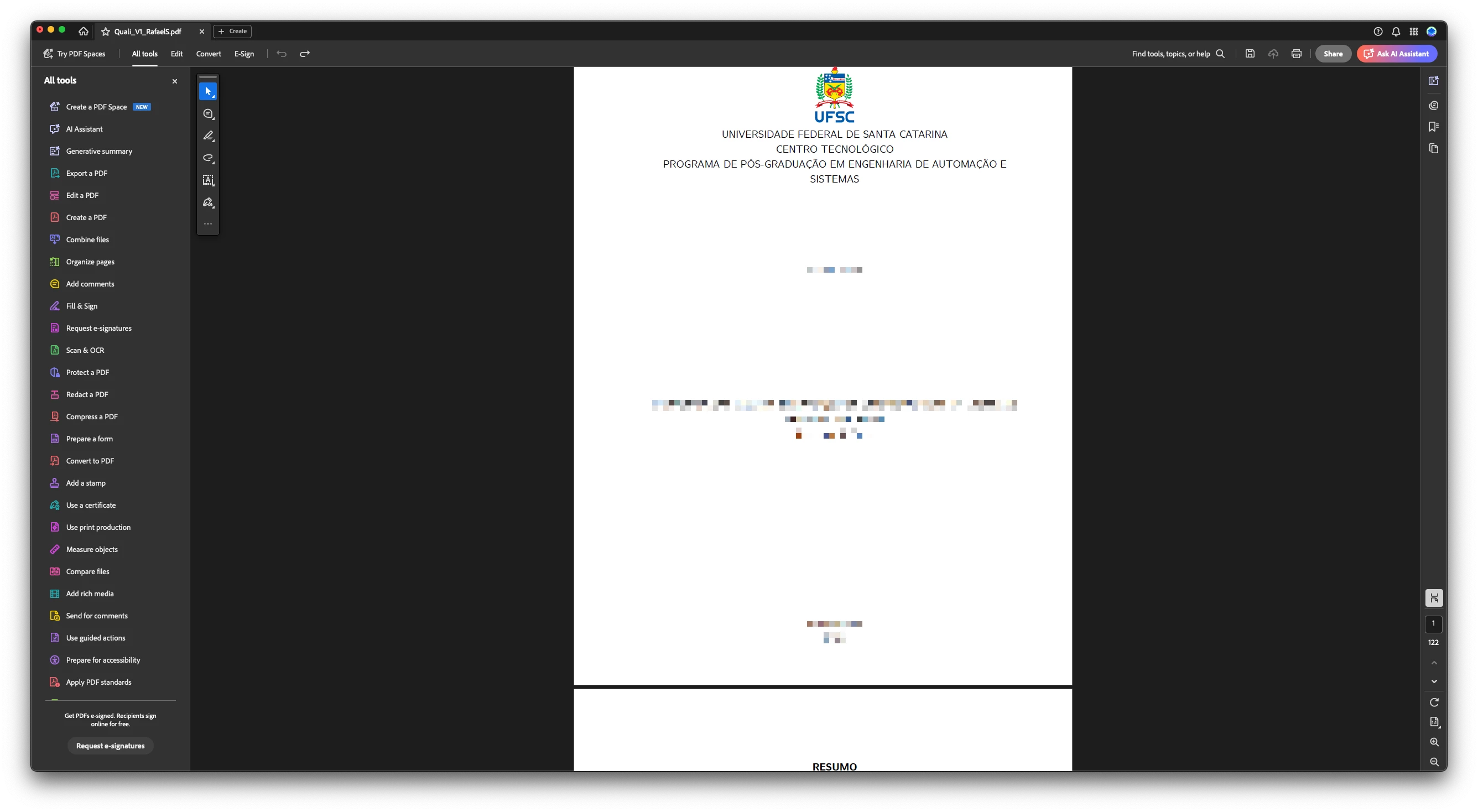
The third image is just illustrative, showing that the full list of tools does appear in the left panel, but the problem starts when any tool is actually selected.
macOS Version 15.6 (24G84)
Adobe Acrobat Pro:
Architecture: arm64
Processor: Apple M3 Pro
Build: 25.1.20623.0
AGM: 7.1.17
CoolType: 10.0.7
JP2K: 4.0.2.54782
Could someone help me?
 AdChoices