
Participant
December 12, 2018
Question

turn off double sided printing on mac

  • December 12, 2018
  • 1 reply
  • 1896 views

Hi, I have seen that there are already several discussions on this topic, but no answer that works for me. I installed the Acrobat Reader on my Mac and since then it always prints double sided. I have no problem with other programs (Word, excel etc'), it's only the Acrobat. And when the Printing dialogue Box opens, there is no properties button (as mentioned in other discussions)

This is what I get when the dialogue box is open:
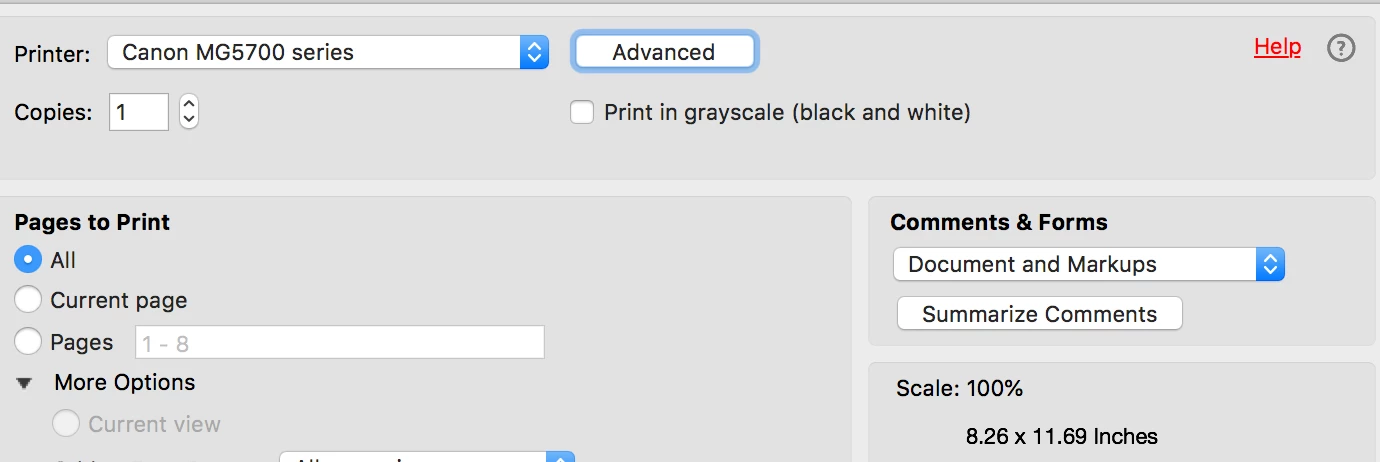
Any help please? It is making me crazy, as sometimes I need to print one page after the other... Thanks!

This topic has been closed for replies.

1 reply

AkanchhaS8194121
Legend
December 13, 2018

Hi iFindus,

If we understand your query correctly, you are willing to turn-off the double sided printing when printing PDF from Acrobat? And the other programs allows you to print single side except Adobe Acrobat?

You may refer to the helpful answers in forum thread where similar issue has been addressed and resolved for some users How do I print single sided on a Mac or turn off double-sided printing. 

Let us know if none of the resolution work for you.

Regards,

Akanchha

iFindusAuthor
Participant
December 13, 2018

Hi and thanks for your answer. I went over the link you put in your answer and saw that first of all, I am not the only one with this issue and that second of all, it seems that there is still no solution, except from using other apps (preview for instance). Can't Adobe fix it and send an update to all users? It is pretty annoying I must say.

So unfortunately no, none of the resolutions work, unless you recommend me to use another program.

Regards,

iFindus

Participant
December 14, 2018

your solution did not work