
Exit
  • Global community
    • Language:
      • Deutsch
      • English
      • Español
      • Français
      • Português
  • 日本語コミュニティ
  • 한국 커뮤니티
0

Unable to compress drastically a PDF file

New Here ,
Nov 16, 2022 Nov 16, 2022

Hello There,


I have a question about PDF file compression.

Have a file whose original size is 1040Ko. For technical reason, have to make it under 800ko (the smallest, the best). This file contains cyrillic alphabet.

As you can see below, i think my main issue is in the fonts management : 
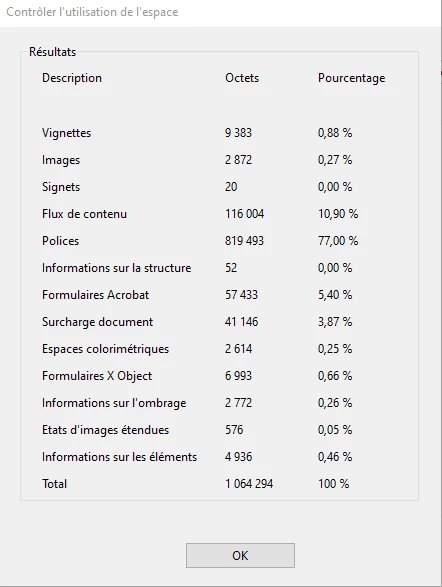
Olivier27158990bqbn_0-1668590098414.png

So, i chosse to optimise PDF, unembed all the fonts i found :
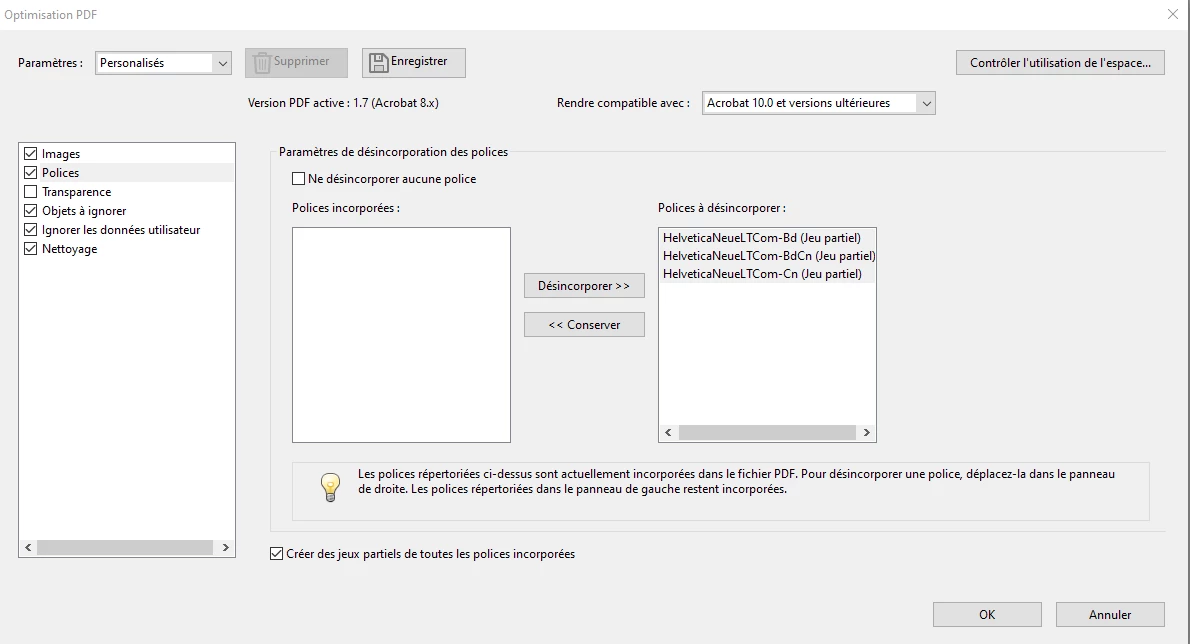
Olivier27158990bqbn_1-1668590138483.png

But, when i save, the result is still 987 Ko (which is better, but still not enough).

I have a slight improvement on Fonts usage, but it's not miraculous : 
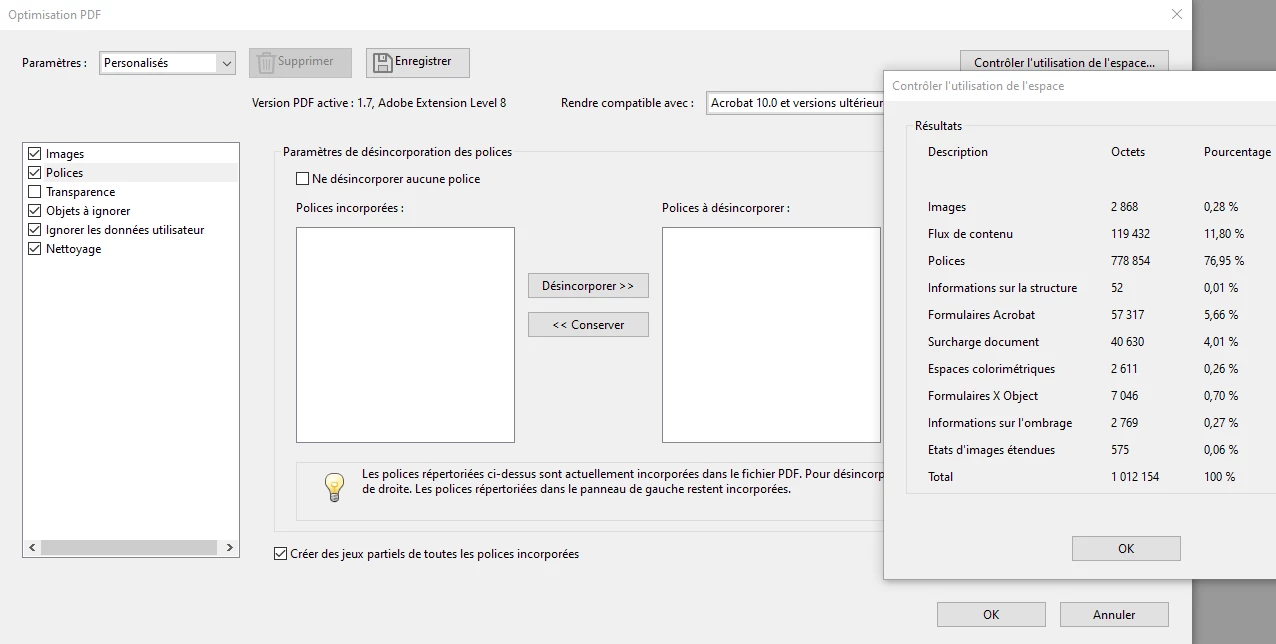
Olivier27158990bqbn_2-1668590386814.png

What can i do here ?

Thanks for your help.

Regards,

Olivier.


TOPICS
Edit and convert PDFs , How to
1.8K
Translate
Report
Community guidelines
Be kind and respectful, give credit to the original source of content, and search for duplicates before posting. Learn more
community guidelines
Community Expert ,
Nov 16, 2022 Nov 16, 2022

Go back to the original file and change all the fonts to one of the "built-in" ones, such as Helvetica, Courier or Times Roman, then create a new PDF.

Translate
Report
Community guidelines
Be kind and respectful, give credit to the original source of content, and search for duplicates before posting. Learn more
community guidelines
Community Expert ,
Nov 16, 2022 Nov 16, 2022

Try, I do not think that will work for the Cyrillic fonts.

Translate
Report
Community guidelines
Be kind and respectful, give credit to the original source of content, and search for duplicates before posting. Learn more
community guidelines
Community Expert ,
Nov 16, 2022 Nov 16, 2022

I would not unembed the fonts. 

Can you split the document into two sections?

I don't know much about cyrillic fonts, but if you are only printing the document, it's possible converting the text to outlines will create a smaller, but still legible file.

Edit- I suggest not unembedding the fonts, but do subset, if applicable. 

Translate
Report
Community guidelines
Be kind and respectful, give credit to the original source of content, and search for duplicates before posting. Learn more
community guidelines
New Here ,
Nov 23, 2022 Nov 23, 2022

Hello all,


Thanks for all your answers.

We tried all this, with mixed results.

So, we tried to restart it all form the beginning, and we got the best results here. Indeed, we got a 250Kb file, which is way better than before

The PDF is made in indesign (for corporate reasons), and at the output it's a 250 Ko File, perfect.

The issue is when we add, with Adobe acrobat, some editable fields (the final goal is to fill it with some java code). 

And, when we add al those editable fields, we finally end up with this 1,5Mo file ...

I'm going to try to add them one by one, but that's totally unclear to me why this size grows up this way ?

Any clue ?

Thanks,

Olivier.

Translate
Report
Community guidelines
Be kind and respectful, give credit to the original source of content, and search for duplicates before posting. Learn more
community guidelines
Community Expert ,
Nov 23, 2022 Nov 23, 2022

What font does you use in the form fields?

Translate
Report
Community guidelines
Be kind and respectful, give credit to the original source of content, and search for duplicates before posting. Learn more
community guidelines
New Here ,
Nov 23, 2022 Nov 23, 2022

Helvetica, as in the main document. Only one font used. 

Translate
Report
Community guidelines
Be kind and respectful, give credit to the original source of content, and search for duplicates before posting. Learn more
community guidelines
Community Expert ,
Nov 23, 2022 Nov 23, 2022

How many fields have you added?

Translate
Report
Community guidelines
Be kind and respectful, give credit to the original source of content, and search for duplicates before posting. Learn more
community guidelines
New Here ,
Nov 23, 2022 Nov 23, 2022
LATEST

Indeed, a lot of them

about fifty, more or less. I'm currently trying to add them one by one, to see if one of them make the file grows this way. Adding one or two (or even ten of them) still makes it reasonable about size : grown about 350Ko ...

Translate
Report
Community guidelines
Be kind and respectful, give credit to the original source of content, and search for duplicates before posting. Learn more
community guidelines