
Participant
January 25, 2019
Answered

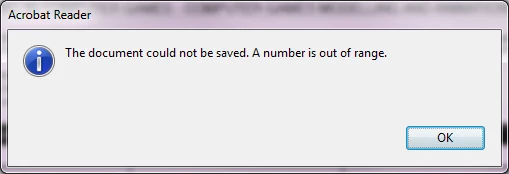
Unable to save the document . A number is out of range.

  • January 25, 2019
  • 1 reply
  • 116035 views

Hi,


Just having signed a document I am trying to save it but I get this error and it won't save it. I've tried renaming and saving but that doesn't work.

I can't see anything wrong and have signed a similar doc before with no problems.
Correct answer Stu Janis

I tried completing the form again and saving it before making the changes you suggested and for some reason, today it decided to save with no problem. No idea why.

1 reply

Stu Janis
Inspiring
February 15, 2019

Same issue here, except I'm using MacOS Mojave. It's an interactive form I downloaded from the federal government (Office of Personnel Management Form RI 20-7). It requires a hand signature, so signing wasn't an issue in my case. I'm using Adobe Acrobat Pro DC v2019.010.20091

Meenakshi Negi
Community Manager
Community Manager
February 18, 2019

Hi Rosee and StuJanis,

As you get the "A number is out of range" error message, please try the steps provided below:

- Go to Acrobat Preferences > Documents (For Windows, go to Edit > Preferences > Documents)

- Uncheck the box for "Save as optimizes for the fast web view".

- Click on OK button at the bottom of the preferences window.

Check if that makes any difference.

Let us know how it goes.

Regards,

Meenakshi

Infrastrategy
Participant
March 22, 2019

It seems to be some intermittent issue that occurred, which is resolved now.

It is difficult to say anything what exactly caused the issue.

If the issue occurs again, please let us know.

Regards,

Meenakshi


It keeps happening to me....cant seem to get around it.

It is NOT fixed.