
New Participant
April 18, 2024
Answered

Unable to Write in Fillable Field

  • April 18, 2024
  • 11 replies
  • 11698 views

Hello,


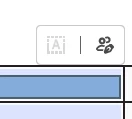
I have a PDF with fillable fields saved and had no problems up until this week.  When I try to change or enter text, the below icons pop up.  The grayed out one is "Fill in form fields" while the other is "Request e-Signatures".  I'm trying to remember if I did anything out of the ordinary in the past week, but can't recall anything.  The form itself does not contain any e-signature fields.


The only way to bypass this is to either keep the "All tools", "Convert", or "E-Sign" menus open on the side, but this is very bothersome every single time I open Adobe.  Any advice?
 

Correct answer Kirk B

To Fix: Menu/Disable New Acrobat.  To Enable New Acrobat: View/Enable New Acrobat.


11 replies

Meenakshi Negi
Community Manager
Community Manager
May 2, 2024

Hi All,


Thank you for your patience so far.


The issue has been resolved. Please reboot the machine and then relaunch Acrobat.

Then, wait for some time and try to fill out the forms again. 


Let us know how it goes.


Thanks,

Meenakshi


Marking a reply or response “Correct” will help future users with the same issue quickly identify the correct answer.

New Participant
April 22, 2024

I was suffering from the same problem but am no longer. I do not know if this fixed it but here is what I did step by step.

  • Opened the form I needed to complete
  • Filled all fields using the E-Sign feature
  • Ctrl+shift+S to "save as" to rename completed document for organization.

After saving this document I no longer had any issue filling out fields in any prepared forms. If I am blocked out of editing forms in the next few hours I will respond to this message with an update. 

New Participant
April 22, 2024

Darn! No luck. Issue returned. 

hikeda126Author
New Participant
April 22, 2024

I just marked Kirk B's (rightfully now called Captain Kirk :P) answer as a solution for now.  It's mentioned above!

TexasTauros
New Participant
April 22, 2024

Please for the love of god fix this... it's seriously messing with my work.

Inspiring
April 22, 2024

Only thing worked for me for 1st field was mouse click just outside form field of #1 and start tabbing.

regards, Kevin

Kirk B
Kirk BCorrect answer
Inspiring
April 22, 2024

To Fix: Menu/Disable New Acrobat.  To Enable New Acrobat: View/Enable New Acrobat.


TexasTauros
New Participant
April 22, 2024

Unfortunately I tried this and it did not work for me.

TexasTauros
New Participant
April 22, 2024

I take that back, I tried it again and it did work. Thank you!

New Participant
April 22, 2024

FYI -- in my program, the only workaround that suffices is to open "E-Sign" !!! 


love, someone who has used Adobe since I was 13... when I switched over from QUARK! lol

New Participant
April 22, 2024

I am having this issue as well -- logged in to say, what the heck Adobe? Help!!!! 😊 lol

New Participant
April 22, 2024

We have the same Problem and no help from Adobe. Its not good

Participating Frequently
April 21, 2024

This is a MAJOR FAIL! Why is this not being fixed immediately!?!?!?

New Participant
April 22, 2024

i agree, its shameful. the work around is a PIA too, its not practical for me to tab to each form field and tripling the time i need to fill in a form which all my work depends on, i so dissapointed in adobe. AND i think @hikeda126 should help us all get credited to our accounts i dont believe i should be paying for this while i am unable to use it 

Kirk B
Inspiring
April 22, 2024
I backed mine up to a previous version. Everything works as it did before.
I'll bring it back to the current version when they get it fixed.
New Participant
April 19, 2024

i am having the same problem, so glad someone has posted here otherwise i wouild have spent even more time trying to figure out which setting changed and caused the problem.. not to mention the hours of work i already lost. 

New Participant
April 19, 2024

As a workaround, I have found that clicking on the first fillable field and then using the Tab key to move to the other fields does allow me to fill in the fields.  Clicking does not bring up the cursor that allows the field to be filled in, but tabbing in to the field does allow for typing in.  It's not a solution, but at least it's allowed me to keep filling in forms until a solution is found.

hikeda126Author
New Participant
April 19, 2024

Great suggestion!  I guess my only thing is what happens to that first field? >_<