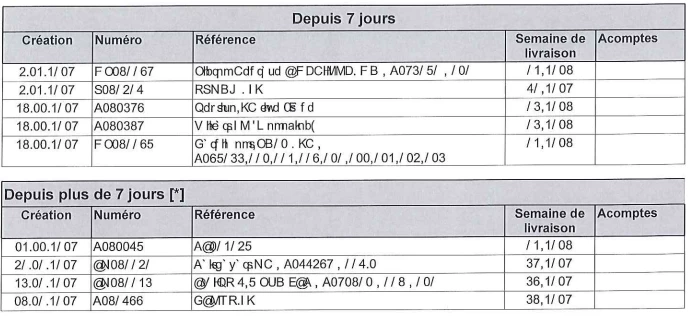
I have checked the PDF that you have shared with us and I can see that the fonts are not embedded in the PDF.
When the font is not embedded, the application substitutes the fonts available on the machine. That results in the garbled text in the PDF.
I have recreated the PDF in Acrobat DC and shared the file here Adobe Document Cloud
Try to open this PDF in Adobe Acrobat Reader DC and check if it opens without any issue.
It is font specific issue. You can check the fonts of both the documents (the original and the one we have shared)
Open the PDF in Reader and go to File > Properties > Fonts.
In this case, you will need to ask the PDF creator to embed the font in the file.
Hope that answers your query.
Let us know if you have any questions.
Regards,
Meenakshi




 AdChoices