


website pdf links not working

Copy link to clipboard
Copied
Does anyone know why I can't download pdf's from website links?t was working, then about a week ago, it stopped working. I can start the download, but it times out right at the end. I am using Acrobat XI. The only time I can't open a pdf, if it is a website link, a pdf file opens fine, just a link to a pdf. Any help is appreciated.
Scott


 18
Replies
18
18
Replies
18


Copy link to clipboard
Copied
Which software are you using to create the web site?
My guess without more to go on is that a) the link paths are broken or b) the code contains critical errors.
Copy link to clipboard
Copied
I am not creating websites. I am visiting various State websites to download applications or forms, the links allow you start the download, but they time out before complete. Sorry for the confusion.
Thanks for your help.
Scott
Copy link to clipboard
Copied
Timing out is usually indicative of a poor internet connection or a non-responsive web site.
Try using a different browser or web device. Maybe try with a different internet connection -- i.e. your local public library or a cyber cafe.
Copy link to clipboard
Copied
I have a 45 Mbps download speed for cable internet. I have tried, IE, Firefox, Google Chrome and Opera. I am not having trouble downloading any other forms, but pdf's. No lag time or time outs, just when I download pdf's. They reach near completion then timeout.
Any ideas?

Copy link to clipboard
Copied
Are you using the free Reader, or a paid version of Acrobat?
Post the name of the program you are using so a Moderator may move this to the forum that is specific to what you use, where you may find other users with the same problem... and a solution
Copy link to clipboard
Copied
Acrobat XI we purchased.
Copy link to clipboard
Copied
Just so I understand your workflow.
a) You're clicking/tapping a PDF link in your browser.
b) The PDF should download to your default Downloads folder but it isn't.
Is that correct?
If not, please describe your workflow.
Copy link to clipboard
Copied
Yes, you are correct. I have redirected the downloads to another folder. I was thinking maybe the "download" folder might be the issue, but it was not. The download appears as a temp file, but when it does not complete, the temp file goes away.
Copy link to clipboard
Copied
Is there any chance your Firewall or Anti-virus software is interrupting the download?
Nancy
Copy link to clipboard
Copied
No, I have thought of that as well.....
Copy link to clipboard
Copied
One other thought. Did you try Right-Click on link and select SaveAs or Save Target As?
Copy link to clipboard
Copied
Yes. The only way I can get it to open, is copy the hyperlink, email it to my phone, open the link, then email the document back to my computer. It has to be something blocking it on my network side, but it just blocks pdf's.
Copy link to clipboard
Copied
I was able to open two pdf hyperlinks today, then it stopped working again.....I have no idea at this point.
Copy link to clipboard
Copied
This may be a little off topic but I'll share it with you just the same.
My husband woke me out of a sound sleep at 11:30 last night to fix his web site because he said the download links were "not working."
"Huh?" I asked incoherently. "Which web site? Which downloads? Where am I?"
It turns out the links worked perfectly for me. Then I remembered that my husband uses script-blocking add-ons in his browsers. I keep telling him to get rid of those wretched script blockers but he persists in using them anyway. When he disabled the add-ons, everything worked as expected.
You might want to reset your browser settings to default values. Clear your Cache memory. And disable all add-ons. Restart your browsers.
Copy link to clipboard
Copied
Nancy, that is wild. Glad you got his working. I had disabled the add-ons, reset everything to the default, cleared the cache....still does not work.

Copy link to clipboard
Copied
https://forums.adobe.com/people/Nancy+OShea wrote
My husband woke me out of a sound sleep at 11:30 last night to fix his web site because he said the download links were "not working."
LOL, Nancy—my family knows better than to wake me up when I am hibernating/sleeping!

Copy link to clipboard
Copied
Are you on a Windows or Mac computer? Can you post a screen shot of the 'Save Download to dialog'? Is your computer on all the time? Have you restarted it? How much available storage do you have on your internal drive? What happens if you try to save to an external thumb drive or usb stick?
Copy link to clipboard
Copied
Windows 7, I have restarted it multiple times. I have tons of drive space free. I tried to save to external drive, still does not work.
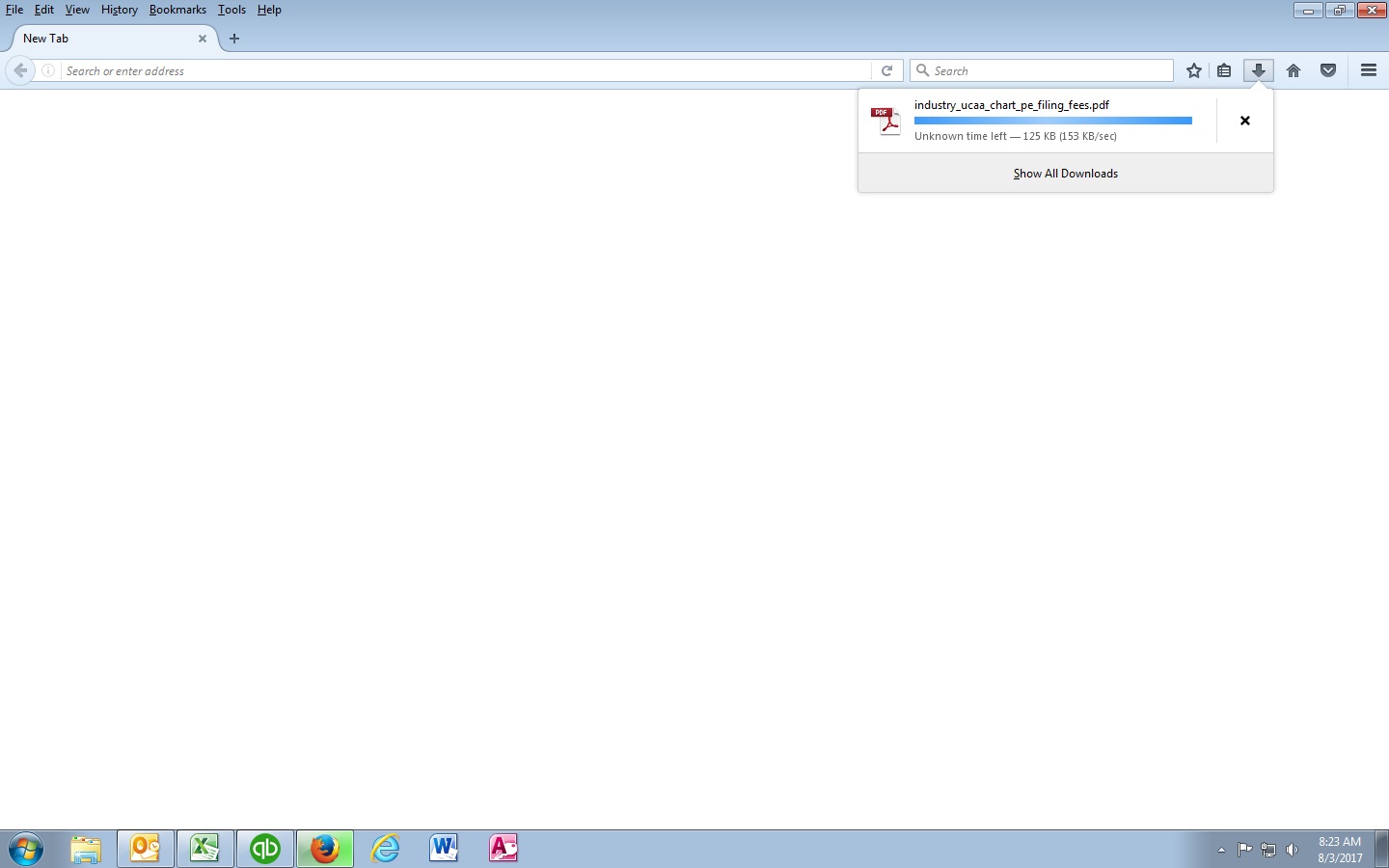
From here, it fails every time.@


Get ready! An upgraded Adobe Community experience is coming in January.
Learn more
 AdChoices