
TypoMan23
Known Participant
September 10, 2022
Question

Weird gaps when PDF opened in Photoshop

  • September 10, 2022
  • 2 replies
  • 658 views

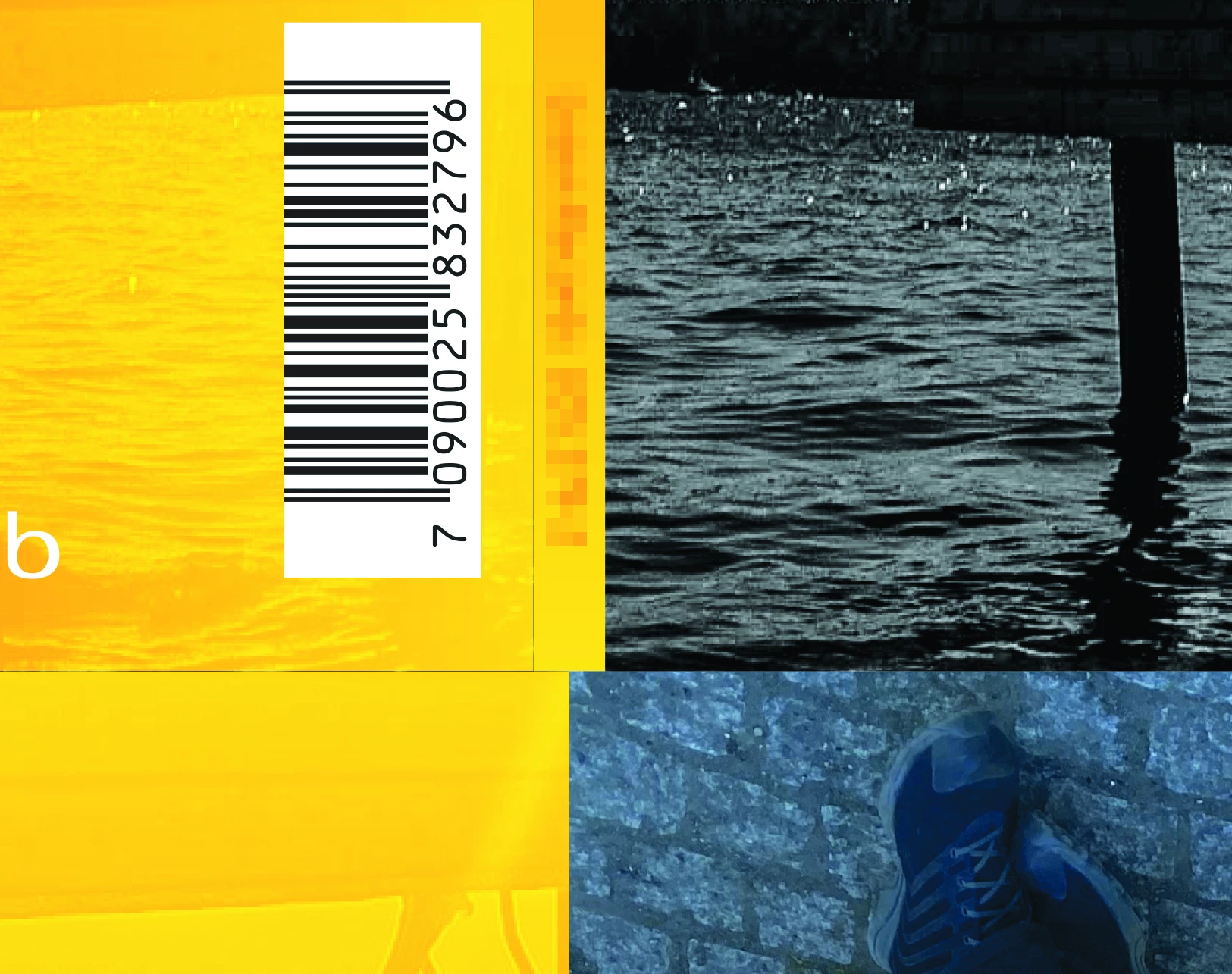
Just finished a CD digipak design for a client. The PDF looks fine, but when I go to create a Photoshop file of the finished artwork (for their internal use), it's showing these weird gaps/lines.

These gaps are NOT there in the InDesign file, nor in the PDF for press. These elements line up exactly, and there are no gaps whatsoever.


So why are they appearing out of the blue in Photoshop? This is extremely annoying and never used to happen in CS3!

Any help would be very much appreciated, thank you.


This topic has been closed for replies.

2 replies

JR Boulay
Community Expert
Community Expert
September 12, 2022

"I drag the PDF onto the Photoshop icon in my dock and then it creates a photoshop file of the PDF."

You should try to export as TIFF from Acrobat Pro.


Acrobate du PDF, InDesigner et Photoshopographe
Legend
September 11, 2022

Can you point out where in your picture I would see the weird gaps and lines? I don't have the original to compare, so I don't know what is part of the original design.


Also, how exactly do you "create a Photoshop file" from the PDF?

TypoMan23
TypoMan23Author
Known Participant
September 11, 2022

Thanks for the reply.

If you click on the image it will enlarge and you will clearly see horizontal/vertical gaps/lines where the photo frames join each other. These join precisely to the exact x and y axis - and there is no gap at all in the InDesign file.
I drag the PDF onto the Photoshop icon in my dock and then it creates a photoshop file of the PDF.