Participant
November 13, 2019
Answered

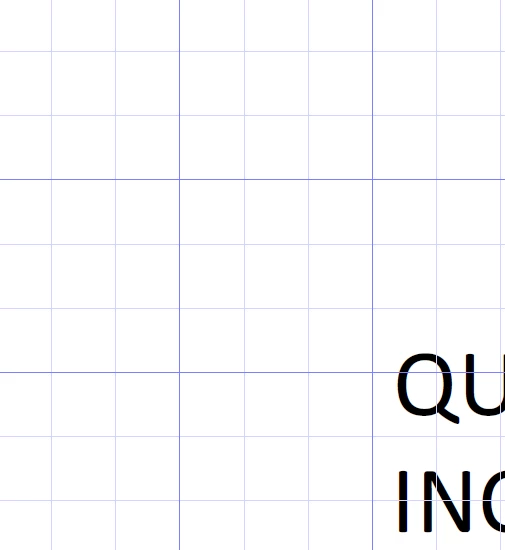
Weird grid lines showed up, how do I turn off?

  • November 13, 2019
  • 10 replies
  • 148496 views

My PDFs have this grid on and I have no idea why it started, but I would like to turn it off.


Correct answer C3Christopher

Amal,

Great, thank you for the answer.

I also used " Ctrl+U "


Hi mike,


Thanks for reaching out. A described above, you want to turn off the grid in the PDF.


Please try the following settings:


Open the PDF > Go to View > Show/Hide > Rulers & Grids > Uncheck, Grid.


Let us know how it goes


Regards

Amal

10 replies

Participant
December 9, 2024

I share the frustration; how did the grids get turned on to begin with?  So frustrating.  I wish Adobe would just display it's menu as it has in the past ... instead of putting everyone through Adobe school. 


Participant
August 28, 2024

Phew!  This worked for me....I didn't even know that was a feature.  I noticed that you can turn the grids on/off by using the CTRL+U keyboard shortcut.  That's what I must have done because I was attempting to underline a word on my form, i.e the CTRL+U toggles underlining in most MS Office apps.....apparently not in Adobe.

Participant
June 30, 2024

Thank you

Participant
March 17, 2024

Much obliged for  your help. 

Had no idea how I got the grid lines and less of an idea of how to get rid of them.

THANKS!

Participant
March 3, 2024

Did work well.

Thank you

Participant
November 9, 2023

Thanks for your succinct reply. I was going crazy trying to manage.


C3ChristopherCorrect answer
Participant
October 11, 2023

Amal,

Great, thank you for the answer.

I also used " Ctrl+U "


Hi mike,


Thanks for reaching out. A described above, you want to turn off the grid in the PDF.


Please try the following settings:


Open the PDF > Go to View > Show/Hide > Rulers & Grids > Uncheck, Grid.


Let us know how it goes


Regards

Amal

Amal.
Community Manager
Community Manager
October 13, 2023

We are glad to hear that 😊 Feel free to contact us for any assistance in the future.


~Amal

Participant
September 28, 2023

I don't have "view" or maybe they hided it somewhere. dealing with pdf is just a must do waste of time. 


Participant
October 14, 2022

Hello, I am trying to turn these grid lines off as well but the option under "Rulers/Grids" is greyed out and I cannot uncheck the box. 


Any assisstance would be GREATLY appreciated.

Participant
June 21, 2023

Thanks so much  Amal, I used your instructions to get rid of the blue grid lines and hey presto, they were gone. Appreciate your help and solution from 2019

Amal.
Community Manager
Community Manager
November 13, 2019

Hi mike,


Thanks for reaching out. A described above, you want to turn off the grid in the PDF.


Please try the following settings:


Open the PDF > Go to View > Show/Hide > Rulers & Grids > Uncheck, Grid.


Let us know how it goes


Regards

Amal

Participant
February 2, 2023

This is completely wrong. There is no such option as "Rulers & Grids" under the Show/Hide menu.  I have "Navigation Panes," "Page Controls," "Menu Bar, " and "Button Labels." That is it.  Yes, I have the latest version. Try again. This is maddening. Why is this annoying grid the default?

Participant
June 22, 2023

Ctrl+U. It appears in your screenshot...


I accidentally struck the keyboard and this blue grid popped up this morning.. I been trying to figure how to get rid of it all day! thank youuuuuu!!
