
Participant
October 30, 2022
Question

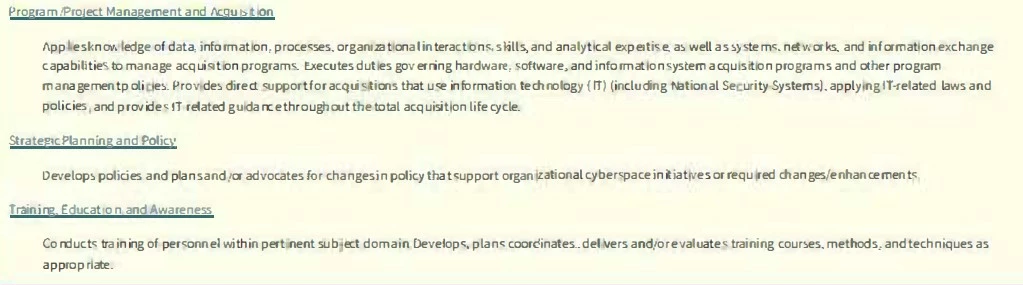
When I Run Recognize Text in a pdf, the document text becomes distorted

  • October 30, 2022
  • 1 reply
  • 3517 views

I am running the Recognize Text tool in acrobat in order to create an editable pdf.  The text is the document is crystal clear but then after I run the recognize text function, the pdf text becomes all distorted as shown below.  Is there a way to prevent or fix this?   I think a workaround I found, but is time consuming is in edit mode, select each section of text and change the font from *Microsoft Sans Serif-5357 font to Arial font and then the text is no longer distorted.
This topic has been closed for replies.

1 reply

gary_sc
Community Expert
Community Expert
October 30, 2022

Hi @JBLT77 , not sure but I have at least a directional guess to point to.


When you're in the Scan/OCR, once you click on Recognize Text, you'll see this:

When you go into settings, you'll see this:


Note that there are three options in the dropdown. Some of these cannot be used for legal documents, but if that's not your concern, I suggest you try these options until you find one that gives you the results you want.


If this works, let us know which one it was, Thanks!

JBLT77Author
Participant
October 30, 2022

So I chose the setting Searchable Image (Exact) and it made the pdf text searchable and preserved the text.  This however is not really what I want.  I actually want Editable Text and Images so that I can do more when reviewing a document instead of just using the commenting feature to highlight important text in yellow, I like to make the text Blue or Red or Bold, so that's when I convert it to an editable pdf. 


It is when I select the Editable Text & Images option, when the text in the pdf is recognized and made editable,  the output results in distorted text.  I don't recall really having this problem with other pdfs that contained a mix of text and images.  I really don't want to have to select every section of text in the document and then change the font that adobe recognized the text as to like Arial.  That is time consuming, but it does fix the distorted text.

gary_sc
Community Expert
Community Expert
October 31, 2022

I don't have a MAC.  I have Windows.  I was using the Windows built in Snipping Tool to capture the screenshots.


It doesn't make a difference. I only mentioned Mac because I know how to do that on a Mac, I do not have a clue about Windows. But, if you look at what I wrote, I did say "As it is, you were able to recognize the text with Acrobat's OCR capability." So you can continue as I mentioned: convert to Word, make any adjustments you need, and then convert back to a PDF. Trust me, this is the best approach to avoid the problems you are having. Working with a Screenshot of text is very low resolution and you will always have issues with this approach.