
palle-vvs
Participant
March 11, 2019
Question

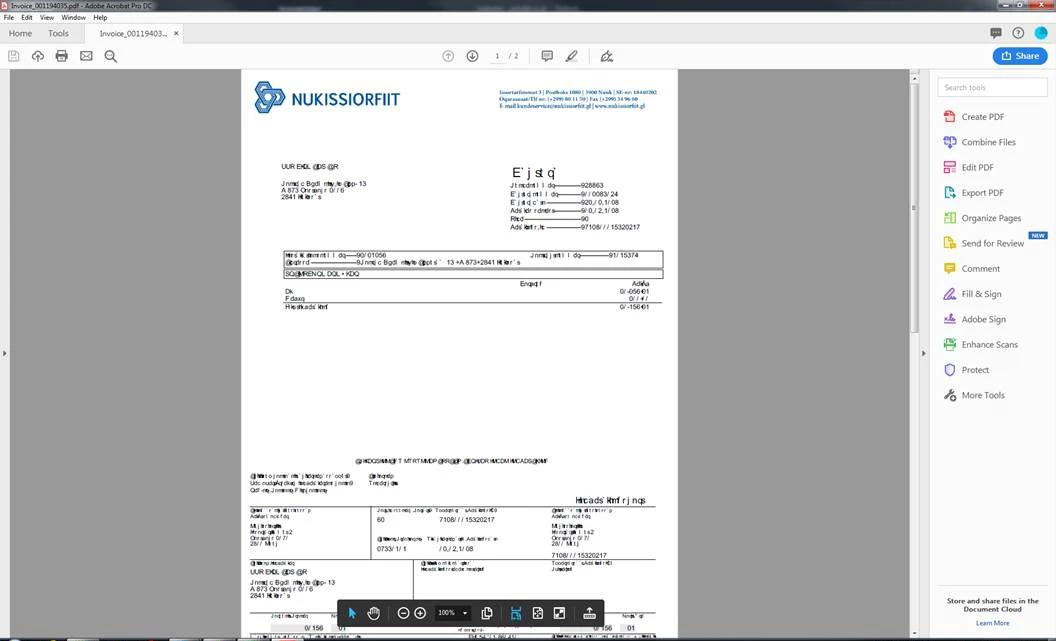
When opening some pdf strange fonts are displayed

  • March 11, 2019
  • 2 replies
  • 11721 views

I have the newest version of Adobe pro dc (no updates available).
Most pdf open as they should but some open like in the image.
If I open them on a colleges pc, they open normaly.

What can I do?
This topic has been closed for replies.

2 replies

Participant
November 21, 2022

I had a problem when working for Trendsza. But my issue was a little different. Mine was that the text would not render.

Meenakshi Negi
Community Manager
Community Manager
March 12, 2019

Hi Palle-vvs,

As per the screenshot that you have shared in the post, it seems to be the font specific issue.

The issue occurs when the fonts are not embedded when the file is created.

Please check the document properties of the PDF.

Open the PDF and go to File menu > Properties > Fonts.

Check if the fonts are embedded to the document or not.

If possible, please share the screenshot of that window.

To share the screenshot, use the steps provided below:

- Click on the insert icon provided in the reply window as shown below:

- An Insert Image window will appear.

- Then click on Insert Image and browse the location where you have saved the screenshot file.

- Select the file and click on Open > Insert Image.

We will be waiting for your response.

Let us know if you need any help.

Regards,

Meenakshi

palle-vvs
palle-vvsAuthor
Participant
March 14, 2019

Participant
September 12, 2022

Was there a fix for this issue given?