henryz30585478
Participating Frequently
April 10, 2025
Question

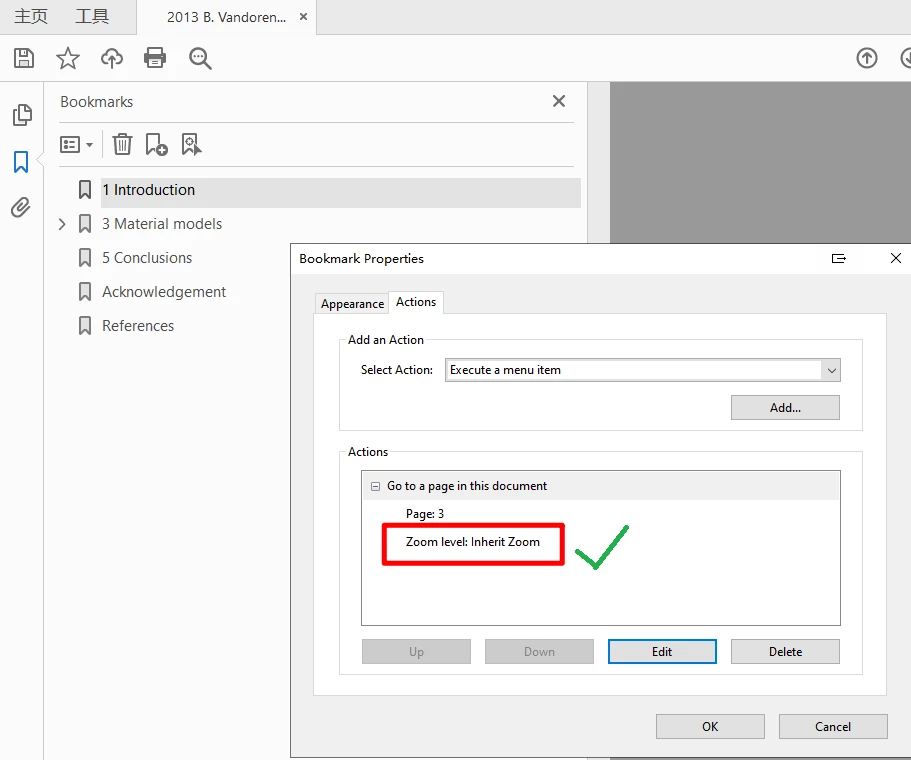
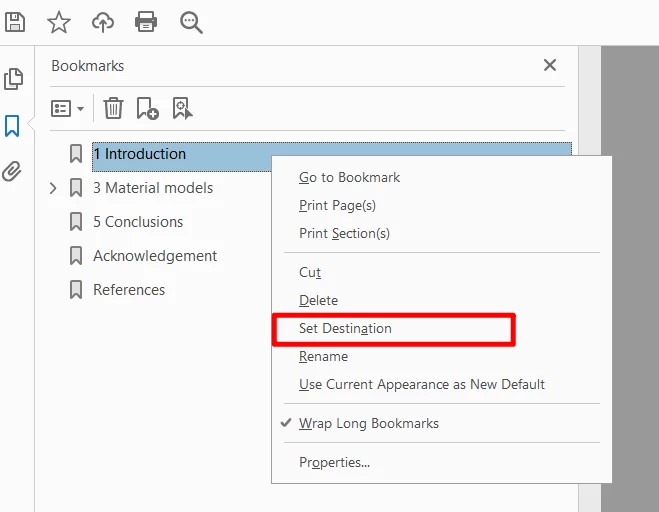
When set destination of a bookmark please keep the Inherit Zoom level

  • April 10, 2025
  • 2 replies
  • 361 views

When set destination of a bookmark please keep the Inherit Zoom level,

right now Acrobat will change the zoom level to Fit Page which is not suitable.
 

2 replies

Dave Creamer of IDEAS
Community Expert
Community Expert
April 10, 2025

What version is your Acrobat?

I tested it on my Mac and Windows systems. When creating a bookmark with a zoom level, it defaulted to inherit zoom. When (re-)setting the destination, it changed to custom (but kept the new zoom/position). I get different bookmark results when making a PDF from Word or InDesign, but neither are changing the zoom level to fit page.


David Creamer: Community Expert (ACI and ACE 1995-2023)
henryz30585478
Participating Frequently
April 17, 2025

The version I tested is Acrobat Pro DC 2025.001.20435-x64. You mean different PDF file may have the different (re-)setting the destination results?

Dave Creamer of IDEAS
Community Expert
Community Expert
April 17, 2025

I was thinking of a older version like 2021, 2017, etc., not a recent minor update. Obviously, that's not the case here. 


David Creamer: Community Expert (ACI and ACE 1995-2023)
Meenakshi Negi
Legend
April 10, 2025

Hi henryz30585478,


Thank you for reaching out. 


Please let us know if you are trying to make the option default or if you are not able to get the option to change it. 

More information would be helpful.

For more information on bookmarks, refer to the following help document: https://adobe.ly/3RbnJNJ


Let us know if you need any help.


Thanks,

Meenakshi

henryz30585478
Participating Frequently
April 10, 2025

Thank you forr replying. I hope to make Inherit Zoom as the default option.

Since there must be a default option here, Inherit Zoom is the best option.

Meenakshi Negi
Legend
April 10, 2025

Thank you for the information.

We will check with the team if that can be done. We will update you with the information. 


Thanks,

Meenakshi