Hello Jamesjolly,
Sorry for the delayed response and inconvenience caused. As per the description above, you want to copy/duplicate a PDF page using Acrobat Pro DC on Mac machine, Is that correct?
As correctly mentioned by Gilad D, you can open the Page Panel, and click the page and drag it while holding the CTRL key(for Windows).
For Mac: hold down the fn+option keys and click and drag the page you want to duplicate.
You can also copy a page within a PDF using page thumbnails:
- Open the PDF in Acrobat DC, and then choose Tools > Organize Pages or choose Organize Pages from the right pane.
- The Organize Pages toolset is displayed in the secondary toolbar and the page thumbnails are displayed in the Document area.
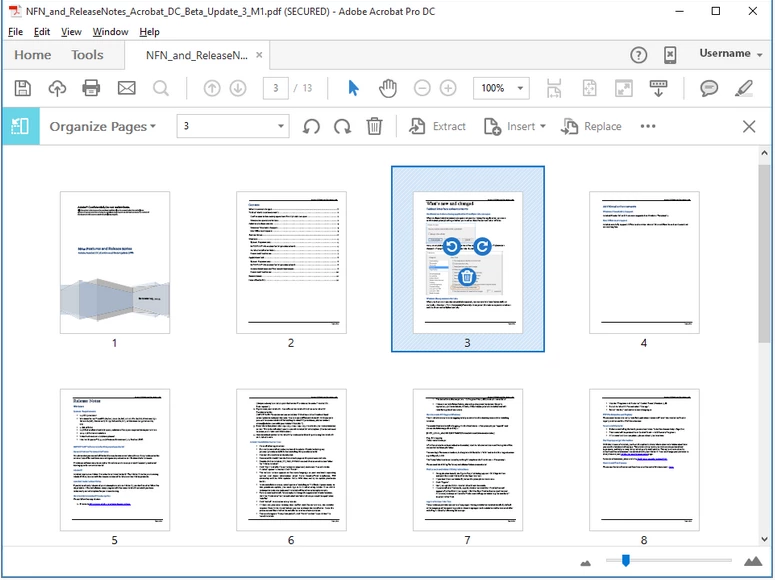
Document area changes to display page thumbnails.
- Select one or more page thumbnails.
- To copy a page, Ctrl-drag the page thumbnail to a second location.
For detailed information, you can refer to the following Adobe article Rotate, move, delete, and renumber PDF pages in Adobe Acrobat
Let us know how it goes and share your findings.
Regards,
Anand Sri.

 AdChoices