
Participant
October 21, 2022
Answered

Why can't I get the full acrobat for PC?

  • October 21, 2022
  • 3 replies
  • 536 views

Hi, I recently started using a PC for the first time as part of my new job and have the full CC licence. Previously with a Mac, there was Acrobat Reader and the full version where I could edit, create forms etc.


On the PC, this full version appears not to be available. Within Creative Cloud, there's only one Acrobat listed, but when I open it, it has minimum tools.  See screenshots. There is no other Acrobat listed in the remaining available apps.
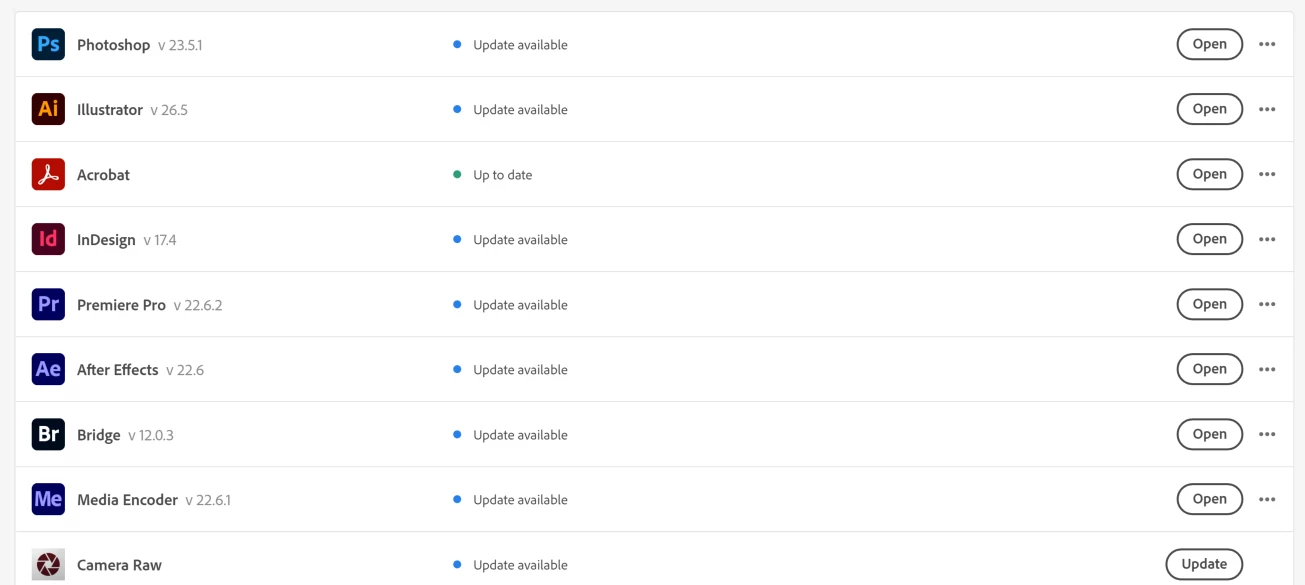
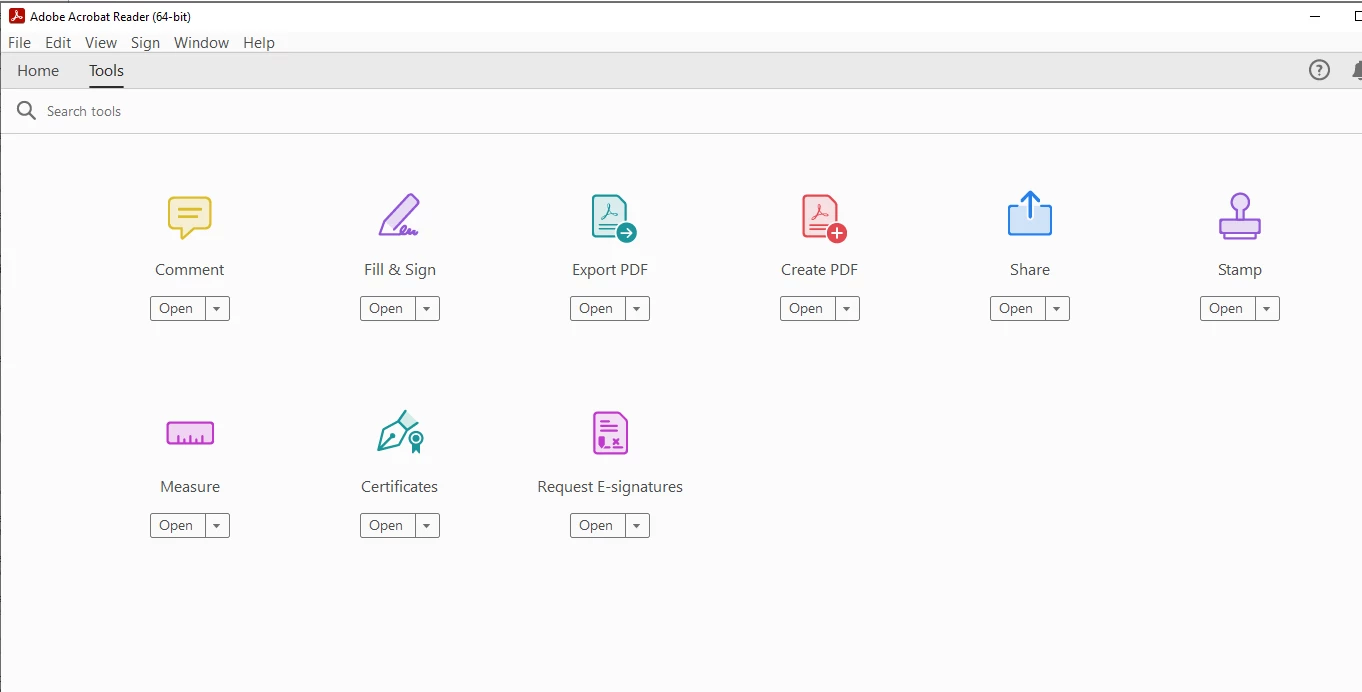
Does anyone know how I get full acrobat, where I can edit PDF, remove pages, create forms etc?

This topic has been closed for replies.
Correct answer Test Screen Name

This is Acrobat Reader. Uninstall it with the Control Panel. (Not with the CC app, which knows nothing about it, and seems confused). Now install Acrobat with the CC app.

3 replies

JR Boulay
Community Expert
Community Expert
October 21, 2022

There is only one version of Acrobat to install.
The Acrobat Standard and Acrobat Pro tools are then revealed according to the subscription corresponding to the Adobe id used.
At the top right of the Acrobat interface there is a login icon.

Acrobate du PDF, InDesigner et Photoshopographe
try67
Community Expert
Community Expert
October 21, 2022

Are you logged into the account which has the CC subscription in Acrobat? If so, it should show your name in the top-right corner. If not, it will show Sign In, or some other name.

Test Screen NameCorrect answer
Legend
October 21, 2022

This is Acrobat Reader. Uninstall it with the Control Panel. (Not with the CC app, which knows nothing about it, and seems confused). Now install Acrobat with the CC app.

Participant
October 21, 2022

Hi thank you - this worked! 

It wasn't down to signing in as others suggested as I was signed in. Maybe it happened because tech installed acrobat before I had the pc. And only afterwards did I install the full CC suite.