Participating Frequently
April 20, 2025
Answered

Why did my TIFF barcode I added to the PDF become JPEG

  • April 20, 2025
  • 2 replies
  • 1012 views

Why did my TIFF barcode I added to the PDF become JPEG after converting the PDF to press-ready?

Correct answer ls_rbls

Hi @ron_6898 ,


It does automatically, I'm afraid.


Adobe Acrobat Pro is an PDF editor, not an Graphical Image Manipulation platform. As such, it is somewhat limited when it all breaks down to the basics; so, when an image is added, the TIFF becomes a JPG.


It does it based off of  the Preferences settings "Convert to PDF" for TIFF files.  It doesn't provide options to keep that image as a TIFF file. 


Here's a side-by-side comparison:
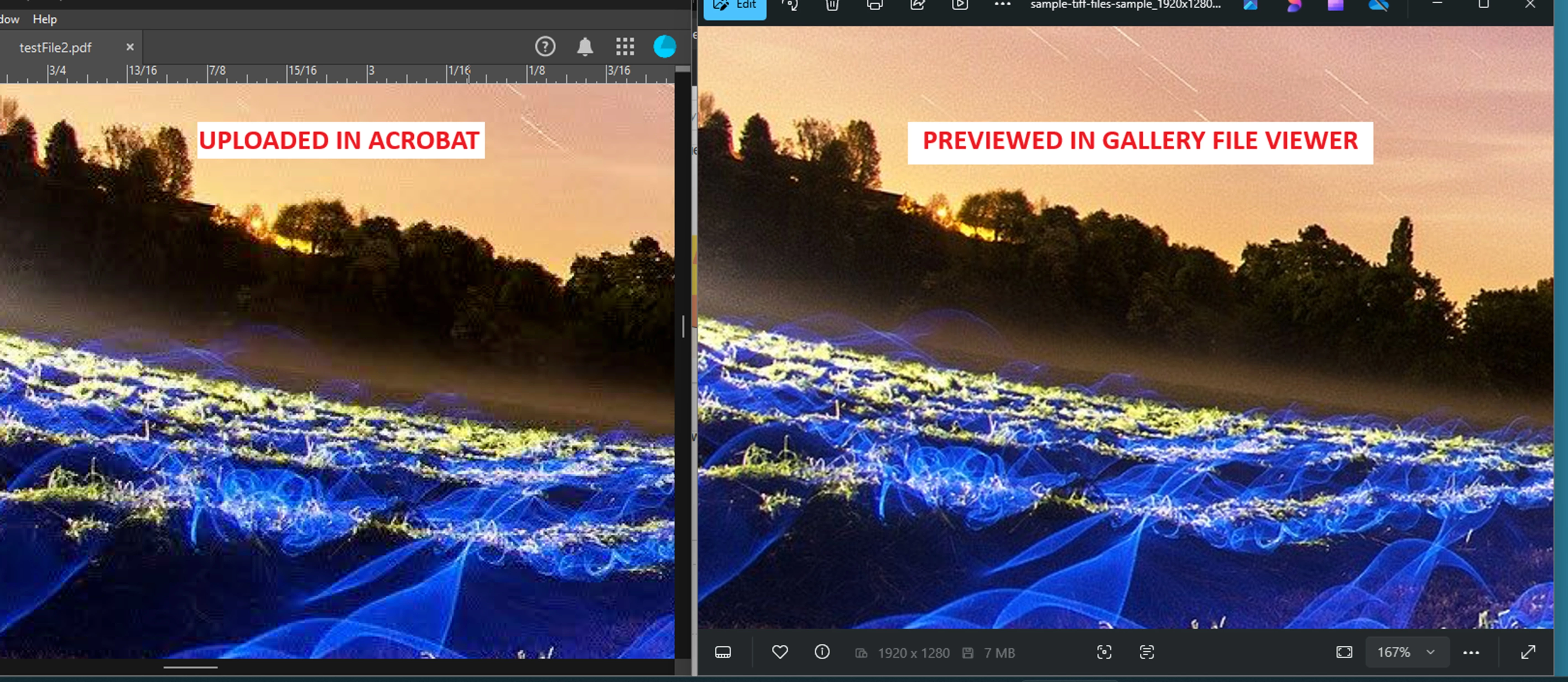


However, you can adjust those settings (like shown in my slide below), to improve the image quality when it is uploaded onto your PDF document.
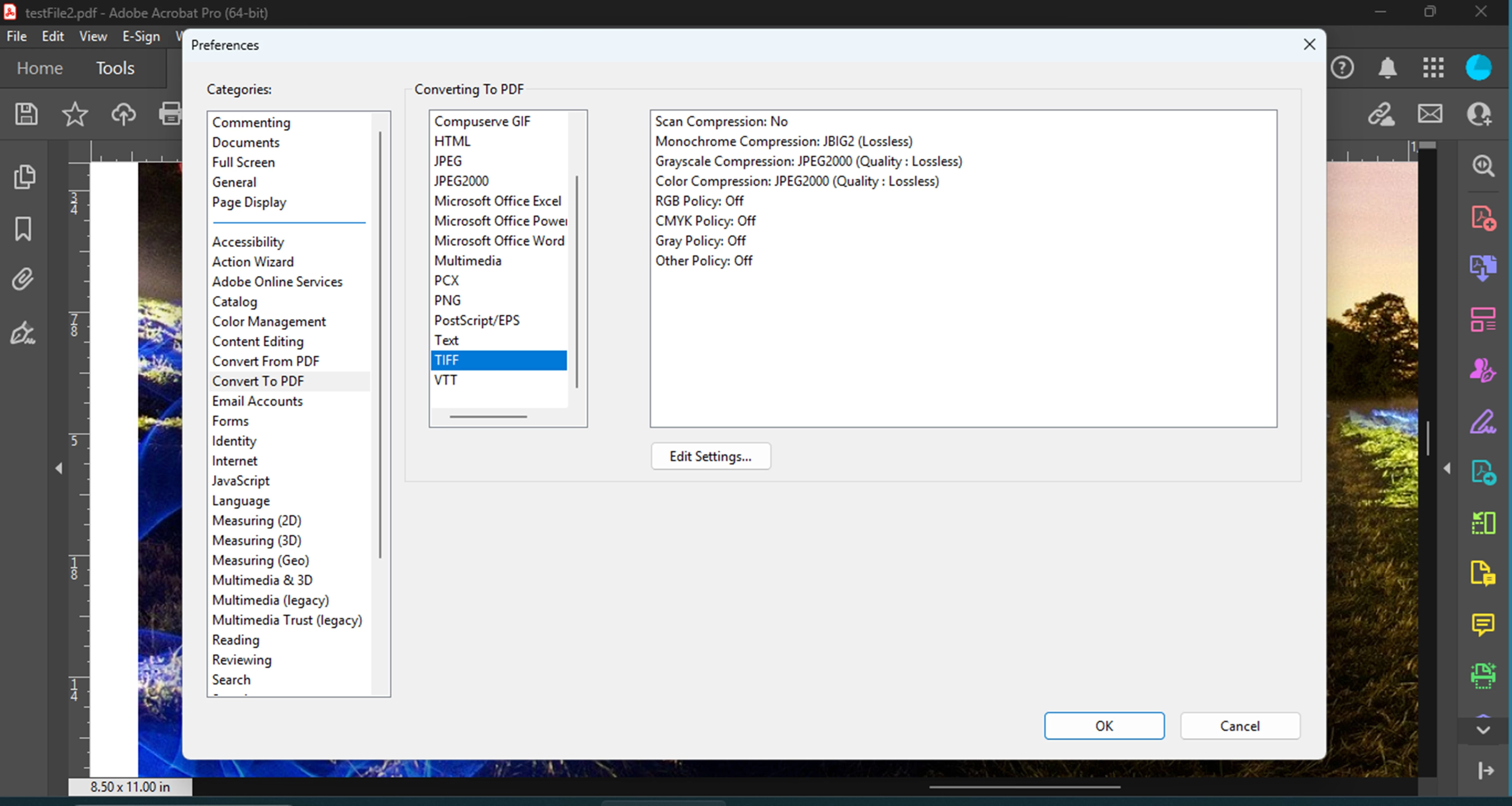


NOTE:

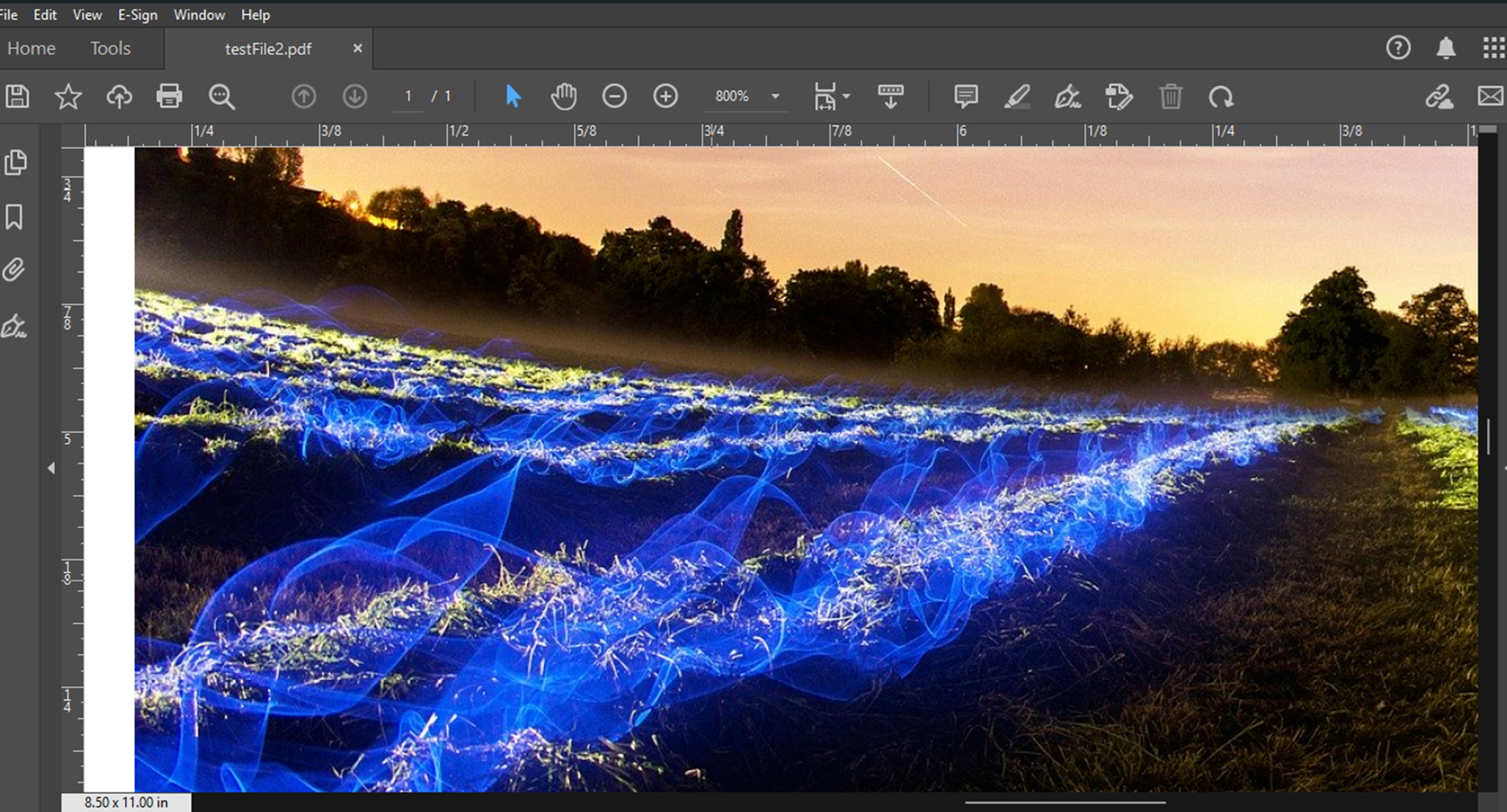
I only have Adobe Acrobat Pro DC, I don't have Acrobat Pro XI, but if you can find those Preferences in your version, You may appreciate better results with the settings that I've posted above:
 

2 replies

try67
Community Expert
Community Expert
April 20, 2025

TIFF files are not vector-based, normally, unless they include a clipping path. Are you sure your file has that?

ron_6898Author
Participating Frequently
April 20, 2025

Are you responding to me, @try67 ? I plan to use TIFF barcodes for IngramSpark book covers. As far as I know, IngraSpark does not require vector files, but KDP requires vector files.

ron_6898Author
Participating Frequently
April 20, 2025

I do not know how to edit my above question, which might be incorrect. This might be a better question to start with: Does Adobe Acrobat Pro XI change the file type when an image is added to the PDF?

ls_rbls
Community Expert
ls_rblsCommunity ExpertCorrect answer
Community Expert
April 20, 2025

Hi @ron_6898 ,


It does automatically, I'm afraid.


Adobe Acrobat Pro is an PDF editor, not an Graphical Image Manipulation platform. As such, it is somewhat limited when it all breaks down to the basics; so, when an image is added, the TIFF becomes a JPG.


It does it based off of  the Preferences settings "Convert to PDF" for TIFF files.  It doesn't provide options to keep that image as a TIFF file. 


Here's a side-by-side comparison:


However, you can adjust those settings (like shown in my slide below), to improve the image quality when it is uploaded onto your PDF document.


NOTE:

I only have Adobe Acrobat Pro DC, I don't have Acrobat Pro XI, but if you can find those Preferences in your version, You may appreciate better results with the settings that I've posted above:


ron_6898Author
Participating Frequently
April 20, 2025

What color mode is your TIFF file in (look in Photoshop). If the barcode is simply black and white, it should be in Bitmap mode in Photoshop, ideally at a high resolution around 1200 ppi, and saved as TIFF with ZLW-compression. 


If you want a vector file, use Illustrator and save as PDF (unless the vendor ONLY accepts the outdated EPS format).


Thanks @Dave Creamer of IDEAS however, I do not have Photoshop or Illustrator.