
Why does JavaScript Debugger window keep popping up everytime I roll over Stamps>Dynamic, and how can I fix this bug?
In Adobe Acrobat X Standard, I go to Comment>Add stamp(image of person)>Dynamic. As soon as my mouse rolls over Dynamic (without clicking), JavaScript Debugger pops up to show the error message:
"
Acrobat EScript Built-in Functions Version 10.0
Acrobat SOAP 10.0
TypeError: ofield is null
1:Document-Level:AddMessage
"
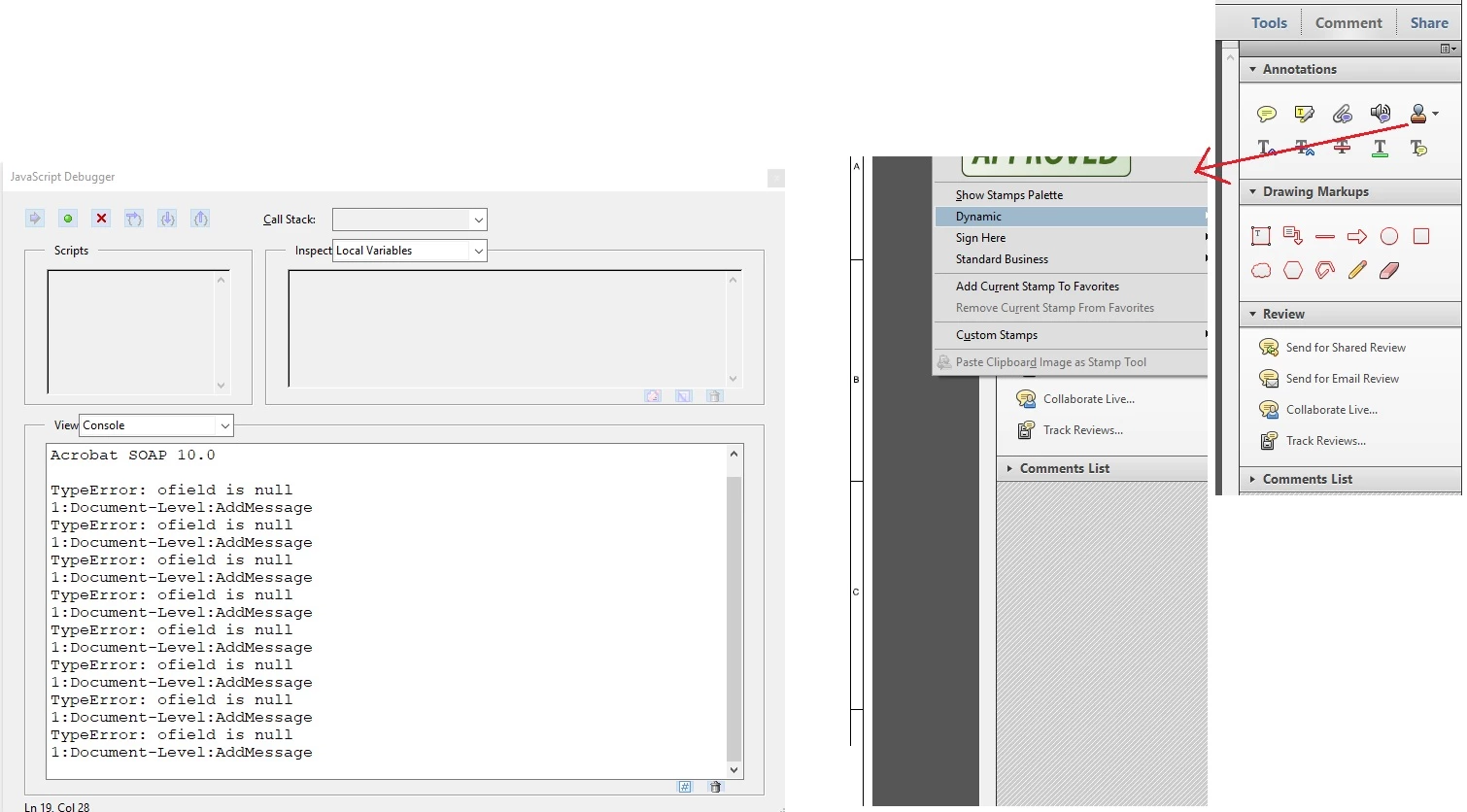
Only after this occurs, am I able to input my Dynamic DRAFT stamp onto my PDF document.
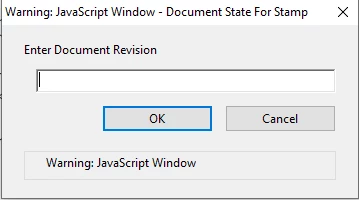
FYI, this stamp has an automatic date on it and automatically requests what revision number to enter onto the stamp:
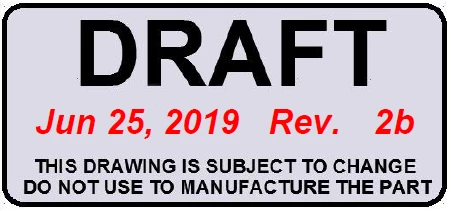
After entering "2b":
~~
I wish to fix this bug so that the JavaScript Debugger no longer pops up from simply rolling the mouse over the Dynamic option, so I may directly reach my DRAFT stamp from the Dynamic stamp selection. Everytime the Debugger window pops up, the chain selection of Comment>Add stamp>Dynamic disappears, so I have to run my mouse through the same selection chain (Comment>Add stamp>Dynamic) again in order to reach my DRAFT stamp. Thank you so much!


 AdChoices