
Why does my Adobe Acrobat Pro DC PDF document of 78.3Mb keep hiding charactors?
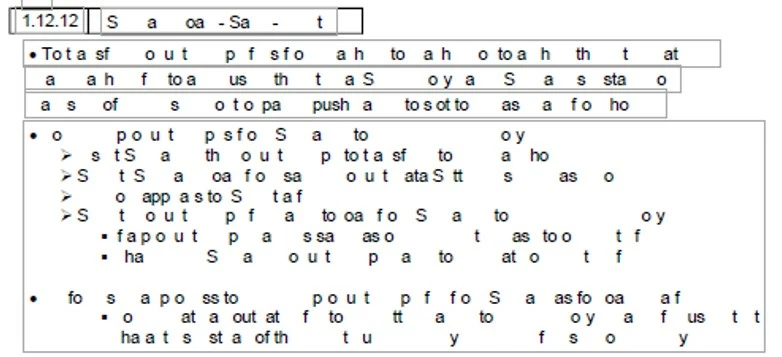
Recently after the July update of Adobe Acrobat Pro DC Version: 2020.012.20041, my edited text in my 78.3Mb PDF document appears as photo shows below... a pig Latin crossword puzzle of sorts. Luckily...? If I cut and paste the paragraph back into the same text field all the characters of paragraph appear - solving the entire puzzle of missing characters simply... "poof - reappear". Nice. Except for the memory leak that is causing this hidden character issue to happen, happens very sporadically on any page, to any text field, at any time as I find out... not nice. So I cut & paste a couple thousand times, thinking "Okay, I'm done.". No, no... not done. In fact, my edited PDF is becoming undone as fast as I can perform the repetitive "cut & paste" routine itself. As I review my newly saved 337 page PDF document, I see there is a totally new crossword puzzle laid out over 337 pages, different patterns than before. As a saved PDF document holds true to do since 1993, what you see is what you get on a printed piece of paper or as viewed on a screen. So, shall I to begin again this closed loop of perpetual "cutting and pasting" of a document that has consumed a better part of 6 months of my life?


 AdChoices