
Why does tagging an Object as "Background" turns the Object into "Artifact" or "Sect"?
I'm using Adobe Acrobat DC Pro and this never occurred before the update a few months ago.
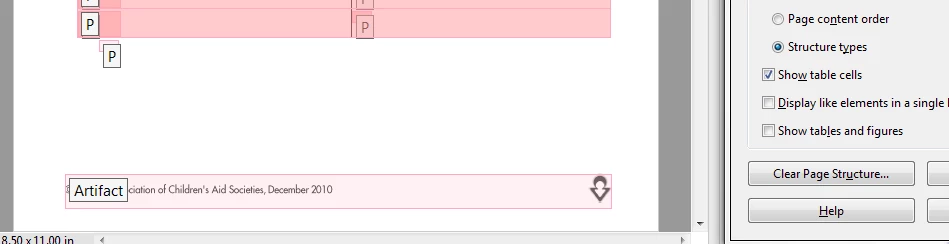
Basically what happens is that, when I want to tag an unwanted Object as "Background", that Object would appear highlighted in a tag known as "Artifact" (and sometimes "Sect"). I understand that if you look in the Content Pane, all Objects tagged as "Background" is actually under the "Artifact" tag. But it normally doesn't show.
The unwanted Object shows up in the Reading Order Pane as an actual tagged Object (tagged as Artifact). It is really annoying and bugs the program. Sometimes, it makes the whole page untaggable. No matter what I try to tag, nothing would tag. Sometimes, the tagged Object (as Artifact) cannot be retagged into something else. There are more, but in short, how do I get rid of this? I attached a screenshot of the footer that I don't want.
 AdChoices