UC Riverside
Inspiring
February 15, 2017
Question

Why is auto calculate not working in middle column? Adobe Acrobat Pro
  • February 15, 2017
  • 1 reply
  • 722 views

PROBLEM:
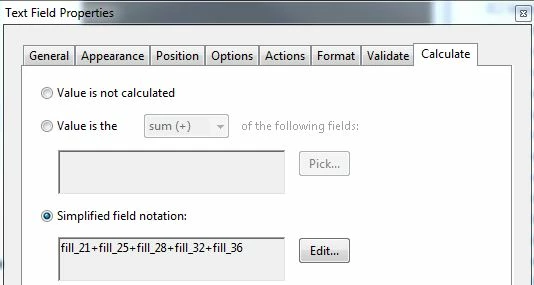
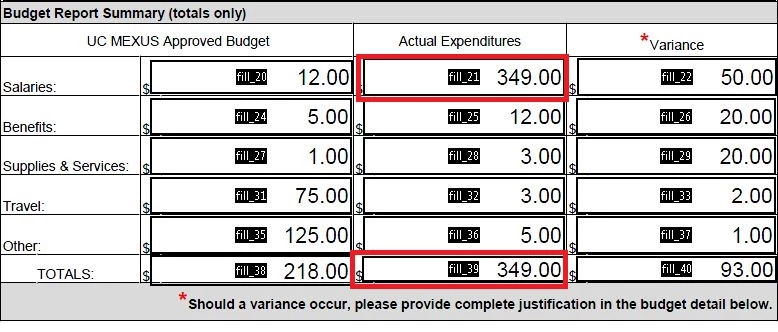
Please look at column 2, (expenditures). It does not work, which is evident by looking at the value in the first field and total field. Any changes to first and 3rd columns flows into the middle column. I also had this same problem with a word doc several months ago -- which is not to say I'm asking for help on the word doc. My point is it just seems to be a problem unique to auto calc endeavors as a whole and if someone could help me resolve/understand this it would be most appreciated.

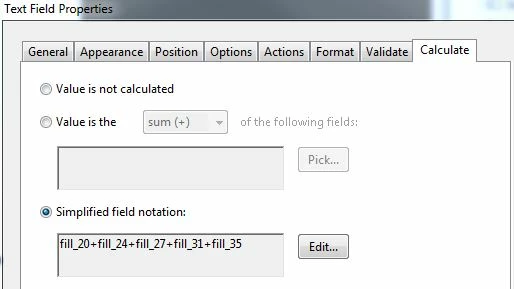
COLUMN 1 = Budget                                                  COLUMN 2 = EXPENDITURES                           
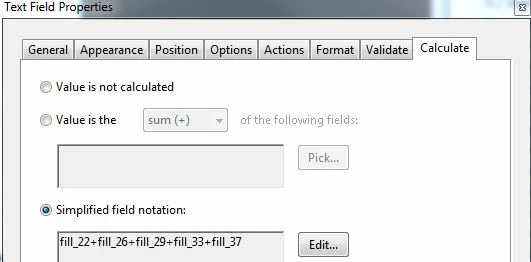
COLUMN 3 = VARIANCE
This topic has been closed for replies.

1 reply

try67
Community Expert
Community Expert
February 15, 2017

Are the values of the fields you're summing up also calculated, or are they entered by the user manually?

UC Riverside
Inspiring
February 15, 2017

This is what the form looks like that allows the end user to fill in the blank fields, which in turns causes the total fields to auto calculate as each value is entered. Sorry -- that's the best way i know how to answer your question. But here's another wrinkle -- IT'S WORKING NOW!!!!! Not sure exactly what I did, other than spending time teaching myself how to change the tab order from horizontal to vertical. Thank you for taking the time to respond to my question.

try67
Community Expert
Community Expert
February 16, 2017

I'm sorry -- but I don't quite understand your response. I believe I did set the format option as documented in the screen shot above -- I included it just below the calculated fields. All of the other fields are set with the format option of 0.00, as is the one that's posted above. Unfortunately, this particular field [other] does not seem to be responding to the formatting.


Again, you're misunderstanding the meaning of the default value. It has nothing to do with the format of the field. It's simply the value the field reverts to when the form is reset. The format setting for the field is under the Format tab.