Participant
December 24, 2024
Question

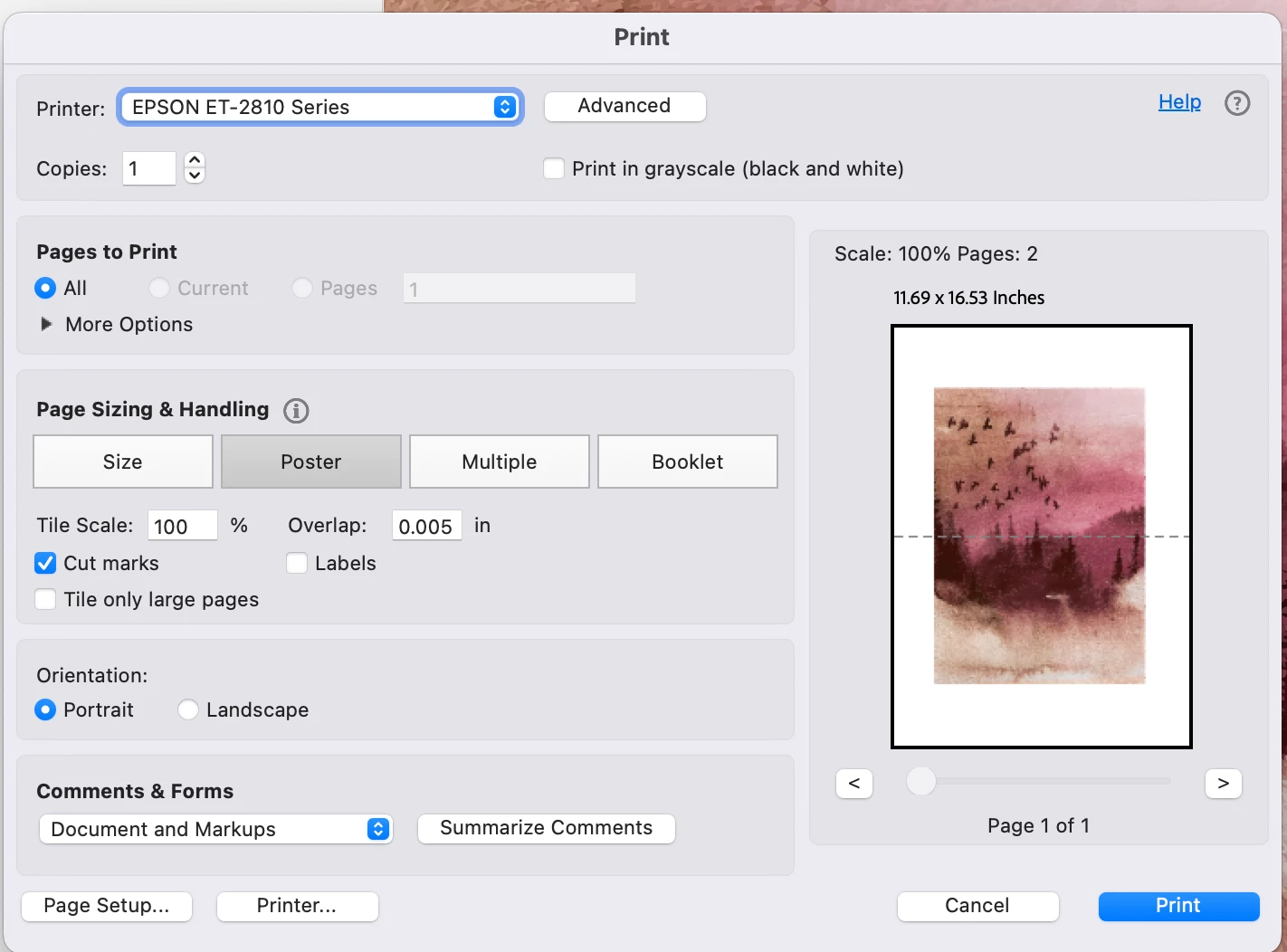
Why is there a white border when printing in poster

  • December 24, 2024
  • 2 replies
  • 941 views

Hi all,

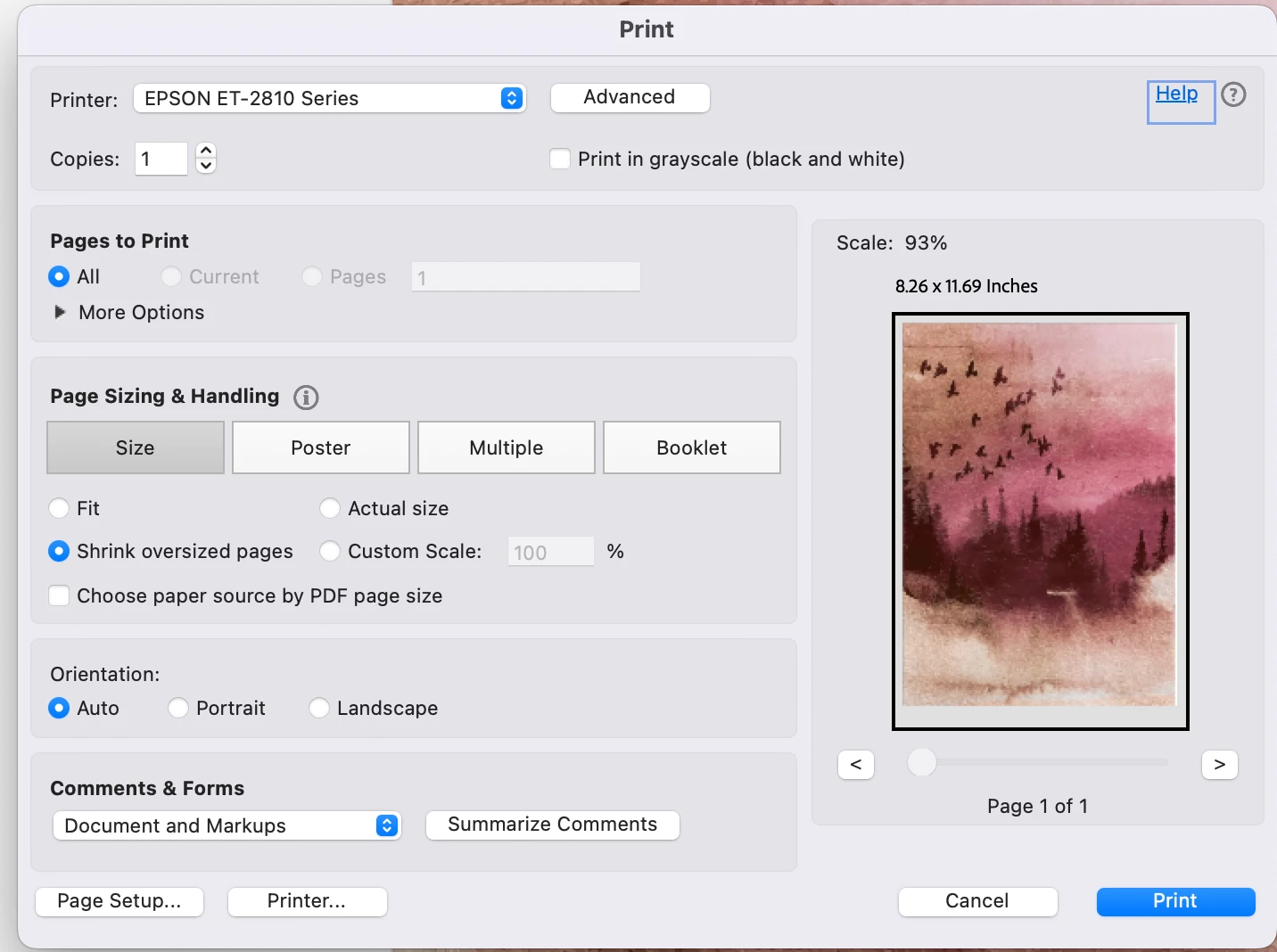
When I'm opening my A4 pdf in adobe acrobat  it shows as normal under 'size', but when under 'poster'  it shows this massive white border. How do i fix this? I wanna print this A4 to A2 so I'm scaling it up to 200% and still face this issue. 
This topic has been closed for replies.

2 replies

JR Boulay
Community Expert
Community Expert
December 24, 2024

Your doc is not scaled to 200%


Acrobate du PDF, InDesigner et Photoshopographe
Amal.
Community Manager
Community Manager
December 24, 2024

Hi there


Hope you are doing well and thanks for reaching out.


A PDF is essentially a digital representation of a printed document. The margins within a PDF are defined during the document's creation by the application used to generate the file. These margins reflect the original design and layout choices made by the creator.

If you need to adjust the visible content area of a PDF, Adobe Acrobat DC provides the ability to crop pages to a smaller size. This feature allows you to remove unwanted margins or focus on specific sections of the document. Please note that this functionality is available exclusively in Adobe Acrobat DC and is not supported in Adobe Reader.

To learn more about how to crop PDF pages and explore step-by-step guidance, visit the official Adobe help page here: Crop PDF pages help page. This resource will provide you with all the information you need to achieve your desired adjustments.


Also, you may check the correct answer marked here (https://adobe.ly/3BJDqri)