


bflmpsvz2
Known Participant
December 20, 2024
Question

Why this pdf is not searchable? Not scanned, maybe vector, but some text included...

  • December 20, 2024
  • 3 replies
  • 1248 views

From time to time, I meet pdf like this one:

https://www.warco.co.uk/img/cms/WM14%20Operators%20Manual%20&%20Parts%20List_1.pdf

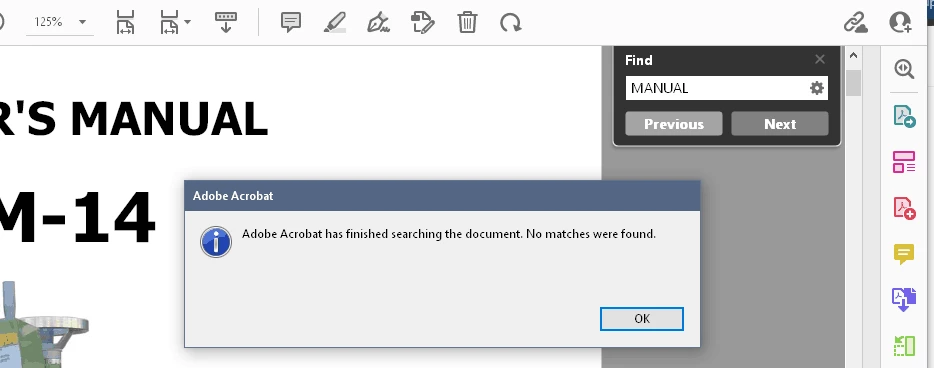
When I try  to find let say the word MANUAL, it does not find it.


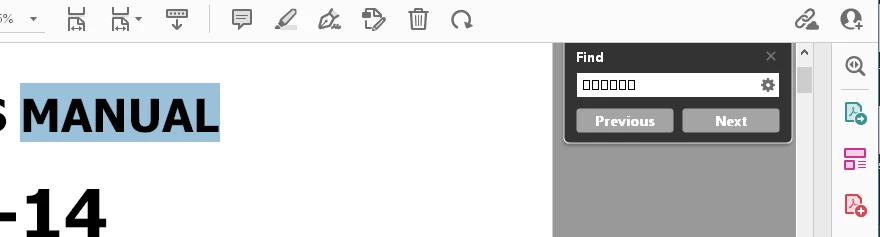
When I try to copy the word MANUAL and paste it to the search windows, it is not readable.


When I try File-Save as Text, the result is unreadable.

What is wrong with this pdf? Can I repair it somehow?

This topic has been closed for replies.

3 replies

bflmpsvz2
bflmpsvz2Author
Known Participant
December 22, 2024

Thanks. https://tools.pdf24.org/en/ocr-pdf  or https://www.ilovepdf.com/ocr-pdf did it for me, but each of them quite different way.

The first made it searchable, but I still cannot copy readable text from the converted pdf. The second made it searchable and text is without gibberish, but the file size expanded from 1.78 MB to 5.95 MB.

Brad @ Roaring Mouse
Community Expert
Community Expert
December 22, 2024

The I Love PDF one is doing essentially what @try67 has suggested. It converts each page to an image them performs OCR on those images. The OCR's text is hidden, but accessible for search and copy and paste operations, so what you SEE is the rasterized image (in I Love PDF's case, around 150ppi), but the text is from the hidden layer. As for the file size: Because your converted PDF is now all images, the file size will increase accordingly.

I tried to see what the other does, but it really did not provide me with any better of a PDF than your original; i.e. The only text that seasonable was page 3

bflmpsvz2
bflmpsvz2Author
Known Participant
December 23, 2024
quote

it really did not provide me with any better of a PDF than your original; i.e. The only text that seasonable was page 3


I had to check "Force OCR" (and English), only then it made completely searchable pdf.

Brad @ Roaring Mouse
Community Expert
Community Expert
December 21, 2024

"Can I repair it somehow?"

No. Most of the text in this file has no correlation to proper Unicode character pairing, so the embedded subset can only be used for printing. What's making it worse is that it looks like it has been re-encoded and re-subsetted from already subsetted fonts, making it even further from recognizable. Any text copied and pasted or exported will indeed be gibberrish (with the exception of page 3 which has a standard encoding). This cannot be fixed at this point; the damage is done; The file would have to be recreated from its original sources (assuming this is a file you/your company created).

If this is not your PDF and YOU just want to make it searchable for your own purposes, the route @try67 suggested would indeed work

try67
Community Expert
Community Expert
December 20, 2024

Bad font encoding. Export all pages to (high-quality) images, such as PNG, then create a new PDF from those images and run Text Recognition on it.