Jeff Li13203482
Known Participant
April 25, 2018
Question

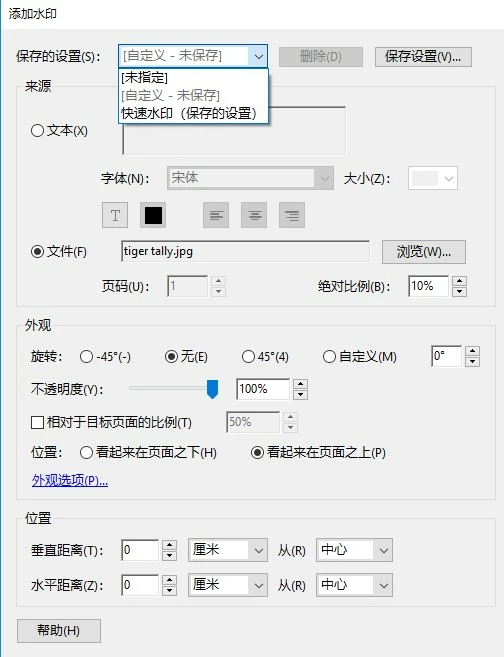
Why watermarks doesn't show when i add batch watermarks with "saved watermark setting"

  • April 25, 2018
  • 1 reply
  • 2761 views

Why watermarks doesn't show when i add batch watermarks with "saved watermark setting"?

My operation is:

  1. save watermark setting parameters with press the "save setting" button;
  2. add several PDF files to acrobat DC;
  3. select "save setting" list and choose the saved setting;
  4. apply add watermarks;
  5. but when I open the PDF files processed, no anyone watermark shows;
  6. If i add watermark manually, it works, watermark appears.

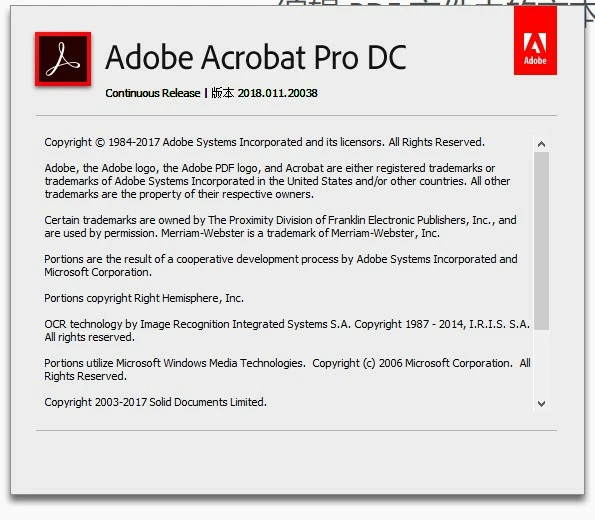
my acrobat dc version is: 2018.011.20038
This topic has been closed for replies.

1 reply

harshas13
Adobe Employee
Adobe Employee
May 2, 2018

Hi Colemanlee,

In the description mentioned above, when you say "2. add several PDF files to acrobat DC" do you just open the files in Acrobat DC or do you add the files to create a single pdf file?

If you are just opening the files, normally you would have to go to each file and add watermark, alternatively you can create an action using the Action Wizard to apply watermark to the entire batch at once.

-Harsha

Jeff Li13203482
Known Participant
May 3, 2018

Hi Harsha,

Thank you for your reply, I used the Action Wizard to apply watermark to the entire batch at once.

My problem is watermarks doesn't show when i add watermark in "saved watermark setting" method for entire batch at once.

AkanchhaS8194121
Legend
April 22, 2019

Hi,

the .jpg file location which you are using as Watermark is in local disk, such as D:/ or E:/.


In addition to the previous response of JeffLi , copy that file to the main drive ( as suggested above "try to save it locally and try Watermarking again your files") and try again.

Thanks,

Akanchha