

Jakub A
Participant
June 8, 2023
Answered

You guys can't keep it without unnecessary UI changes throughout your products

  • June 8, 2023
  • 5 replies
  • 2475 views

Honestly, why are you fixing things that are not broken.

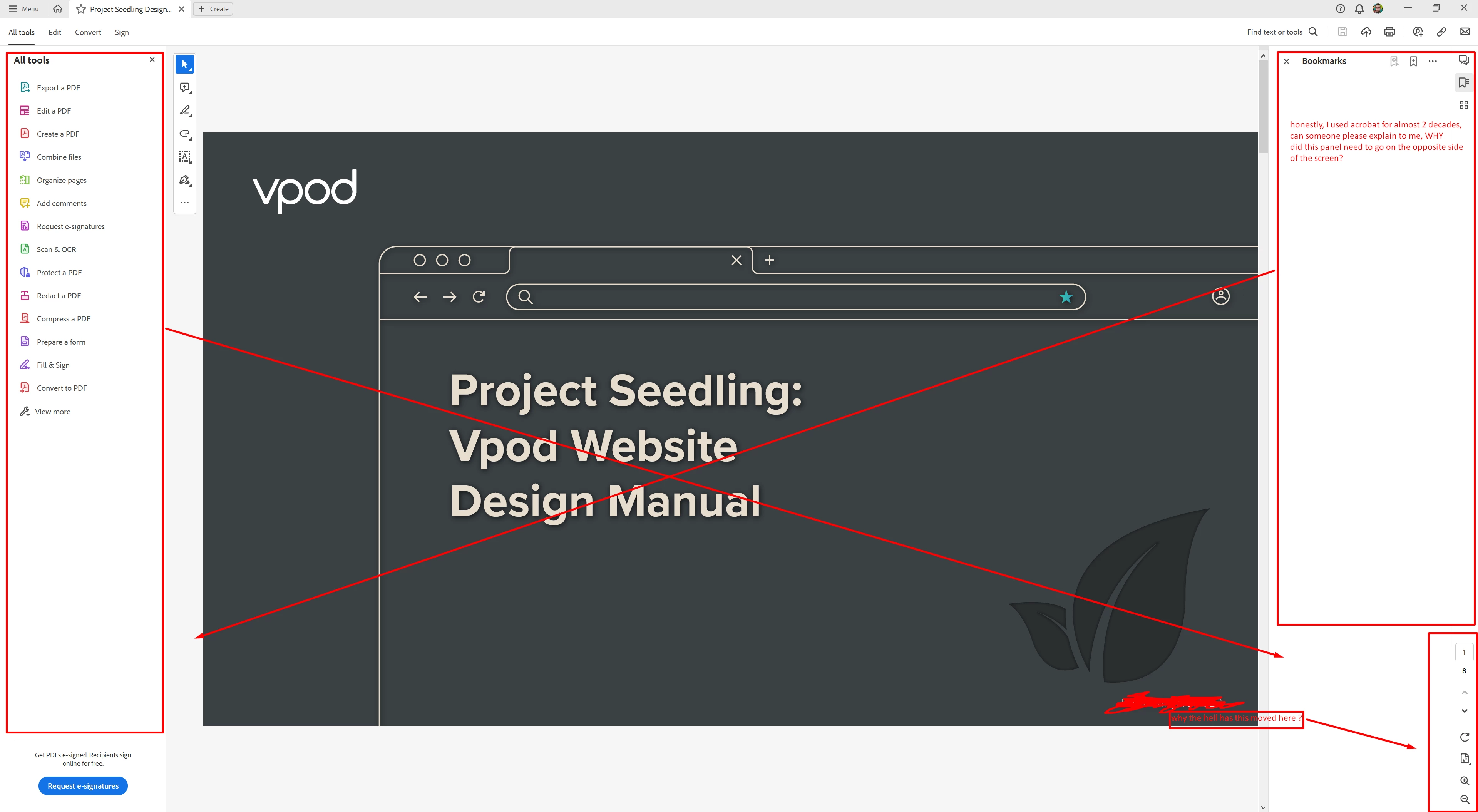
For the last bazillion versions, we've had bookmarks and pages panel on the left, and tools panel on the right, why, on God's green earth do you keep moving UX elements around?

I'm honestly sick and tired of these unnecessary pointless changes, where we, the users must keep getting used to and changing our habits, because someone somewhere in your corporate structure had some brilliant idea that needed to be implemented regardless of how it is going to affect the rest of us.


Like, don't takre me wrong, I like where the new design is going, but for love of all that is good, why do you need to keep shuffling where everything lives all the time (this includes my beef with unnecessary UX changes across other CC product stack)
This topic has been closed for replies.
Correct answer try67

I totally agree, but you're barking up the wrong tree. This forum is mostly used by other fellow-users, just like yourself, and we have nearly no influence on this type of changes.

However, there is (still) a way to revert back to the old UI. Click the so-called "hamburger" Menu at the top left and select Disable New Acrobat.

5 replies

AnandSri
Community Manager
Community Manager
September 7, 2023

Hi All!


I hope you all are doing well.


We acknowledge that the new Acrobat represents a notable change; however, we hope that as you get familiar with the new interface, you can be more productive & get more out of Acrobat.  


As we made these changes in the interface, we have tried to ensure all tools & features currently supported retain their familiar functionalities and workflows as they did in the previous version. We are committed to addressing any gaps or issues users report related to any break in current workflows in all our past & upcoming releases. 

If any of your current workflows are not functioning as expected, share them with us on this thread, and we will address them with the highest priority.


We appreciate your valuable feedback! We're always looking for ways to improve Acrobat, and we appreciate the time and effort you have taken to share your feedback. 


If your critical workflows are impacted, you can switch to the old UI from the "Menu" on the top left corner of Windows and View Menu on MacOS. We will follow up with a detailed community-featured post, guiding you to familiarise yourself with the new interface and regular updates on upcoming changes.


Thanks,

Anand Sri.

Inspiring
September 8, 2023

You said "We acknowledge that the new Acrobat represents a notable change; however, we hope that as you get familiar with the new interface, you can be more productive & get more out of Acrobat."


How do you think it's going to make us more productive? Does it contain new and better features than before or have you just moved a bunch of stuff around? What would you consider to be - say - the best three benefits of the interface change? Genuinely curious, because it's horrible!


Stephen G.

Participating Frequently
August 30, 2023

I discovered these horrific UI changes today, and hope some of this feedback will land on Adobe desks. These are supposed to be the market-leading design tools, but this new Acrobat version is insulting every designer and every Adobe user with a UI that is not only ugly, but doesn't make sense at all.  Wish I could convert back to the previous version and stay there.

Participating Frequently
August 30, 2023

Just saw the note that you can revert! Thank you!


Participating Frequently
August 30, 2023

And when you switch back, you are asked to give feedback via a web form.

Inspiring
June 8, 2023

Agreed! It's massively frustrating for me as we have 600 members who require training on the use of PDF bundles and now some will use this new interface and others will use the classic interface, so effectively I now have to do double the amount of procedural guides and when I'm doing training sessions I have to be like "oh, this works differently if you use the New View." I don't see that it solves any issues at all.

mariahweyne
Inspiring
June 8, 2023

You are now in Acrobat's New Experience.  You can switch back to the old one. One is for WIN the other for MAC.


Jakub A
Jakub AAuthor
Participant
June 8, 2023

Thank you, but that is not the point. (and I've already did as @try67  already offered the solution)
I like the fresh look/design, the colours, the shapes etc.

The problem is needles repositioning of UX elements 

try67
Community Expert
try67Community ExpertCorrect answer
Community Expert
June 8, 2023

I totally agree, but you're barking up the wrong tree. This forum is mostly used by other fellow-users, just like yourself, and we have nearly no influence on this type of changes.

However, there is (still) a way to revert back to the old UI. Click the so-called "hamburger" Menu at the top left and select Disable New Acrobat.

Jakub A
Jakub AAuthor
Participant
June 8, 2023

Ah, fair enough! well, A man can dream, I had Someone from the dev/product team answer my barking on Premiere forums (granted that is the infamous export window redesign issue that they would like to pretend doesn't exist), so if we make enough noise, we might attract someone 😄

Anyway, thank you for the tip, I've reversed already 🙂