
Answered
0xc0000022
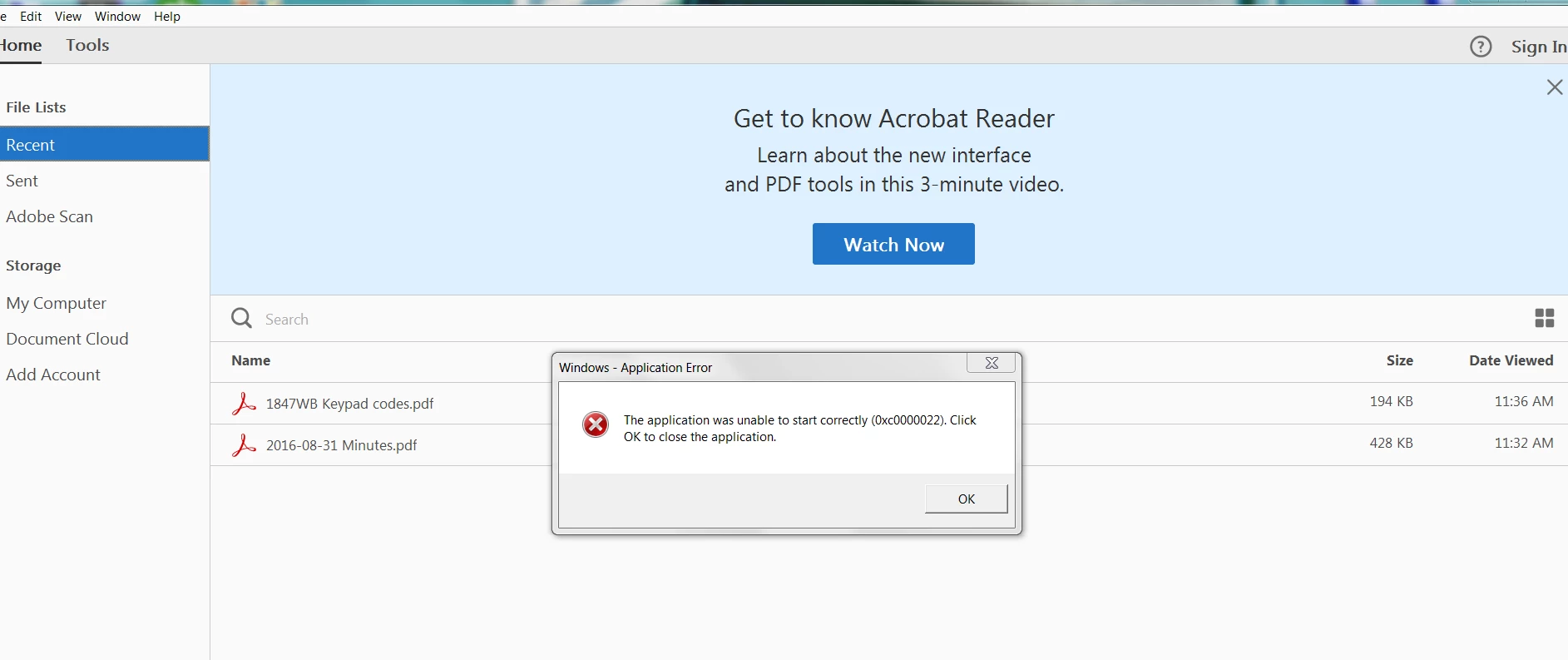
Windows Application error:
-Have uninstalled and re-installed Acrobat Reader DC several times.
-have checked the shortcut security permission (full control)
-have repaired the Microsoft Virtual 2013.........
STILL NO RESOLUTION

Windows Application error:
-Have uninstalled and re-installed Acrobat Reader DC several times.
-have checked the shortcut security permission (full control)
-have repaired the Microsoft Virtual 2013.........
STILL NO RESOLUTION
Hello Eddiepap,
We're sorry for the trouble you had with Adobe Reader, please reboot the machine once and if you have a security software, please run a full scan.
Also, check for any pending updates of the operating system and install them. Reboot the machine after installing the Windows update.
Use Acrobat cleaner tool to remove installed Adobe Reader Download Adobe Reader and Acrobat Cleaner Tool - Adobe Labs
Reboot the machine and download the setup of Adobe Reader from Adobe - Adobe Acrobat Reader DC Distribution
Once the setup is downloaded, right click on the setup file and click on ‘properties’.
Click on the ‘compatibility’ tab and check the box ‘Run this program in compatibility mode for’ and select Windows 8/7 operating system from the drop down menu and proceed with the installation.
Once this is done, restart the computer and check if the issue persists.
You can also refer and try the suggestions from the following Adobe articles Application unable to Start correctly (0xc0000022)
If the issue still persists, please create a test user profile with full admin rights and install Adobe Reader.
let us know how it goes and share your observation.
Thanks,
Anand Sri.
Already have an account? Login
Enter your E-mail address. We'll send you an e-mail with instructions to reset your password.
 AdChoices