
OneX92
Participant
May 8, 2022
Answered

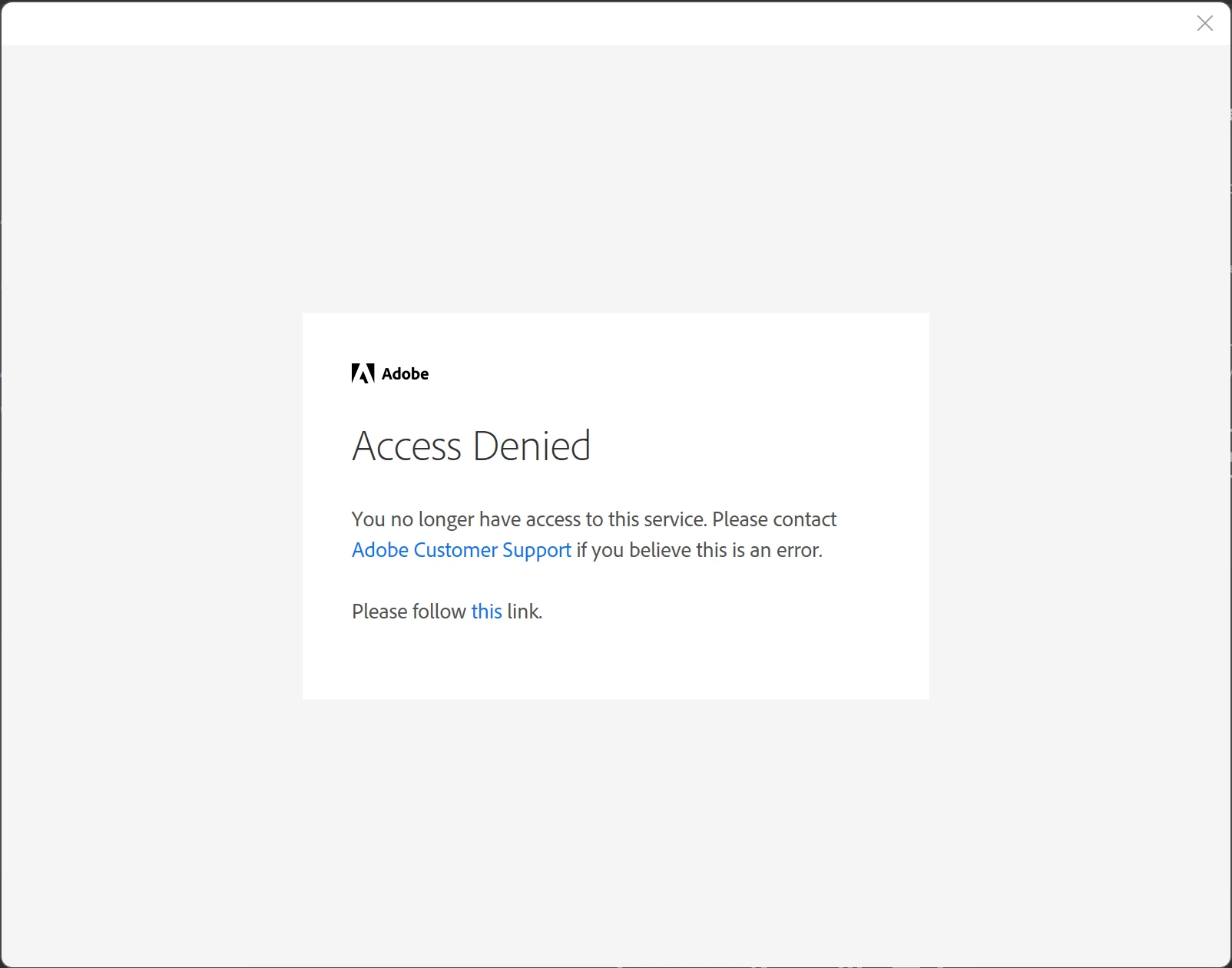
Access Denied: You no longer have access to this service. Please contact Adobe Customer Support ...

  • May 8, 2022
  • 2 replies
  • 15904 views

Hi everyone,

Everytime I open Acrobat Reader DC I get an annoying message saying "Access Denied. You no longer have access to this service. Please contact Adobe Customer Support if you believe this is an error."

This message seems to be related to a login screen. It also only appears when connected to the internet.

To clear things up I don't want to login, I only want to use the free Acrobat Reader DC.

I tried contacting Adobe Support, but since Acrobat Reader DC is free, they don't want to give active support.
System information:

  • Windows 11 with latest updates
  • Acobat Reader DC 64-bit


Procedures I have already tried to resolve the issue:

  • Deinstall and reinstall Acrobat Reader DC (+ removing registry entries)
  • Installing Creative Cloud and its cleaner tool


No success so far ...

Is anyone able to help me?
Correct answer OneX92

Hi there


Thanks for trying out the suggestion.


As the issue doesn't occur with new user account, it seems to be some issue with the regular user account/profile. There isn't much that we can do.  Please try to repair the user account and see if that works.


Regards

Amal


Hi Amal,

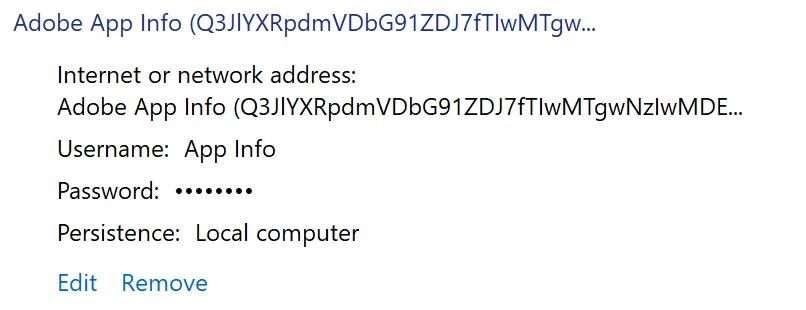
There is a solution to this error which worked so far for me. It is related to Windows credentials trying to automatically log in to obsolete user accounts.


Here are the necessary steps:

  1.  Open Windows Credential Manager.
  2.  Select Windows Credentials.
  3.  Go to Generic Credentials.
  4.  Remove anything related to Adobe products:


Regards,
OneX92

2 replies

JR Boulay
Community Expert
Community Expert
May 10, 2022

MOVED TO THE ACROBAT READER FORUM

Acrobate du PDF, InDesigner et Photoshopographe
Participant
February 7, 2024

Please guys wacth Snowdon I acted in the film, it's all old hat now but, I acted in und oh, whats his nam, Oliver... can't remember. Anyway if you can´t have time i#d love a call instead of emaill

Amal.
Community Manager
Community Manager
May 10, 2022

Hi there


Hope you are doing well and sorry to hear that.


Is this a personal machine or a work/IT managed machine?


Is this an issue with opening the PDF file or with opening the Acrobat Reader DC application itself?


Please try to create a new test user profile with full admin rights in Windows and try using the application there and check.


If it still doesn't work, please remove the application using the Acrobat cleaner tool https://www.adobe.com/devnet-docs/acrobatetk/tools/Labs/cleaner.html reboot the computer once and reinstall the application using the link https://get.adobe.com/reader/enterprise/ and see if that helps.


Regards

Amal

OneX92
OneX92Author
Participant
May 10, 2022

Hi Amal,


Thany you for your answer.


It is a personal machine with a personal Microsoft account. However I also have a Microsoft school account linked to it which I use to log in to serveral other apps.


The error occurs when opening Acrobat Reader DC, with and without directly opening a PDF file. It takes about 5 seconds to seemingly load a login window which then switches to the error message.


I created a new admin user account. In this case the error does not occur.


Regards,
OneX92

Amal.
Community Manager
Community Manager
May 11, 2022

Hi there


Thanks for trying out the suggestion.


As the issue doesn't occur with new user account, it seems to be some issue with the regular user account/profile. There isn't much that we can do.  Please try to repair the user account and see if that works.


Regards

Amal